7 Best AI Writing Tools for Students in 2026: Compared by Essays, Research, Rewriting, Citations, and PDF Workflows

Best Overall

4.8
Features

Best for Long-Form Writing
4.8
Features

Best for Source-Based Writing
4.8
Features
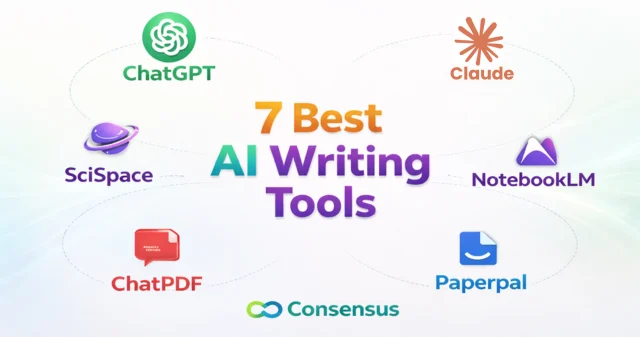
The best AI writing tools for students do more than speed up writing. They help you plan essays, understand research, rewrite clearly, and work faster with notes, papers, and PDFs.
Some are better for first drafts. Others are stronger for academic editing, source-based writing, or research support. The best choice comes down to how you study, write, and revise.
Here are the top picks at a glance:
ChatGPT
“The All-Rounder Every Student Needs” → “One Tool for Every Assignment”
Claude
“Long-Form Writing That Flows Naturally” → “Cleaner Drafts, Smoother Essays”
NotebookLM
“Your Notes. Your Sources. Your AI Assistant” → “Write Directly From Class Material”
Paperpal
“Make Your Writing Sound Academic & Professional” → “Polish It Like a Pro”
Consensus
“Real Research. Real Evidence. Real Fast” → “Back Every Claim with Studies”
SciSpace
“Understand Complex Papers in Plain English” → “Decode Research Papers Effortlessly”
ChatPDF
“Chat With Your PDFs & Textbooks” → “Summarize Readings in Seconds”
In this guide, SaaS & Software Reviews compares each tool by real student needs like essays, research papers, summaries, note-based writing, and editing help, so you can choose the one that fits your workflow best.
| Badge | Tool | Best For | Top Features | Starting Price |
| Best Overall | ChatGPT | Everyday student writing | Brainstorming, outlines, drafting, rewriting, study support | Free / $20 mo |
| Best for Long-Form | Claude | Essays and long answers | Better flow, cleaner tone, smoother rewrites | Free / $20 mo |
| Best for Notes | NotebookLM | Writing from class material | Note-based writing, source-grounded summaries, lecture support | Free |
| Best for Academic Tone | Paperpal | Polishing assignments | Grammar, clarity, academic style, formal writing | Free / Paid |
| Best for Research | Consensus | Evidence-backed writing | Academic studies, source support, research summaries | Free / Paid |
| Best for Research Papers | SciSpace | Understanding difficult papers | Paper explanations, summaries, method breakdowns | Free / Paid |
| Best for PDFs | ChatPDF | Writing from readings | PDF summaries, Q&A, textbook support | Free / Paid |
How we evaluated these AI writing tools
We did not rank these tools by hype or popularity alone. We looked at how useful they are for real student work like essays, research papers, summaries, rewrites, and writing from notes or PDFs.
Writing Quality
First, we looked at how well each tool helps students write clearly. That includes idea generation, outlines, sentence flow, rewriting, and how natural the final draft sounds.

Research & Citation Support
Some tools are better at finding reliable information, explaining sources, and helping students build stronger arguments. We gave extra weight to tools that support evidence-based writing instead of vague answers.
PDF and note-based workflows
Many students do not start with a blank page. They start with lecture slides, class notes, journal articles, and PDFs. So we looked at which tools are best at turning source material into summaries, explanations, and usable drafts.


Academic integrity and plagiarism risk
A good student writing tool should support learning, not shortcut it. We considered how safely each tool can be used for brainstorming, editing, summarizing, and understanding topics without pushing students toward risky or copy-paste writing habits.
Pricing and student value
Price matters. We compared free plans, paid upgrades, and overall value to see which tools give students the most help for the money. A tool only makes this list if it offers clear practical value, not just extra features.

Best AI Writing Tools for Students in 2026: Full Breakdown
ChatGPT
Pros and cons
Claude
Pros and cons
NotebookLM
Pros and cons
Paperpal
Pros and cons
Consensus
Pros and cons
SciSpace
Pros and cons
SciSpace
Pros and cons
Built for Accuracy, Compliance & Scale
Best for essay writing
ChatGPT is the best pick for essay writing if you want help with ideas, outlines, first drafts, and clearer structure in one place.
Best for research papers
Paperpal is the better choice for research papers when you need a more academic tone, cleaner language, and stronger polishing before submission.
Best for rewriting and paraphrasing
Claude stands out for rewriting because it usually gives smoother flow, better wording, and more natural long-form edits.
Best for summarizing PDFs and textbooks
ChatPDF is the easiest option when your work starts with long readings, handouts, textbook chapters, or article PDFs.
Best for citations and evidence-backed answers
Consensus is best when you need research-backed answers and stronger support from academic studies.
Best free AI writing tool for students
NotebookLM is one of the best free options for students, especially if you want to study and write from your own notes, lectures, and source material.
ChatGPT vs Claude for students: Which is better for writing?
If you want one tool for everyday writing tasks, ChatGPT is the better choice. It is more flexible for brainstorming, outlines, short assignments, study help, and quick draft support.
If your focus is longer writing, Claude is often the better pick. It usually does a better job with flow, structure, and rewriting long sections in a more natural way.
Bottom line: Choose ChatGPT for all-purpose writing help, and Claude for cleaner long-form drafting and rewriting.
NotebookLM vs ChatPDF: Which is better for writing from class materials?
If you work from lecture notes, class slides, multiple readings, and your own study material, NotebookLM is the stronger option. It is better for turning your own sources into summaries, outlines, and study-based writing support.
If you mainly need help with one file at a time, ChatPDF is faster and simpler. It works well when you want to ask questions, pull key points, or summarize a single PDF quickly.
Bottom line: Choose NotebookLM for a full note-based workflow, and ChatPDF for quick PDF-focused writing tasks.
Consensus vs SciSpace: Which is better for research-backed writing?
If you want fast answers backed by academic studies, Consensus is the better fit. It helps you find evidence quickly and understand what research says about a topic.
If you already have papers and want help understanding them, SciSpace is stronger. It is better for breaking down dense research, methods, and difficult academic language.
Bottom line: Choose Consensus for finding research support, and SciSpace for understanding research papers before you write.
Are AI writing tools safe for students to use?
Yes, they can be safe and useful when used as a support tool, not as a shortcut. The best way to use them is to improve how you learn, organize ideas, understand sources, and polish your writing.
What counts as responsible use
Use these tools to brainstorm, outline, simplify tough topics, summarize notes, and improve your draft. They work best when your ideas lead and the tool simply helps you write faster and clearer.
What to avoid in academic work
Do not submit raw output as your own work. Avoid fake sources, made-up citations, and unchecked writing. Use these tools to support your work, not replace your effort.
How to choose the right AI writing tool as a student
Start with the kind of work you do most. If you need help with ideas, outlines, and everyday writing, go with ChatGPT. If you want smoother long-form drafts and better rewriting, Claude is a stronger fit.
If your writing starts from lecture notes, class readings, or PDFs, choose a tool that works well with source material like NotebookLM or ChatPDF. If your work is more academic and research-heavy, Paperpal, Consensus, or SciSpace will be more useful.
The best tool is not the one with the most features. It is the one that fits your study style, writing workflow, and budget. Pick the tool that solves your biggest problem first.
Final verdict
If you want one tool that can handle most student writing tasks, ChatGPT is the best overall pick. If your priority is smoother long-form drafting and rewriting, Claude is the stronger choice. If you write from lecture notes, class readings, and PDFs, NotebookLM and ChatPDF are more useful. For academic work that needs stronger research support, Paperpal, Consensus, and SciSpace fill that gap well.
The real goal is not to find the most popular tool. It is to find the one that fits how you study, write, research, and revise. For most students, the best setup is not one tool, but a simple mix: one for drafting, one for source-based work, and one for research support.
Frequently Asked Questions