Best AI Video Generators for Creators, Marketers, and Businesses in 2026: 15 Tools Tested & Compared
Choosing the right video tool depends on what you want to make. A YouTuber needs fast clips and captions. A marketer needs ads and product videos. A business team needs clean training videos, avatars, and brand-safe exports.
We tested 15 tools across text-to-video, image-to-video, avatars, voiceovers, editing, subtitles, templates, and social video workflows. This guide gives you the best pick for each use case.
Best Pick Summary
Quick Answer: Best AI Video Generators in 2026
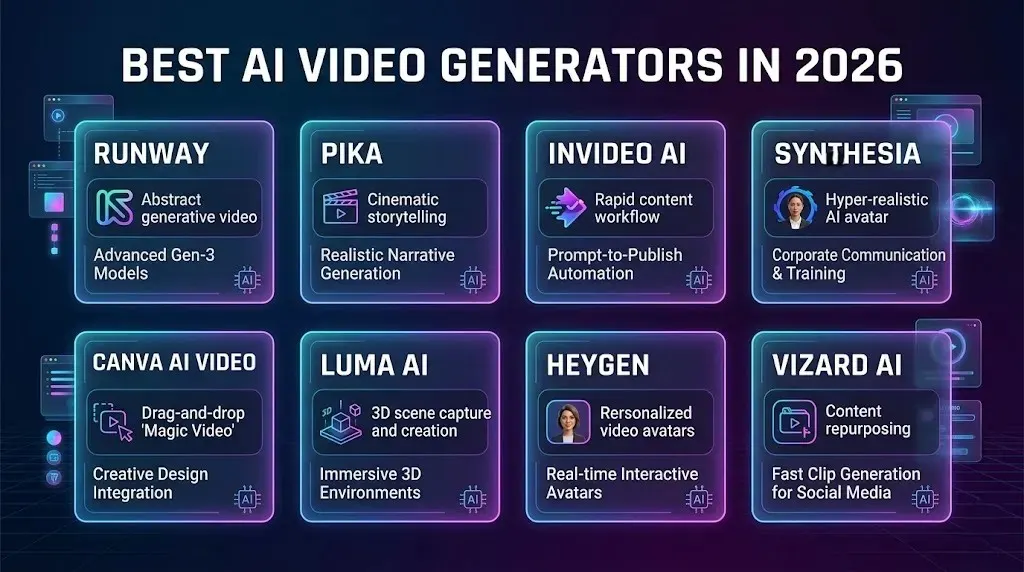
The best AI video generator overall is Runway because it gives creators strong control over video style, motion, and editing. For business videos, Synthesia is better. For marketing videos, InVideo AI is easier. For short clips, Pika and Vizard AI are strong options.
Best Overall AI Video Generator — Runway
Runway is the best overall choice for users who want creative control. It works well for text-to-video, image-to-video, short scenes, brand clips, and visual experiments. It is best for creators, agencies, and teams that care about quality more than speed.
Best for Creators and YouTubers — Pika
Pika is a strong pick for creators and YouTubers who want quick visual clips, short scenes, and social content. It is easy to use and works well for Shorts, Reels, TikTok videos, thumbnails, intros, and creative storytelling.
Best for Marketing Videos and Ads — InVideo AI
InVideo AI is best for marketing videos because it can turn a simple idea or script into a finished video with stock footage, captions, music, and voiceover. It is useful for product videos, promo clips, social ads, and small business campaigns.
Best for Business and Training Videos — Synthesia
Synthesia is best for business and training videos. It is made for presenter-style content, onboarding videos, internal updates, tutorials, and course lessons. It is a good option when you need a clear speaker, polished script delivery, and a professional look.
Best Free AI Video Generator — Canva AI Video
Canva AI Video is the best free-friendly option for beginners. It is simple, fast, and useful for basic social videos, presentations, reels, and marketing posts. It is not the most advanced tool, but it is easy to start with and works well for simple projects.
Best for Text-to-Video — Runway
Runway is the best text-to-video tool for most users. It gives better control over scenes, style, camera movement, and visual direction. It is useful for ads, concept videos, cinematic clips, and creative projects.
Best for Image-to-Video — Luma AI
Luma AI is a strong choice for image-to-video. It can add motion to still images and works well for product visuals, creative shots, social posts, and short brand clips. It is best when you already have a good image and want to bring it to life.
Best for AI Avatar Videos — HeyGen
HeyGen is best for avatar videos when you need a realistic presenter, personalized messages, sales videos, training content, or multilingual business videos. It is practical for teams that want human-style video without recording on camera.
Best for Short-Form Social Videos — Vizard AI
Vizard AI is best for short-form social videos. It helps turn long videos into short clips with captions, highlights, and social-ready formats. It is useful for podcasters, YouTubers, coaches, agencies, and creators posting on TikTok, Instagram Reels, and YouTube Shorts.
How We Tested These AI Video Generators
We tested each tool the way a real creator, marketer, or business team would use it. We looked beyond demo videos and checked how each platform handles prompts, scripts, images, captions, voiceovers, avatars, exports, and editing.
Our Testing Criteria
Each AI video generator was judged on video quality, ease of use, prompt accuracy, motion control, editing tools, voiceover options, avatar quality, subtitle support, export settings, pricing, free-plan limits, and commercial use options.
Test Prompts and Video Tasks We Used
We used practical tasks for every tool: a product promo, a YouTube Shorts clip, a talking avatar video, a text-to-video scene, an image-to-video test, a short explainer, a captioned social clip, and a video repurposing task.
What We Checked Before Ranking Each Tool
Before ranking a tool, we checked how fast it works, how clean the final video looks, how much editing is needed, whether the output matches the prompt, how natural the voice or avatar feels, and whether the plan offers fair value.
Why You Should Trust This Review
This review is based on hands-on use cases, not just feature lists. We focused on what matters after signup: output quality, workflow speed, limits, pricing, and whether the tool is actually useful for creators, marketers, and business teams.
AI Video Generators Compared
Not every AI video generator is built for the same job. Some tools create cinematic clips from text. Some turn scripts into marketing videos. Others make avatar videos, social clips, captions, or short edits from long recordings.
Quick Comparison Table
| Tool | Best For | Free Plan | Main Strength | Best User |
| Runway | Creative control | Yes | Text-to-video, image-to-video, editing control | Creators, agencies, video teams |
| Google Veo | Realistic video quality | Limited access | Realistic motion and cinematic scenes | Creators, brands, filmmakers |
| OpenAI Sora | Storytelling and scene flow | Limited access | Prompt-based scenes and visual storytelling | Creators, writers, concept teams |
| Kling AI | Cinematic visuals | Yes | Film-style clips and dramatic motion | Creators, marketers, visual storytellers |
| Pika | Short creative clips | Yes | Fast clips, social visuals, prompt testing | YouTubers, TikTok creators, marketers |
| Luma AI | Image-to-video | Yes | Adds motion to still images | Product creators, designers, social teams |
| Synthesia | Business training videos | Yes | Avatar presenters and training content | HR, education, business teams |
| HeyGen | AI avatar videos | Yes | Realistic avatars and multilingual videos | Sales, training, business teams |
| InVideo AI | Marketing videos | Yes | Script-to-video with stock clips and voiceover | Marketers, small businesses |
| Fliki | Voiceover-based videos | Yes | Script, narration, and faceless videos | YouTubers, educators, bloggers |
| Vizard AI | Repurposing long videos | Yes | Turns long videos into short clips | Podcasters, coaches, agencies |
| Pictory | Blog-to-video content | Yes | Converts scripts and articles into videos | Bloggers, marketers, educators |
| VEED | Fast online editing | Yes | Captions, resizing, trimming, exports | Creators, marketers, teams |
| Canva AI Video | Beginners | Yes | Templates, simple editing, brand visuals | Beginners, small businesses |
| CapCut | Social media creators | Yes | Short-form editing, captions, effects | TikTok, Reels, Shorts creators |
Use the comparison table above to quickly compare each tool by best use case, free plan, main strength, and ideal user. Compare each tool by best use case, free plan, starting price, text-to-video support, image-to-video support, avatars, voiceovers, editing tools, export quality, and overall value.
AI Video Generator Pros & Cons
| Tool | Pros | Cons |
| Runway | Strong creative control, good text-to-video, useful image-to-video, advanced editing tools | Needs prompt tweaking, credit-based limits, not the easiest for beginners |
| Google Veo | Very realistic video quality, strong motion, cinematic output, good for polished visuals | Limited access, not ideal for simple editing, may not suit quick social workflows |
| OpenAI Sora | Strong storytelling, good scene flow, detailed prompt-based videos, useful for concepts | Limited access, not built for full editing workflows, results may need refinement |
| Kling AI | Cinematic visuals, strong camera movement, good for dramatic scenes, useful for product-style clips | Can need multiple retries, may struggle with complex prompts, credit limits can add up |
| Pika | Easy to use, fast short clips, good for social content, useful for creative testing | Less control than Runway, complex scenes can be inconsistent, best for shorter outputs |
| Luma AI | Strong image-to-video, good motion from still images, useful for product shots and brand visuals | Works best with high-quality images, limited editing depth, not ideal for long videos |
| Synthesia | Professional avatars, great for training videos, strong business use cases, supports many languages | Less creative than cinematic tools, can feel corporate, advanced features may cost more |
| HeyGen | Realistic avatars, good for personalized videos, useful for sales and multilingual content | Avatar quality depends on setup, not made for cinematic clips, paid plans are better |
| InVideo AI | Easy script-to-video workflow, good for ads and promos, includes stock clips, voiceover, and captions | Some scenes need manual edits, stock visuals can feel generic, export limits on lower plans |
| Fliki | Strong voiceover workflow, good for faceless videos, useful for explainers and list videos | Visuals can feel basic, not ideal for cinematic clips, editing control is limited |
| Vizard AI | Great for repurposing long videos, strong captions, good for Shorts/Reels/TikToks, saves editing time | Works best with existing videos, less useful for creating from scratch, highlights may need review |
| Pictory | Good for blog-to-video, easy for explainers, useful for marketers and educators, simple workflow | Videos can feel template-based, limited creative control, best for simple content |
| VEED | Fast online editing, good captions and resizing, easy social exports, no software needed | Advanced generation is limited, free plan restrictions, not as powerful as pro editors |
| Canva AI Video | Very beginner-friendly, strong templates, good for branded posts, useful for small businesses | Not the most advanced video generator, limited creative control, outputs can look template-made |
| CapCut | Excellent for social media, strong free editing tools, captions, effects, templates, mobile-friendly | Less suitable for business training videos, advanced AI generation is limited, trend-based templates can feel repetitive |
What Is an AI Video Generator?
An AI video generator is a tool that helps you create videos from text, images, scripts, slides, or existing footage. It can make new clips, add motion to images, create talking avatars, generate voiceovers, add captions, or turn long videos into short social posts.
How AI Video Generators Work
AI video generators use your input, such as a prompt, script, image, or video file, and turn it into a finished or semi-finished video. Some tools create scenes from text. Others match your script with stock clips, music, subtitles, voiceovers, and templates.
What You Can Create With AI Video Tools
You can create YouTube Shorts, TikTok videos, Instagram Reels, product demos, training videos, explainer videos, ads, faceless videos, avatar videos, social media clips, course lessons, and short brand videos without starting from scratch.
Who Should Use AI Video Generators?
AI video generators are useful for creators, marketers, small businesses, agencies, teachers, coaches, and teams that need video content faster. They are best for people who want to save editing time, test ideas quickly, or create videos without hiring a full production team.
Types of AI Video Generators
AI video generators fall into different groups. Some create new footage. Some animate images. Some make presenter videos. Others help you edit, caption, and repurpose content for social media.
Text-to-Video Tools
Text-to-video tools create short video clips from written prompts. They are useful for cinematic scenes, product concepts, ad ideas, story clips, and creative visuals. Popular examples include Runway, Pika, Kling AI, Luma, Sora, and Google Veo.
Image-to-Video Tools
Image-to-video tools turn still images into moving clips. They are useful for product photos, character shots, social posts, ad creatives, thumbnails, and brand visuals. These tools work best when the starting image is clear and high quality.
AI Avatar Video Tools
AI avatar video tools create videos with digital presenters. They are useful for training videos, onboarding, sales messages, course lessons, product explainers, and internal updates. Synthesia and HeyGen are common choices for this type of content.
Script-to-Video Tools
Script-to-video tools turn written scripts into finished videos with clips, captions, music, voiceovers, and templates. They are useful for marketers, bloggers, educators, YouTubers, and small businesses that need videos without manual editing.
Video Editing and Repurposing Tools
Video editing and repurposing tools help cut long videos into short clips, add subtitles, resize videos, remove filler parts, and prepare content for TikTok, Reels, and YouTube Shorts. They are useful for podcasters, creators, coaches, and agencies.
Who Should Use What?
The best AI video generators in 2026 are not all the same. Some are made for cinematic clips. Some are better for business videos. Others are built for captions, voiceovers, social clips, or long video repurposing.
Below are 15 tools worth testing, based on output quality, ease of use, editing control, pricing value, and real work use cases.
Runway Review: Best Overall for Creative Control
Runway is the best choice for creators who want more control over the final video. It works well for text-to-video, image-to-video, visual effects, scene edits, and short creative clips.
It is best for creators, agencies, and video teams that care about style, motion, and editing flexibility. Runway offers Free, Standard, Pro, Unlimited, and Enterprise plans, with paid plans starting from $12/month when billed yearly.
Testing note:
Runway gave the most control over motion and camera style, but it needed more prompt tweaking than beginner tools.
Google Veo Review: Best for Realistic Video Quality
Google Veo is best for realistic video output. It is strong for cinematic scenes, natural motion, and high-quality visuals. It is a good fit for creators and brands that want polished video clips with a more lifelike look.
Google describes Veo 3.1 as a video model with cinematic 4K, native audio, and strong realism.
Testing note:
Google Veo produced some of the most realistic-looking results in our tests. It worked best for natural motion, cinematic scenes, and polished visual detail.
OpenAI Sora Review: Best for Storytelling and Scene Flow
Sora is best for storytelling, scene flow, and prompt-based video ideas. It can help turn written scenes into short visual clips with strong detail and movement.
It is useful for concept videos, creative storyboards, ad ideas, and early-stage visual planning. OpenAI says Sora can generate videos while following the user’s prompt and maintaining visual quality.
Testing note:
Sora performed best when the prompt had a clear story, setting, and action. It was stronger for scene flow and concept videos than quick social edits.
Kling AI Review: Best for Cinematic Visuals
Kling AI is a strong option for cinematic video clips, dramatic motion, and creative scenes. It is useful for creators who want film-style visuals, social media clips, product shots, and visual storytelling.
Kling is best when you want a short clip that looks polished, not just a basic generated video.
Testing note:
Kling AI handled cinematic movement and dramatic visuals well. It worked best for short, polished clips where mood, lighting, and camera motion mattered.
Pika Review: Best for Short Creative Clips
Pika is best for quick creative clips. It is easy to use and works well for short videos, social posts, visual experiments, memes, product teasers, and creator content.
It is a good choice for YouTubers, TikTok creators, and marketers who need fast video ideas without a complex editing workflow.
Testing note:
Pika was easy to use for short creative clips and fast visual ideas. It worked well for social content, but complex scenes needed a few retries.
Luma AI Review: Best for Image-to-Video
Luma AI is best for turning still images into moving clips. It works well for product photos, character images, brand visuals, social posts, and short creative scenes.
It is a strong pick when you already have a good image and want to add motion without building a full video from scratch.
Testing note:
Luma AI performed well with clear, high-quality images. It was useful for adding motion to product shots, character images, and short brand visuals.
Synthesia Review: Best for Business Training Videos
Synthesia is best for training videos, onboarding, tutorials, internal updates, and business explainers. It uses digital presenters and voiceovers, so teams can create professional videos without filming.
It is a strong choice for HR, sales, education, and company training. Synthesia says its platform supports AI avatars and voiceovers in 160+ languages.
Testing note:
Synthesia was strongest for structured business videos. The avatar delivery felt clean and consistent, making it useful for training, onboarding, and internal updates.
HeyGen Review: Best for AI Avatar Videos
HeyGen is best for realistic avatar videos and personalized business content. It is useful for sales videos, training, product explainers, customer support, and multilingual messages.
Choose HeyGen if you want a presenter-style video without recording yourself on camera.
Testing note:
HeyGen worked well for presenter-style avatar videos and personalized messages. It was especially useful when the video needed a realistic speaker without filming.
InVideo AI Review: Best for Marketing Videos
InVideo AI is best for marketing videos and quick campaigns. It can turn a script or idea into a video with stock clips, captions, music, and voiceover.
It is useful for product promos, social ads, YouTube videos, brand explainers, and small business content.
Testing note:
InVideo AI was one of the easiest tools for turning a script into a marketing video. It worked well for promos, ads, and simple business videos, but some scenes still needed manual editing.
Fliki Review: Best for Voiceover-Based Videos
Fliki is best for videos built around voiceovers. It works well for faceless YouTube videos, explainers, list videos, educational content, and blog-to-video workflows.
It is a practical option when the script and narration matter more than advanced visual effects.
Testing note:
Fliki worked best when the script and voiceover were the main focus. It was useful for faceless YouTube videos, explainers, and narration-based content.
Vizard AI Review: Best for Repurposing Long Videos
Vizard AI is best for turning long videos into short clips. It helps find highlights, add captions, resize videos, and create social-ready content.
It is useful for podcasters, coaches, YouTubers, agencies, and teams that want more clips from one recording.
Testing note:
Vizard AI was strong at finding short clips from longer videos. It worked well for podcasts, interviews, webinars, and YouTube videos that needed captions and vertical edits.
Pictory Review: Best for Blog-to-Video Content
Pictory is best for turning blog posts, scripts, and written content into simple videos. It is useful for bloggers, marketers, educators, and small businesses.
It works best for explainers, list-style videos, course content, and website content repurposing.
Testing note:
Pictory was useful for turning written content into simple videos. It worked best for blog posts, list videos, tutorials, and explainer-style content.
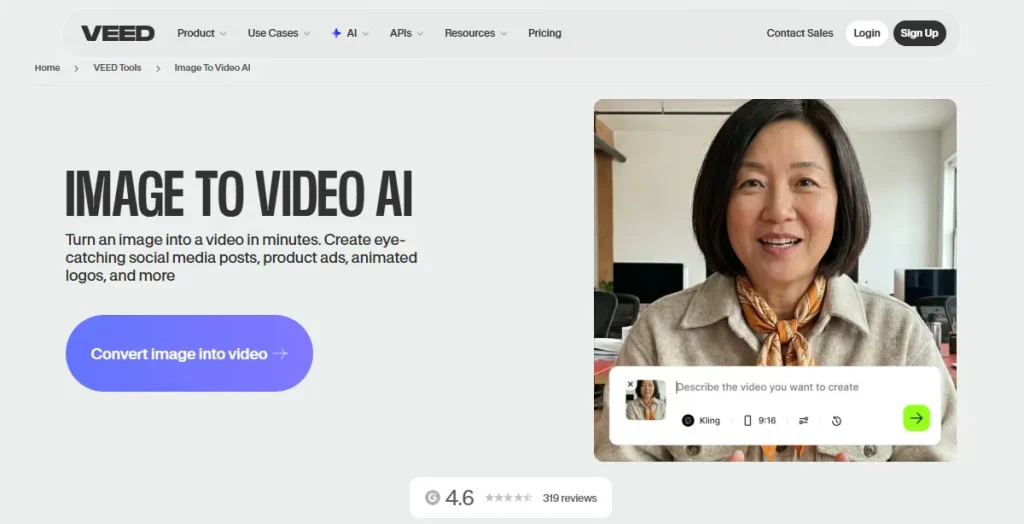
VEED Review: Best for Fast Online Video Editing
VEED is best for quick browser-based video editing. It is useful for captions, resizing, trimming, translations, screen recordings, and social media exports.
It is a good choice for creators and marketers who want simple editing tools without installing software.
Testing note:
VEED was fast and simple for online editing tasks. It worked well for captions, trimming, resizing, subtitles, and quick social media exports.
Canva AI Video Review: Best for Beginners
Canva AI Video is best for beginners who want simple video creation inside a familiar design tool. It works well for social posts, presentations, reels, ads, and quick brand videos.
It is not the most advanced option, but it is easy to learn and good for simple marketing content.
Testing note:
Canva AI Video was the easiest option for beginners. It worked best for simple social posts, presentations, branded clips, and quick marketing visuals.
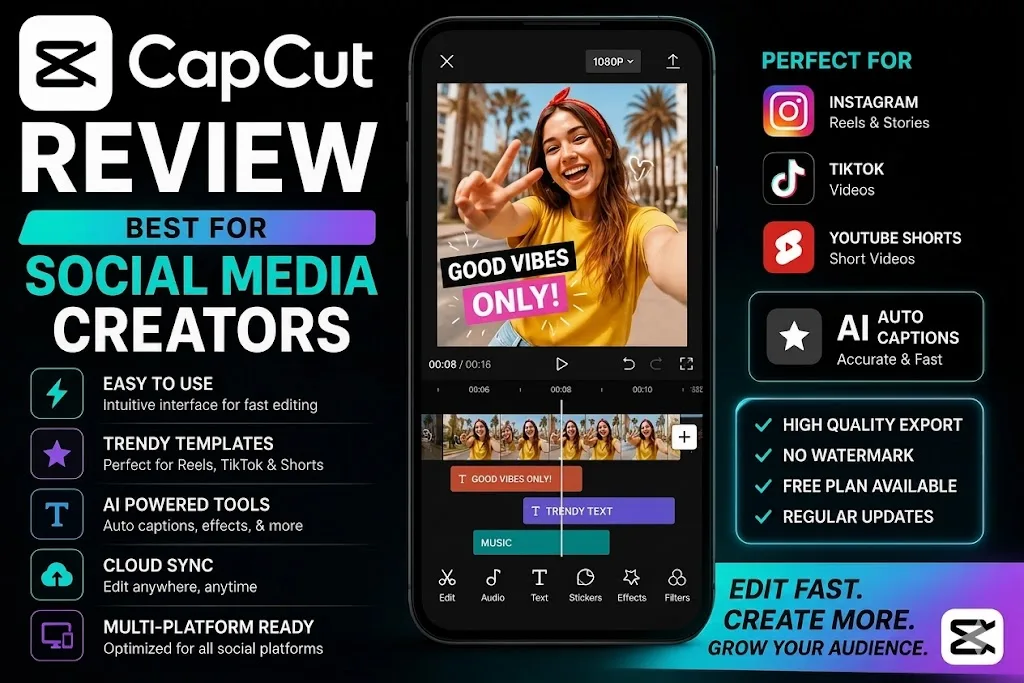
CapCut Review: Best for Social Media Creators
CapCut is best for social media creators who make TikTok, Instagram Reels, and YouTube Shorts. It is strong for captions, templates, effects, cuts, music, and mobile editing.
It is a smart choice for creators who want fast, platform-ready videos without a steep learning curve.
Testing note:
CapCut was the strongest free-friendly option for short-form social editing. It worked well for captions, templates, quick cuts, effects, and mobile-first videos.
Emerging & Notable AI Video Tools in 2026
While the 15 tools above are the most established and widely used, here are two strong new and rising contenders that are gaining fast traction in 2026.
Seedance 2.0 Review: Best for Multi-Shot Cinematic Videos
Seedance 2.0 from ByteDance stands out for its excellent multi-shot storytelling, strong character consistency, native audio generation, and natural lip-sync. It handles complex scenes with better motion quality and reference image support than many competitors.
It is especially useful for narrative clips, product storytelling, action sequences, and dialogue-heavy videos. Many creators are choosing it for YouTube content, short films, and high-quality marketing videos.
Best for:
Cinematic storytelling, e-commerce product videos, and content that needs synchronized audio.
Higgsfield AI Review: Best All-in-One AI Video Platform
Higgsfield AI is a powerful unified platform that gives access to multiple leading models (including Seedance 2.0, Kling 3.0, Veo 3.1, and more) in one workspace. It offers advanced camera controls, multi-shot editing, frame-level precision, and smooth creative workflows.
It is especially useful for narrative clips, product storytelling, action sequences, and dialogue-heavy videos. Many creators are choosingIt is ideal for professional creators, agencies, and teams who want flexibility to test different models without switching platforms.
Best for:
Agencies, advanced creators, and teams needing high control and model variety.
Best AI Video Generators by Use Case
| Use Case | Best Tool |
|---|---|
| Best AI video generator for YouTube Shorts | Vizard AI / CapCut |
| Best AI video generator for TikTok videos | CapCut |
| Best AI video generator for Instagram Reels | CapCut / Canva |
| Best free AI video generator without watermark | CapCut |
| Best text-to-video AI generator | Runway |
| Best image-to-video AI generator | Luma AI |
| Best AI avatar video generator | Synthesia / HeyGen |
| Best AI video generator for marketing videos | InVideo AI |
| Best AI video generator for product videos | Runway / InVideo AI |
| Best AI video generator for ads | InVideo AI |
| Best AI video generator for explainer videos | Pictory |
| Best AI video generator for training videos | Synthesia |
| Best AI video generator for faceless YouTube videos | Fliki |
| Best AI video generator for small business | Canva AI Video |
| Best AI video generator for agencies | Runway / Vizard AI |
| Best AI video generator for real estate videos | Canva / InVideo AI |
| Best AI video generator for ecommerce product videos | Runway / InVideo AI |
| Best AI video generator with voiceover | Fliki |
| Best AI video generator with subtitles | VEED / CapCut |
| Best AI video generator for beginners | Canva AI Video |
The best AI video generator depends on the type of video you want to make. A tool that works well for cinematic clips may not be the best choice for training videos, ads, or social media edits.
Best AI Video Generator for YouTube Shorts
Vizard AI is best for YouTube Shorts because it can turn long videos into short clips with captions, highlights, and vertical formats. It is useful for creators, podcasters, coaches, and YouTubers who want more short videos from one recording.
Best AI Video Generator for TikTok and Instagram Reels
CapCut is best for TikTok and Instagram Reels because it is fast, simple, and built for social content. It works well for captions, trending formats, templates, quick cuts, music, and mobile-first editing.
Best AI Video Generator for Product Videos
Runway is best for product videos when you want creative visuals and more control over motion, style, and scene direction. For simple product promos with stock footage and text, InVideo AI is easier for beginners.
Best AI Video Generator for Ads
InVideo AI is best for ads because it can turn a script or idea into a short promo with footage, captions, music, and voiceover. It is useful for product ads, service promos, social campaigns, and small business marketing.
Best AI Video Generator for Explainer Videos
Pictory is best for explainer videos because it can turn scripts, blog posts, and written content into simple videos. It works well for tutorials, list videos, educational clips, software explainers, and website content.
Best AI Video Generator for Training Videos
Synthesia is best for training videos because it uses avatar presenters, voiceovers, and reusable templates. It is useful for onboarding, HR lessons, internal updates, compliance training, and course content.
Best AI Video Generator for Faceless Videos
Fliki is best for faceless videos because it focuses on scripts, voiceovers, stock visuals, and simple video creation. It is useful for YouTube channels, educational content, list videos, explainers, and narration-based videos.
Best AI Video Generator for Agencies
Runway is best for creative agencies that need visual control, while Vizard AI is better for agencies repurposing client podcasts, webinars, and long videos. For fast client ads, InVideo AI is the most practical option.
Best AI Video Generator for Small Businesses
Canva AI Video is best for small businesses because it is easy to use and works well for social posts, simple ads, presentations, product updates, and brand videos. It is a good starting point for teams without video editing experience.
Best Free AI Video Generators in 2026
Free AI video generators are best for testing ideas, learning the tool, and making simple social videos. They can help with captions, templates, short clips, voiceovers, and basic edits. But most free plans come with limits, so check the details before using them for client or business work.
Best Free Tools With No Watermark
CapCut is one of the best free options for social video editing without a watermark. It is useful for TikTok videos, Instagram Reels, YouTube Shorts, captions, templates, music, effects, and quick mobile edits.
Best Free Tools for Beginners
Canva AI Video is a good choice for beginners. It is simple, clean, and easy to use. You can make social posts, short promos, presentations, brand videos, and basic marketing clips without learning advanced editing.
Best Free Tools for Text-to-Video
Runway and Pika are good free options for testing text-to-video. They are useful for short scenes, prompt testing, image motion, creative clips, and visual ideas. Free plans are limited, but they are enough to test the workflow.
Best Free Tools for Social Media Clips
CapCut, Canva, and VEED are strong choices for social media videos. They help with subtitles, trimming, resizing, templates, vertical videos, reels, TikToks, Shorts, and fast edits for daily posting.
Free Plan Limits to Check Before Signing Up
Before choosing a free AI video generator, check the watermark, export quality, video length, monthly credits, queue speed, storage, commercial rights, and branding rules. Free plans are great for testing, but paid plans are usually better for polished business videos.
How to Choose the Best AI Video Generator
The best AI video generator is the one that fits your workflow. Do not choose a tool only because it is popular. Choose it based on the type of video you make, how much control you need, and where the final video will be used.
Choose Based on Video Type
Start with the video format. For social clips, choose CapCut, Vizard AI, or VEED. For marketing videos, choose InVideo AI or Fliki. For business training, choose Synthesia or HeyGen. For cinematic clips, choose Runway, Pika, Luma, or Kling AI.
Choose Based on Output Quality
Check the final video before paying. Look at motion, faces, hands, lighting, scene consistency, captions, audio, and export quality. A tool may look good in demos but still need heavy editing for real projects.
Choose Based on Editing Control
Choose a tool with more editing control if you need brand-safe videos, client work, ads, or polished content. Look for timeline editing, scene control, captions, resizing, voiceover changes, stock media, and export settings.
Choose Based on Voiceover and Avatar Features
If your video needs narration or a presenter, check the voice and avatar quality first. Look for natural voices, language options, lip sync, pronunciation control, avatar styles, and whether you can edit the script after generating the video.
Choose Based on Commercial Rights
Always check if you can use the final video for ads, YouTube, client work, courses, or business content. Some tools limit commercial use on free plans, add watermarks, or restrict certain outputs.
Choose Based on Pricing and Credits
Many AI video tools use credits, not simple monthly limits. Check how many videos you can create, how long each video can be, export quality, watermark rules, and what happens when credits run out. Paid plans are better when you need regular, client-ready videos.
AI Video Generator Pricing Compared
| Tool | Free Plan | Best Paid For |
| Runway | Yes | Creative video generation |
| Pika | Yes | Short prompt-based clips |
| Luma AI | Yes | Image-to-video |
| Synthesia | Yes / limited | Business training videos |
| HeyGen | Yes / limited | Avatar videos |
| InVideo AI | Yes | Marketing videos |
| Fliki | Yes | Voiceover videos |
| Vizard AI | Yes | Short-form repurposing |
| Pictory | Yes / trial | Blog-to-video |
| VEED | Yes | Editing and captions |
| Canva AI Video | Yes | Beginner videos |
| CapCut | Yes | Social media editing |
AI video generator pricing can be confusing because many tools use credits, export limits, watermarks, or video length caps. Do not only look at the monthly price. Check what you actually get for that price.
Cheapest AI Video Generators
CapCut, Canva, VEED, and Fliki are good low-cost options for simple videos. They are useful for captions, social clips, voiceover videos, basic promos, and fast edits without a high monthly cost.
Best Value Paid Plans
InVideo AI, Runway, Synthesia, and HeyGen offer better value if you create videos often. They cost more than basic editors, but they give stronger tools for marketing videos, creative clips, avatars, voiceovers, and business content.
When Free Plans Are Enough
Free plans are enough when you are testing prompts, making drafts, learning the tool, or creating simple personal videos. They are also fine for short social clips if you do not mind limits on credits, export quality, branding, or video length.
When You Should Upgrade
Upgrade when you need watermark-free exports, higher resolution, more credits, longer videos, faster generation, commercial use, better avatars, premium voices, brand assets, or regular client-ready videos. Paid plans are worth it when video becomes part of your weekly workflow.
Common Problems With AI Video Generators
AI video generators can save time, but they are not perfect. Before choosing a tool, check the weak points that affect real projects: motion, faces, hands, prompt control, watermarks, credits, and usage rights.
Unnatural Motion
Some tools struggle with smooth movement. People may walk oddly, objects may shift, and camera motion can feel unstable. Always test movement-heavy scenes before using a tool for ads, product videos, or client work.
Poor Face or Hand Details
Faces and hands can still look wrong in generated videos. This is more common in close-up shots, fast motion, and crowded scenes. For business videos, avatar tools like Synthesia or HeyGen are usually safer than random human generations.
Weak Prompt Accuracy
A tool may not follow your prompt exactly. It might ignore small details, change the scene, miss the product angle, or create the wrong mood. Simple prompts with clear subjects, actions, camera style, and setting usually work better.
Watermarks and Export Limits
Many free plans add watermarks or limit export quality. Some tools also restrict video length, resolution, storage, or downloads. Check these limits before using a free plan for YouTube, ads, client work, or business content.
Credit-Based Pricing
Many AI video tools use credits for generation. A short test may cost a few credits, while longer or higher-quality videos may use more. Always check how credits work, when they reset, and what happens if a generation fails.
Copyright and Commercial Use Questions
Commercial rights are not the same on every platform. Some tools allow business use, while others limit free-plan exports, stock media, avatars, music, or generated clips. Read the usage terms before using videos in ads, courses, client projects, or paid campaigns.
Who Should Use What?
Final Verdict: Which AI Video Generator Should You Choose?
Choose the AI video generator that matches your main video workflow. If you need creative control, choose Runway. If you make social clips, choose CapCut or Vizard AI. If you need marketing videos, choose InVideo AI. If you need training or avatar videos, choose Synthesia or HeyGen.
Best Overall Pick
Runway is the best overall pick because it gives the strongest balance of video quality, creative control, text-to-video, image-to-video, and editing tools. It is best for creators, agencies, and teams that want polished visual content.
Best Pick for Creators
CapCut is best for daily social content, while Pika is better for short creative clips. Use CapCut for TikTok, Reels, and Shorts. Use Pika when you want quick visual ideas, stylized clips, or prompt-based video tests.
Best Pick for Marketers
InVideo AI is the best pick for marketers because it helps turn ideas, scripts, and campaigns into ready-to-edit videos. It works well for product promos, social ads, brand explainers, and small business content.
Best Pick for Businesses
Synthesia is the best pick for business training, onboarding, tutorials, and internal videos. HeyGen is better if you want personalized avatar videos, sales messages, or multilingual presenter-style content.
Best Budget Pick
Canva AI Video is the best budget pick for beginners and small teams. It is easy to use, low-cost, and good for simple social videos, presentations, short promos, and basic branded content.
Our Testing Notes
At SaaS & Software Reviews, we tested each tool using the same basic tasks: A short product promo, a script-to-video test, a vertical social clip, an image-to-video prompt, and a business-style explainer. We also checked how easy it was to edit the result, remove watermarks, export the video, and understand pricing limits.