Remaker AI Review 2026: Is It Worth It for Face Swaps, AI Images & Video Editing?
Last Updated: April 23, 2025
Tested, Reviewed & Written by SaaS & Software Reviews Editorial Team
Remaker AI is a beginner-friendly image and video editing platform that makes face swaps, background removal, image upscaling, and portrait creation quick and accessible.
It delivers strong results for everyday content creation, though advanced users may find some tools less flexible than dedicated editing software.
Remaker AI Rating Breakdown
Best For
- Content creators
- Social media posts and thumbnails
- Ecommerce product images
- Quick face swaps and photo edits
- Users who want simple editing tools without a learning curve
Not Ideal For
- Professional video production
- Advanced photo retouching
- Design teams needing collaboration tools
- Users who require full manual editing control
Pros
- Easy to use for beginners
- Fast processing times
- High-quality face swap results
- Useful image enhancement tools
- No software installation required
- Free credits available for testing
Cons
- Video tools are less polished than image tools
- Credit usage can add up for heavy users
- Customer support can be slow
- Some outputs may require a second attempt for best results
What Is Remaker AI?
Remaker AI is a browser-based photo and video editing platform that helps users create, enhance, and modify visual content without traditional editing software. It combines face swapping, image enhancement, background removal, portrait generation, and other creative tools in one place.
The platform is built for content creators, marketers, ecommerce sellers, and everyday users who want professional-looking results without spending hours editing.
Remaker AI at a Glance
What Does Remaker AI Do?
Remaker AI offers a collection of editing and enhancement tools for photos and videos. Users can swap faces, remove backgrounds, sharpen blurry images, generate portraits, erase unwanted objects, and improve image quality with minimal effort.
Popular use cases include:
Who Owns Remaker AI?
Remaker AI was launched in 2023 as an online visual editing platform focused on image and video enhancement. The company operates through a web-based platform and uses a credit-based system instead of traditional monthly subscriptions.
How Remaker AI Works
The platform follows a simple workflow. Users upload a photo or video, select a tool, generate the result, and download the edited file.
How the Editing Process Works
Upload a Photo or Video
Select an Editing Tool
Apply Settings if Needed
Generate the Result
Download the Finished File
Most edits are completed within seconds, while larger video tasks may take longer depending on file size and complexity.
Supported Devices and Platforms
Since Remaker AI runs entirely online, users can access it from almost any modern device without downloading software.
Platform Compatibility
This flexibility makes Remaker AI accessible whether you’re editing from a desktop workstation, laptop, tablet, or smartphone.
Our Testing Methodology
To evaluate Remaker AI fairly, we tested its most popular tools across multiple real-world scenarios. Our goal was to measure output quality, ease of use, processing speed, and overall value rather than relying on marketing claims.
How We Tested Remaker AI
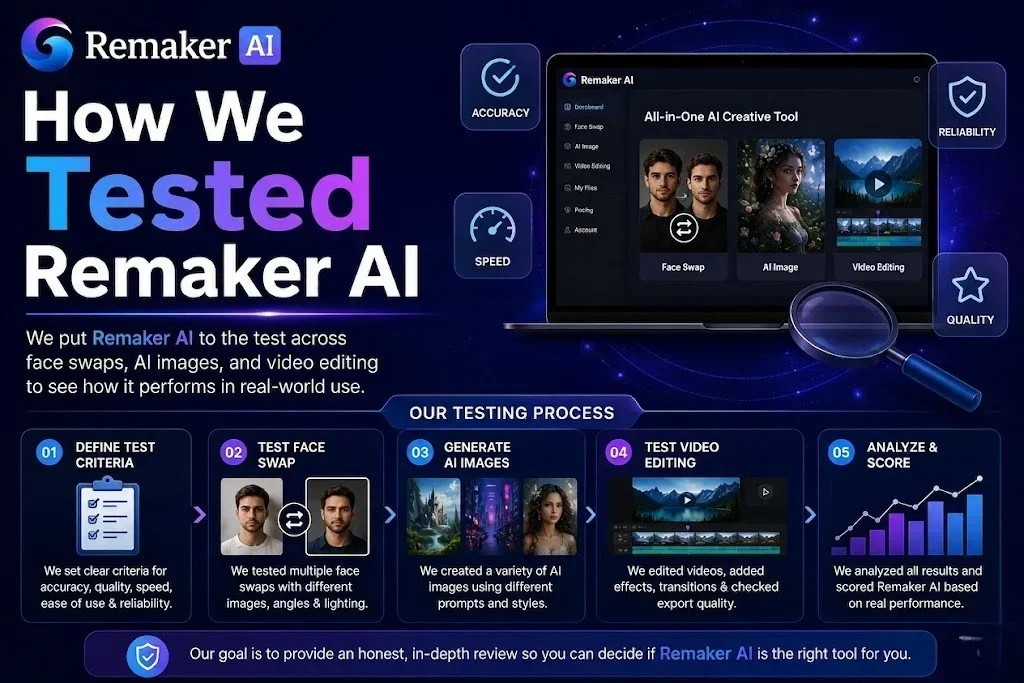
We spent several days testing Remaker AI’s core features, including face swapping, video face swapping, image upscaling, background removal, portrait generation, and object removal.
Each tool was tested multiple times using different file types, image qualities, and editing scenarios to evaluate consistency and reliability.
Test Images, Videos, and Workflows Used
Face Swap
Portraits, selfies, group photos
Video Face Swap
Short clips with different lighting and movements
Image Upscaler
Low-resolution photos and screenshots
Background Removal
Products, people, and complex backgrounds
Portrait Generator
Casual photos and profile pictures
Object Removal
Outdoor scenes, product photos, and portraits
Evaluation Criteria
Each feature was scored using the same set of benchmarks.
Ease of Use
Setup, navigation, and learning curve
Output Quality
Visual realism and overall results
Accuracy
Facial matching, edge detection, and detail retention
Speed
Processing and export times
Reliability
Consistency across multiple tests
Value for Money
Features compared to credit costs
This testing process helped us identify where Remaker AI performs well, where it struggles, and whether it offers good value compared to similar photo and video editing tools.
Key Features of Remaker AI
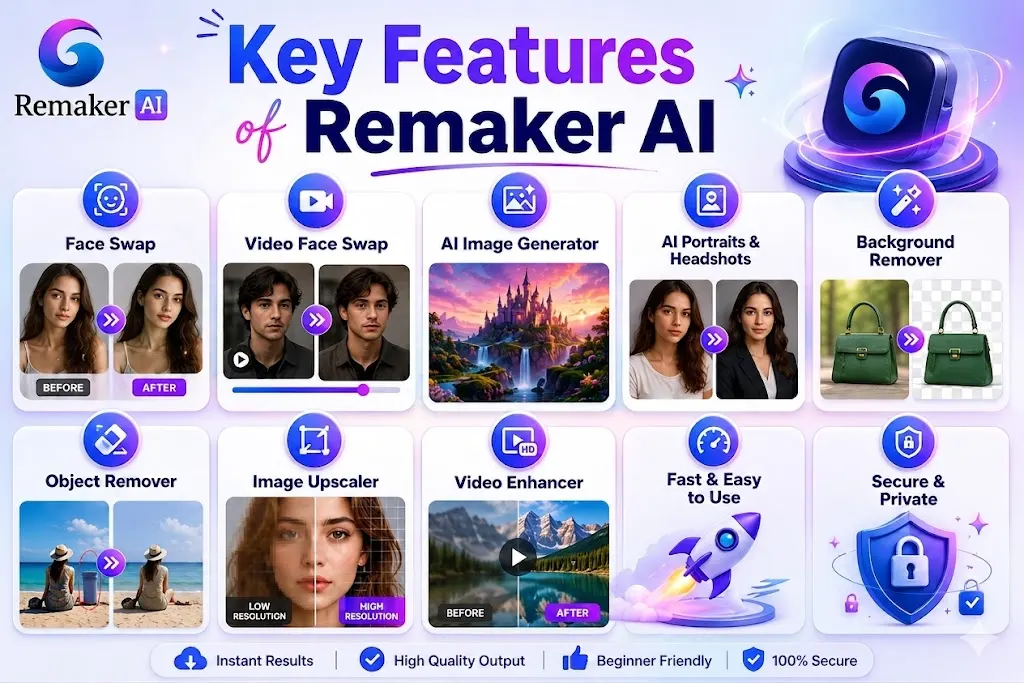
Remaker AI combines several photo and video editing tools into a single platform. While face swapping remains its most popular feature, the platform also includes image enhancement, portrait generation, background editing, and content creation tools.
AI Face Swap
Face swapping is the core feature of Remaker AI. It allows users to replace faces in photos while preserving expressions, lighting, and overall image quality.
Single Face Swap
Designed for one-to-one face replacements. Upload a source photo and a target image, and the tool generates a realistic face swap in seconds.
Multiple Face Swap
Useful for group photos. The tool detects multiple faces and lets users replace individual faces without affecting the rest of the image.
Batch Face Swap
Allows multiple images to be processed in a single workflow. Ideal for creators, marketers, and ecommerce businesses handling large image libraries.
AI Video Face Swap
Extends face swapping to video content. The tool tracks facial movements throughout a clip and applies face replacements frame by frame for more natural results.
AI Image Generator
Creates images from text prompts. Users can generate illustrations, creative concepts, social media graphics, and custom visuals without starting from a blank canvas.
AI Portrait Generator
Transforms ordinary photos into polished portraits. Popular for profile pictures, social media images, and personal branding.
AI Headshot Generator
Creates professional-looking headshots from casual photos. Useful for LinkedIn profiles, company websites, resumes, and online portfolios.
AI Background Remover
Removes backgrounds automatically and exports clean cutouts. It works well for product photos, profile images, and marketing creatives.
AI Object Remover
Removes unwanted people, objects, text, or distractions from photos while preserving the surrounding image.
AI Image Upscaler
Improves image resolution and sharpness. This tool helps restore detail in low-quality photos, screenshots, and older images.
AI Video Enhancer
Enhances video quality by improving clarity, sharpness, and overall visual appearance. Best suited for older or lower-resolution footage.
AI Watermark Remover
Removes unwanted watermarks, logos, and text overlays from supported images, helping clean up visuals for personal or professional use.
AI Avatar Tools
Creates digital avatars, profile images, and stylized character portraits from uploaded photos. These tools are commonly used for social media, gaming profiles, and online branding.
Feature Overview
| Feature | Best For |
|---|---|
| Face Swap | Photo editing and entertainment |
| Video Face Swap | Short-form video content |
| Image Generator | Custom visuals and creative projects |
| Portrait Generator | Social media and personal branding |
| Headshot Generator | Professional profiles |
| Background Remover | Product and marketing images |
| Object Remover | Photo cleanup |
| Image Upscaler | Enhancing low-quality images |
| Video Enhancer | Improving older footage |
| Watermark Remover | Cleaning image overlays |
| Avatar Tools | Digital identities and profile images |
Hands-On Testing Results
To see how Remaker AI performs beyond its feature list, we tested its most-used tools with real photos and videos. We focused on quality, accuracy, speed, and consistency across different editing tasks.
Face Swap Test Results
Test Setup
We tested face swaps using selfies, portraits, and group photos taken under different lighting conditions.
| Test Area | Result |
|---|---|
| Ease of Use | |
| Processing Speed | |
| Face Matching | |
| Realism |
Output Quality
Most face swaps looked natural, with good skin tone matching and facial alignment. Results were strongest when both images had similar lighting and angles.
Accuracy
Facial features were preserved well in most tests. Minor imperfections appeared in a few complex images with extreme angles.
Processing Speed
Single face swaps were typically completed within seconds.
Real Example
We replaced faces in multiple portrait photos and found the results suitable for social media content, profile pictures, and creative projects.
What We Liked
Natural-looking results
Fast generation times
Beginner-friendly workflow
What Could Be Better
Occasional inconsistencies with side-profile photos
Complex lighting can affect realism
Video Face Swap Test Results
Test Setup
We tested short video clips with facial movement, head turns, and changing lighting conditions.
| Test Area | Result |
|---|---|
| Output Quality | Good |
| Tracking Accuracy | Good |
| Processing Speed | Moderate |
| Consistency | Good |
Output Quality
Video face swaps were generally convincing in slower scenes. Quality decreased slightly during rapid movement.
Motion Tracking Accuracy
Facial tracking remained stable in most clips, though occasional flickering appeared during fast motion.
Processing Speed
Video processing took noticeably longer than image editing, which is expected for larger files.
Real Example
A short talking-head video produced realistic results with smooth facial transitions and minimal visual artifacts.
Background Removal Test Results
Test Setup
We tested portraits, product photos, and images with busy backgrounds.
| Test Area | Result |
|---|---|
| Detection Accuracy | Excellent |
| Edge Quality | Very Good |
| Speed | Excellent |
| Consistency | Very Good |
Edge Detection Quality
Backgrounds were removed cleanly with minimal manual correction required.
Hair and Complex Object Handling
Hair edges were handled surprisingly well. Fine details occasionally required minor touch-ups.
Real Example
Product images and profile photos were converted into clean cutouts suitable for ecommerce listings and marketing materials.
AI Image Upscaler Test Results
Test Setup
We used compressed images, screenshots, and older low-resolution photos.
| Test Area | Result |
|---|---|
| Sharpness Improvement | Very Good |
| Detail Recovery | Good |
| Processing Speed | Fast |
| Overall Quality | Very Good |
Before vs After Results
Images appeared noticeably sharper after enhancement, especially text, edges, and facial details.
Sharpness and Detail Recovery
The tool improved clarity without introducing excessive artifacts in most cases.
Real Example
A low-resolution thumbnail image became significantly clearer and more suitable for larger displays.
AI Portrait Generator Test Results
Test Setup
We uploaded casual selfies and standard profile photos.
Realism
Generated portraits looked polished and professional while maintaining recognizable facial features.
Consistency
Results remained fairly consistent across different styles and portrait formats.
Real Example
Several casual smartphone photos were transformed into professional-looking profile images suitable for LinkedIn and personal branding.
AI Video Enhancer Test Results
Test Setup
We tested lower-resolution video clips and compressed footage.
Resolution Improvements
Videos appeared sharper and cleaner after enhancement, particularly in facial details and background elements.
Motion Quality
Motion remained smooth in most clips, though dramatic improvements should not be expected from heavily compressed footage.
Real Example
An older low-resolution clip became noticeably clearer and more suitable for social media sharing and online presentations.
Remaker AI Performance Review
Beyond features, overall performance plays a major role in the user experience. We evaluated Remaker AI based on speed, accuracy, output quality, and consistency across multiple editing tasks.
Performance Scorecard
Processing Speed
Remaker AI is one of the faster tools we tested for image editing tasks. Face swaps, background removal, and image enhancements were usually completed within seconds. Video-based tasks took longer but remained reasonable for a browser-based platform.
Output Accuracy
The platform performed well when handling portraits, product images, and standard editing tasks. Face matching, background detection, and object removal were generally accurate, with only occasional issues in more complex scenes.
Reliability
During testing, most tools delivered stable and repeatable results. We experienced very few failed generations or processing errors. Performance remained consistent across different image formats and file sizes.
Image Quality
Image editing tools were among Remaker AI’s strongest areas. Face swaps looked natural, backgrounds were removed cleanly, and upscaled images retained good detail without appearing overly processed.
Video Quality
Video results were solid but less consistent than image editing. Short clips with stable lighting produced the best outcomes. Fast motion and complex scenes occasionally reduced overall quality.
Consistency Across Different Tasks
One of Remaker AI’s biggest strengths is consistency. Whether we tested face swaps, portraits, background removal, or image enhancement, the platform produced dependable results with a similar level of quality across most tools.
Bottom Line
Remaker AI performs best as a fast, all-in-one image editing platform. Its photo editing tools consistently deliver strong results, while video features remain useful but slightly less refined. For most creators, marketers, and casual users, performance is more than good enough for everyday projects.
Ease of Use
One of Remaker AI’s biggest strengths is its simplicity. Most tools are designed for non-technical users, making it easy to edit photos and videos without prior experience.
Ease of Use Scorecard
User Interface Overview
The interface is clean and straightforward. Tools are organized into clear categories, making it easy to find features such as face swap, background removal, image enhancement, and portrait generation.
There are very few distractions, and most actions can be completed in just a few clicks.
Beginner Experience
Remaker AI is beginner-friendly from the moment you log in. Most tools require only an upload and a single action to generate results.
Users do not need editing skills, design experience, or software knowledge to get started.
Learning Curve
The learning curve is minimal. Basic features can be used immediately without tutorials or training.
More advanced tools, such as video face swap and image generation, may require some experimentation, but most users can become comfortable with the platform within minutes.
Mobile Experience
Since Remaker AI runs in a browser, it works on smartphones and tablets without requiring an app.
Uploading photos, generating edits, and downloading results is simple on mobile devices, although larger editing projects are generally easier to manage on a desktop screen.
Dashboard Navigation
The dashboard keeps all major tools accessible from a central location. Categories are clearly labeled, and switching between editing tools is straightforward.
The only drawback is that users exploring multiple tools may occasionally need extra clicks to return to previously used features.
Bottom Line
Remaker AI is one of the easiest image editing platforms to use. The clean interface, fast workflow, and beginner-friendly design make it accessible to almost anyone, regardless of technical skill level.
Remaker AI Pricing
Unlike many editing tools that charge monthly subscriptions, Remaker AI uses a credit-based system. You purchase credits once and spend them only when using premium features. This model works well for occasional users who do not edit content every day.
Remaker AI Credit System Explained
Credits act as the platform’s internal currency. Different tools consume different amounts depending on the complexity of the task.
Simple image edits use fewer credits, while video processing and high-resolution exports require more.
Current Pricing Plans
How Credits Are Used
Credit usage varies by tool and output type.
Heavy video users will consume credits much faster than users focused on photo editing.
Free Credits Explained
New users receive free credits to test the platform before purchasing a plan. This allows you to try popular features such as face swapping, image enhancement, and background removal without making an upfront investment.
Free credits are useful for evaluating quality, speed, and workflow before upgrading.
Is Remaker AI Free?
Partially.
Remaker AI offers free credits for new users, but most premium features require credits once the free balance is exhausted. While you can test the platform for free, long-term use will require purchasing additional credits.
Is Remaker AI Worth Paying For?
For most creators, the answer is yes.
The platform combines multiple editing tools in one place and eliminates the need for several separate subscriptions. If you regularly create social media content, thumbnails, product images, or profile photos, the pricing is reasonable for the value provided.
Users focused primarily on video editing may find costs increase more quickly due to higher credit consumption.
Best Plan for Most Users
Bottom Line
Remaker AI’s credit-based pricing is flexible, transparent, and easy to understand. Most casual users will get the best value from the 530-credit or 1,100-credit plans, while heavy video users should consider larger packages to reduce overall costs.
Pros and Cons
After testing Remaker AI across face swaps, image enhancement, background removal, portraits, and video tools, we found several strengths that make it appealing for everyday creators. However, there are also a few limitations worth considering before purchasing credits.
What We Like About Remaker AI
Where Remaker AI Falls Short
Pros vs Cons at a Glance
Bottom Line
Remaker AI delivers the most value for creators, marketers, ecommerce sellers, and casual users who need fast image editing tools. Its photo-focused features are consistently strong, while video-related tools still have room for improvement.
Real-World Use Cases
Remaker AI is flexible enough for both personal and professional projects. Whether you’re creating content, improving product photos, or building a personal brand, its tools can help speed up common editing tasks.
For Content Creators
Content creators can use Remaker AI to produce eye-catching visuals without spending hours editing. Face swaps, portraits, image enhancement, and background removal make it easier to create content for blogs, videos, and online communities.
For YouTube Thumbnail Designers
Thumbnail designers can sharpen low-resolution images, remove distracting backgrounds, and create attention-grabbing visuals for videos. The face swap and portrait tools are especially useful for reaction-style and personality-driven thumbnails.
For Social Media Managers
Social media teams can quickly create profile images, promotional graphics, campaign visuals, and short-form content assets. Fast editing speeds make it easier to maintain a consistent posting schedule.
For Ecommerce Sellers
Online sellers can improve product photos, remove backgrounds, enhance image quality, and create cleaner marketplace listings. This helps products look more professional on platforms like Amazon, Etsy, Shopify, and eBay.
For Small Businesses
Small businesses can create marketing materials, website images, team headshots, and promotional graphics without hiring a designer for every project. This makes content creation more affordable and efficient.
For Marketing Teams
Marketing teams can generate ad creatives, campaign visuals, social media assets, and landing page images faster. Having multiple editing tools in one platform helps streamline content production.
For Personal Projects
Remaker AI is also useful for everyday photo editing. Users can restore old photos, create personalized images, generate avatars, swap faces for fun, and enhance personal memories for sharing with friends and family.
Best Use Cases at a Glance
Bottom Line
Remaker AI is best suited for users who need quick visual content without complicated editing software. Its strongest use cases revolve around content creation, social media, ecommerce, and everyday photo enhancement.
Remaker AI Alternatives
While Remaker AI offers a solid mix of face swapping, image enhancement, and content creation tools, it is not the only option available. Depending on your needs, some alternatives may be better suited for mobile editing, graphic design, image generation, or advanced face-swapping workflows.
Best Remaker AI Alternatives at a Glance
Remaker AI vs FaceApp
Choose FaceApp if you mainly edit selfies and portraits on your phone.
Choose Remaker AI if you need face swapping, image enhancement, and creative editing tools in one platform.
Remaker AI vs Canva
Choose Canva for presentations, social media graphics, and branding.
Choose Remaker AI for photo editing and face-swapping tasks.
Remaker AI vs Picsart
Choose Picsart if most of your editing happens on a smartphone.
Choose Remaker AI if face swapping and image enhancement are your priorities.
Remaker AI vs DALL-E 3
Choose DALL-E 3 if your primary goal is creating original artwork and concept images.
Choose Remaker AI if you want to edit existing photos and videos.
Remaker AI vs DeepFaceLab
Choose DeepFaceLab if you want maximum control and have technical experience.
Choose Remaker AI if you want to edit existing photos and videos.
Which Alternative Is Best?
Bottom Line
For most users, Remaker AI strikes the best balance between ease of use, editing quality, and feature variety. Canva is stronger for design work, DALL-E 3 is better for image generation, and DeepFaceLab offers more advanced face-swapping capabilities. However, if you want a simple platform that handles face swaps, portraits, image enhancement, and background editing in one place, Remaker AI remains one of the strongest all-around options.
Safety, Privacy and Security
When using any online photo or video editor, privacy matters as much as features. Since Remaker AI processes files through cloud-based servers, users should understand how uploads, storage, and data handling work before uploading sensitive content.
Is Remaker AI Safe?
Based on our testing and publicly available information, Remaker AI appears safe for general image and video editing. The platform uses secure payment providers and standard web encryption to protect user activity.
For everyday tasks such as face swaps, portrait generation, background removal, and image enhancement, we did not encounter any obvious security concerns.
Safety Rating: 8.5/10
Does Remaker AI Store Uploaded Images?
Yes, uploaded files are processed through Remaker AI’s servers. Like most cloud-based editing tools, temporary storage may be required to generate results and deliver downloads.
Users should assume uploaded files are stored temporarily during processing.
How Long Does Remaker AI Keep Files?
The exact retention period may change over time and should always be verified through the latest privacy policy.
In general, generated content and uploaded files are intended for temporary processing rather than long-term storage. Users working with sensitive images should delete files when possible and avoid uploading confidential documents.
Can Other People Access Your Content?
Under normal use, uploaded files are not publicly visible and are only accessible through the account or session that created them.
However, as with any online service, users should avoid uploading:
- Government documents
- Financial records
- Medical records
- Private identification documents
- Highly sensitive personal content
Commercial Usage Rights Explained
Many users want to know whether edited images can be used for business purposes.
*Users remain responsible for ensuring they own or have permission to use the original images, faces, logos, trademarks, and copyrighted materials involved in their projects.
Privacy Policy Highlights
Before using any editing platform, it’s worth reviewing the latest privacy policy and terms of service.
Key points users should check include:
Bottom Line
Remaker AI appears reasonably safe for everyday photo and video editing tasks. For most creators, marketers, and casual users, privacy practices are comparable to other cloud-based editing platforms. That said, users should avoid uploading highly sensitive content and review the latest privacy policy whenever handling important personal or business files.
Final Verdict
Remaker AI makes photo editing surprisingly simple. During testing, its face swap, background removal, portrait generation, and image enhancement tools delivered consistently good results with very little effort. The platform is easy to learn, works directly in a browser, and offers enough features for most creators, marketers, and casual users.
It’s not perfect. Video tools still lag behind its image editing features, and heavy users may go through credits quickly. However, if you want a fast and beginner-friendly tool for face swaps, image enhancement, and everyday visual content creation, Remaker AI is one of the better options available in 2026.