Hotpot AI Review 2026: Is This AI Image and Photo Editing Tool Worth It?
Last Updated: May 9, 2025
Tested, Reviewed & Written by SaaS & Software Reviews Editorial Team
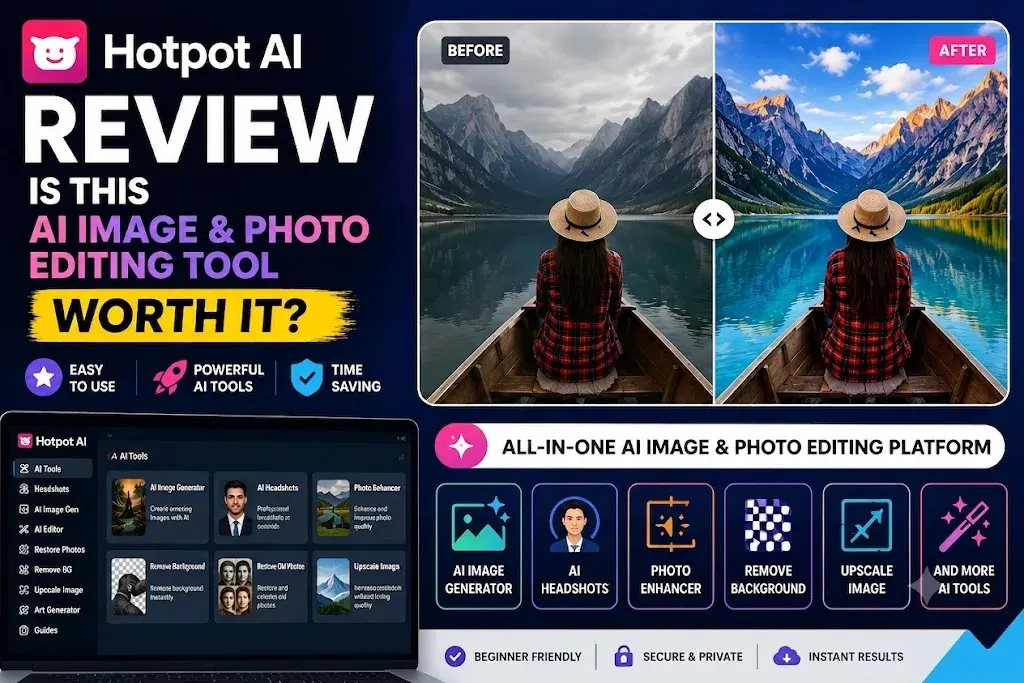
My short answer after reviewing Hotpot AI
Yes, Hotpot AI is worth trying if you need quick visuals, simple photo edits, background removal, image upscaling, or old photo restoration without learning complex software.
But it is not the best AI image generator in 2026. Hotpot AI works better as a practical creative toolkit than a premium art generator.
My honest verdict: Hotpot AI is useful for fast everyday visual tasks, but I would not choose it for high-end branding, professional print design, or advanced image editing.
Hotpot AI rating by category
Best For: Who Should Try Hotpot AI
Hotpot AI is a solid choice for users who want fast, easy-to-use AI design tools without a steep learning curve.
- Bloggers creating featured images.
- Small business owners designing marketing graphics.
- Social media managers making quick visual content.
- E-commerce sellers removing backgrounds or improving product photos.
- Beginners who prefer a simple alternative to Photoshop.
- People restoring old photos or colorizing black-and-white images.
- Casual creators looking for multiple AI image tools in one place.
Not Ideal: Who Should Skip Hotpot AI
Hotpot AI may not be the right choice if you need professional-grade creative control or highly consistent AI outputs.
- Gallery-quality AI artwork.
- Advanced Photoshop-style editing.
- Team collaboration and brand management tools.
- Professional AI video creation.
- Perfect AI headshots on the first attempt.
- Highly consistent client-ready image generation.
- Powerful AI writing capabilities.
Hotpot AI at a glance
| Item | Details |
|---|---|
| Product Type | Browser-based AI image and photo editing toolkit. |
| Main Tools | AI image generator, AI headshots, background remover, object remover, image upscaler, photo restorer, colorizer, and design templates. |
| Free Plan | Available for exploring many AI tools before purchasing credits. |
| Paid Model | Credit-based pricing system. |
| Commercial Use | Requires paid credits or an appropriate commercial license. |
| Best Feature | Excellent photo restoration and fast image editing tools. |
| Biggest Limitation | Output quality can be inconsistent with limited creative control. |
| Best Alternative for Art | Midjourney |
| Best Alternative for Templates | Canva |
| Best Alternative for Commercial-Safe Creative Work | Adobe Firefly |
Quick decision table:
| Use Hotpot AI If… | Avoid Hotpot AI If… |
|---|---|
| You want quick images for blogs or social media. | You need top-level AI art quality. |
| You need background removal or simple edits. | You need advanced layer-based editing. |
| You want to restore old photos fast. | You are creating high-end brand assets. |
| You prefer a simple browser-based tool. | You need team collaboration features. |
| You are testing AI design tools on a budget. | You want predictable results every time. |
| You need many small visual tools in one place. | You only need one specialist tool. |
Bottom line: This AI image generator is worth using if you want a fast, affordable, and beginner-friendly toolkit for everyday visuals. It is not perfect, but it is practical. Before you pay, test the free tools first and check whether the results match your use case.
What Is Hotpot AI?
Hotpot AI is a browser-based tool for creating and editing visuals.
You can use it to generate images from text, remove backgrounds, restore old photos, upscale low-quality images, create AI headshots, and design simple marketing graphics.
Think of it as a small creative toolbox. It is not as deep as Photoshop. It is not as artistic as Midjourney. It is not as template-heavy as Canva. But it gives you many quick visual tools in one place.
That is the main appeal.
What Hotpot AI can create and edit
This AI design tool covers a wide range of simple creative tasks. The most useful ones include:
| Hotpot AI Tool | What It Helps With |
|---|---|
| AI image generator | Creates images, artwork, illustrations, and marketing visuals from text prompts. |
| AI headshot generator | Creates profile photos, LinkedIn-style headshots, and avatar images. |
| Background remover | Removes backgrounds from product photos, portraits, and social images. |
| Object remover | Deletes unwanted objects or people from photos. |
| Photo restorer | Repairs old, faded, scratched, or damaged photos. |
| Photo colorizer | Adds color to black-and-white images. |
| Image upscaler | Enlarges small or blurry images. |
| Face enhancer | Improves portrait sharpness and facial details. |
| Templates | Helps create social posts, app graphics, mockups, and marketing images. |
| AI writing tools | Creates basic captions, ideas, product text, and short copy. |
In my view, Hotpot AI is strongest when used for practical image tasks. Background removal, photo restoration, image cleanup, and quick graphics are where it makes the most sense.
Its AI art tool is useful, but it is not the main reason I would use Hotpot.
Is Hotpot AI an AI image generator, photo editor, or design tool?
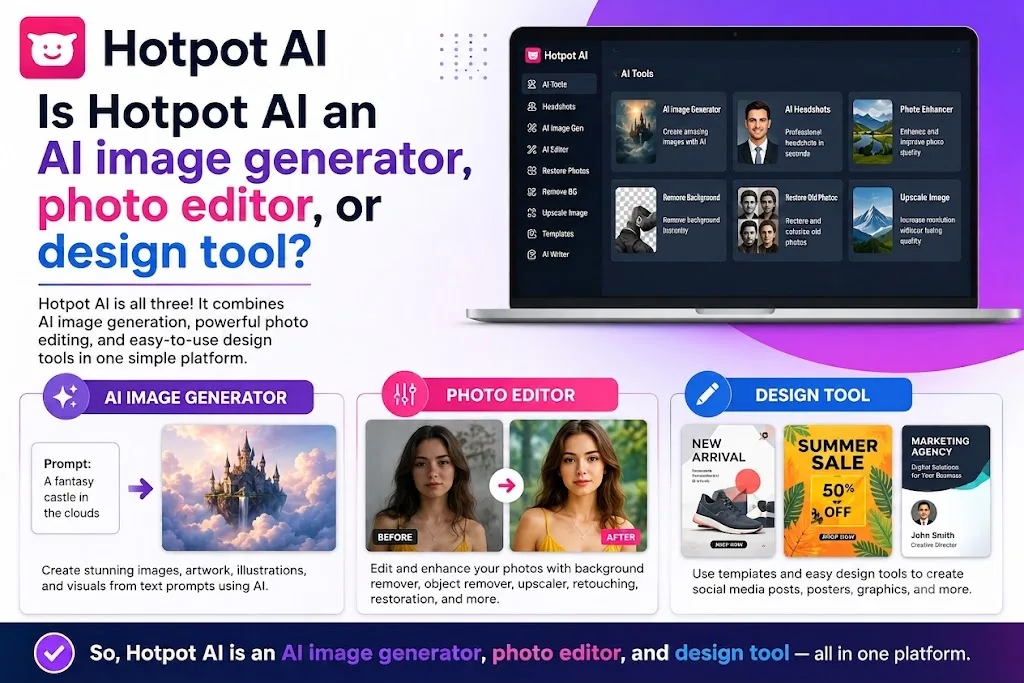
How Hotpot AI is different from Canva, Midjourney, and Photoshop
This AI tool is different because it focuses on small, fast visual tasks instead of one deep workflow.
| Tool | Main Strength | Where Hotpot AI Is Different |
|---|---|---|
| Canva | Templates, brand kits, team design, social graphics | Simpler for quick AI editing and photo restoration |
| Midjourney | High-quality artistic image generation | Easier to use and includes editing tools |
| Photoshop | Advanced photo editing and full creative control | Faster and easier for basic edits |
| Adobe Firefly | Commercial-safe creative generation inside Adobe tools | More lightweight and beginner-friendly |
| Ideogram | AI images with better text and typography | Offers more general editing utilities |
Is Hotpot AI legit or just another AI tool?
This online image tool is a legitimate platform with an official website, active tools, free access, paid credits, commercial-use options, and several image editing features.
But legit does not mean perfect. The tool is useful, but results can vary, and free outputs may include limits, watermarks, or non-commercial restrictions.
My take: This AI startup is not a scam. It is a practical AI design helper for quick visual work, but you should test it before paying, especially for headshots, client graphics, or commercial images.
Who Is Hotpot AI Best For?
This AI tool is best for beginners, bloggers, small business owners, social media creators, e-commerce sellers, and casual users who need quick visuals without learning complex design software. It works well for background removal, photo restoration, image upscaling, simple blog graphics, product photo cleanup, and quick profile-style images.
| User Type | Fit | Reason |
|---|---|---|
| Beginners | Yes | Easy tools and simple workflow. |
| Bloggers | Yes | Good for quick article images. |
| Social media creators | Yes | Useful for fast post visuals. |
| Small businesses | Yes | Helps with basic marketing images. |
| E-commerce sellers | Yes | Good for product photo cleanup. |
| LinkedIn users | Maybe | Headshots can work, but results vary. |
| Designers | No | Limited creative control. |
| Agencies | No | Weak team collaboration. |
| AI artists | No | Better tools exist for premium art. |
In short, Hotpot AI is best for fast, practical image tasks. It is not ideal for professional designers, agencies, or users who need perfect AI art, advanced editing, or full brand control.
How I Tested Hotpot AI
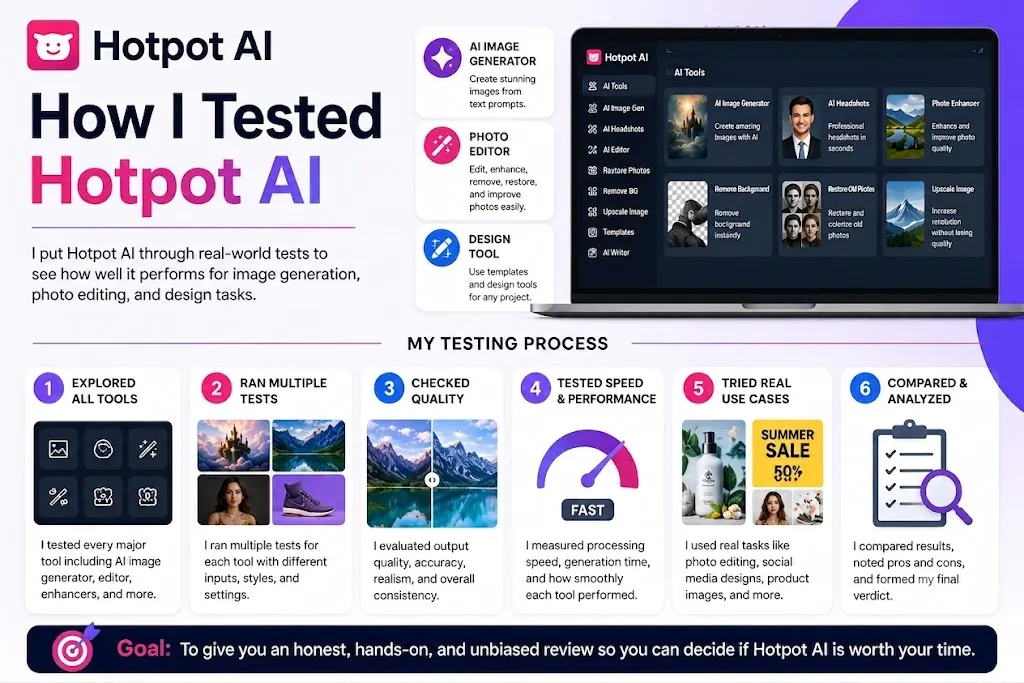
For this Hotpot AI review, I tested the platform like a normal user would use it.
I did not judge it only by the homepage claims. I checked how useful the tools are for real tasks: creating images, cleaning photos, removing backgrounds, restoring old pictures, and making profile-style visuals.
The goal was simple: find out whether Hotpot AI is actually helpful, or just another tool with too many features and mixed results.
My testing process for this Hotpot AI review
I tested Hotpot AI across common use cases that matter to bloggers, small business owners, social media managers, and casual creators.
I looked at three things in every test:
I also compared the experience with tools like Canva, Midjourney, Adobe Firefly, Photoshop, Ideogram, and Picsart to see where Hotpot AI stands.
Tools tested inside Hotpot AI
I focused on the tools most users are likely to try first.
| Tool Tested | What I Checked |
|---|---|
| AI image generator | Prompt accuracy, image quality, style options, and consistency. |
| Background remover | Edge quality, speed, and product photo usefulness. |
| Object remover | How well it removed distractions from simple images. |
| Image upscaler | Sharpness, detail, and quality improvement. |
| Photo restorer | Repair quality for old or damaged photos. |
| Photo colorizer | Natural-looking color on black-and-white photos. |
| AI headshot generator | Face accuracy, professional look, and usable results. |
| Face enhancer | Portrait clarity and natural retouching. |
| AI writing tool | Usefulness for captions, product text, and short copy. |
| Templates | Ease of creating quick social and marketing visuals. |
Image prompts and sample use cases tested
Photo editing tasks tested
For photo editing, I tested tasks that people actually need:
This helped show where this tool is practical and where it still feels limited.
Headshot and profile image testing approach
For the AI headshot and profile image tools, I looked at realism first.
A headshot can look polished but still fail if the face looks unnatural. So I checked for facial accuracy, skin texture, eyes, lighting, background quality, and whether the result looked professional enough for LinkedIn or a business profile.
My view: Hotpot AI can create usable profile-style images, but users should expect to generate more than one option before finding a good result.
How I judged its output quality
I judged each result using simple review criteria.
| Test Factor | What It Means |
|---|---|
| Accuracy | Did Hotpot AI follow the prompt or task? |
| Visual quality | Did the final image look clean and usable? |
| Consistency | Were results reliable across multiple tries? |
| Speed | Did the tool save time compared with manual editing? |
| Ease of use | Could a beginner use it without confusion? |
| Business value | Would the output be good enough for a blog, store, or social post? |
| Editing control | Could I adjust the result enough? |
This kept the review focused on real value, not just feature lists.
What I checked for pricing, credits, licensing, and support
I also reviewed the non-creative side of Hotpot AI.
That includes the free plan, credit system, paid usage, commercial-use rules, watermarks, and support information.
This matters because many users do not just want to test a tool. They want to know whether they can safely use the final images for a website, product listing, social media ad, or client project.
Before paying, users should check:
Review disclosure: What this review is based on and what it does not claim
This review is based on hands-on testing, tool comparison, pricing checks, official product information, and common user concerns.
It does not claim that every Hotpot AI result will look the same. AI image and editing tools can produce different results depending on the prompt, upload quality, settings, and selected feature.
So the verdict here is practical: Hotpot AI is useful for quick visual work, photo cleanup, and beginner-friendly editing. But it should be tested first before using it for paid client work, commercial graphics, or important brand assets.
Hands-On Test Results
My overall experience using Hotpot AI
This AI visual toolkit is fast, simple, and useful for everyday image tasks, but it is not a high-end creative tool. It works best for background removal, photo restoration, image upscaling, object cleanup, and simple visuals, while the AI image generator is better for blogs, social posts, thumbnails, and basic marketing ideas than complex or premium artwork.
The headshot tool can create usable profile-style images, but results may look inconsistent or slightly unnatural. Overall, its strongest value is in practical photo tools, not advanced design, so it works best as a quick visual helper rather than a full design platform or Photoshop replacement.
| Tool Tested | Result |
|---|---|
| AI image generator | Good for simple visuals, weak for complex scenes. |
| AI headshots | Usable, but inconsistent. |
| Background remover | One of the most practical tools. |
| Object remover | Good for small distractions. |
| Image upscaler | Useful for low-resolution images. |
| Photo restorer | One of the strongest features. |
| Photo colorizer | Good for old black-and-white photos. |
| Face enhancer | Helpful, but use lightly. |
| Writing tools | Fine for ideas, not final copy. |
| Game character tools | Useful for drafts and brainstorming. |
My testing takeaway: Hotpot AI is not the most powerful creative tool in 2026, but it is useful, affordable, and beginner-friendly for quick visual work.
Hotpot AI Plans, Credits, and Product Versions Explained
This tool does not work like a simple “one plan unlocks everything” tool.
It uses a credit-based system. Some tools can be tested for free, but paid credits are needed for commercial use, advanced settings, faster results, better quality, privacy, or non-attribution use.
That is important to understand before you pay.
Hotpot AI free plan explained
Hotpot AI gives users free access to explore many tools.
This is useful if you want to test the image generator, background remover, photo restorer, upscaler, or profile image tools before buying credits.
But the free version has limits.
Free outputs may include watermarks, lower quality, personal-use restrictions, or attribution requirements. For business use, client work, ads, product listings, or paid content, the free version is usually not enough.
My advice: use the free version to test quality, not as your final commercial workflow.
Hotpot AI paid credits explained
Hotpot AI paid credits are used to unlock more serious usage.
You may need credits for:
The exact credit cost depends on the tool and settings you choose. This means one task may cost fewer credits, while another may cost more.
Before running a paid task, check the credit cost shown inside the tool.
Pay-once credits vs monthly subscription
Hotpot AI gives users more than one way to buy credits.
| Option | Best for | Reviewer note |
|---|---|---|
| Pay-once credits | Casual users and one-time projects | Best if you do not want a monthly bill |
| Monthly subscription | Regular creators and marketers | Better if you use Hotpot often |
| Yearly subscription | Heavy users | Lower long-term cost, but only worth it after testing |
Pay-once credits are safer for beginners. You can test the tools without locking yourself into a plan.
A monthly plan makes sense only if you use Hotpot AI regularly for social media, product photos, blog graphics, or image cleanup.
Hotpot AI yearly plan: When it makes sense
The yearly plan can be better value if Hotpot AI becomes part of your normal workflow.
It may make sense if you:
But I would not start with the yearly plan.
Test the free tools first. Then try a small credit pack. Only move to yearly if the results are consistent enough for your needs.
Hotpot AI headshot pricing vs normal credits
Hotpot AI headshots can work differently from normal image credits.
This matters because users often assume all tools use the same credit system. Some headshot or avatar tools may have separate pricing, packages, or checkout options.
Before buying headshots, check:
My take: do not buy AI headshots blindly. Test the examples, read the terms, and expect mixed results.
Hotpot AI commercial-use credits explained
Hotpot AI API, team, and high-volume options
Which Hotpot AI plan should you start with?
Start with the free version.
Use it to test the tools that matter most to you. Try the image generator, background remover, photo restorer, and upscaler before spending anything.
After that, buy a small credit pack if you like the results.
| User type | Best starting option |
|---|---|
| Beginner | Free plan |
| Blogger | Free plan, then small credit pack |
| Social media manager | Small credit pack |
| Small business owner | Pay-once credits |
| E-commerce seller | Pay-once credits or monthly plan |
| Heavy creator | Monthly plan after testing |
| Agency or developer | Contact Hotpot for API or volume pricing |
| Headshot user | Check separate headshot pricing first |
My recommendation: do not start with a large plan. Hotpot AI is useful, but results vary by tool. Test first, pay small, then upgrade only if it fits your workflow.
Key Features
Hotpot AI offers many small tools for quick visual work, including AI image generation, background removal, object removal, photo restoration, colorization, upscaling, face enhancement, headshots, templates, game assets, and API access.
Its strongest features are photo restoration, background removal, and image upscaling, while its image generator, headshots, and templates are useful but not best-in-class.
| Feature | Best for | Verdict |
|---|---|---|
| AI image generator | Blog and social visuals | Useful, but not premium |
| AI headshots | LinkedIn and profile photos | Mixed results |
| Background remover | Product photos and portraits | Very practical |
| Object remover | Small photo cleanup | Good for simple edits |
| Photo restorer | Old or damaged photos | Strong feature |
| Photo colorizer | Black-and-white photos | Useful for personal images |
| Image upscaler | Low-resolution images | Practical for web use |
| Face enhancer | Portrait cleanup | Helpful when used lightly |
| Templates | Social posts and marketing visuals | Basic but useful |
| Game tools | Characters and DnD ideas | Good for brainstorming |
| API | Developer workflows | Useful for advanced users |
Overall, Hotpot AI’s value comes from convenience. It gives users many quick image tools in one place, but it is not a replacement for Canva, Photoshop, or Midjourney.
Image Quality and Performance Analysis
Hotpot AI image quality is good enough for quick online visuals, but it is not the strongest choice for high-end image generation.
In simple terms, Hotpot AI is practical. It can create usable images for blogs, social posts, thumbnails, ads, and basic design ideas. But if you want detailed artwork, realistic scenes, perfect faces, or professional print-level visuals, you may notice its limits.
How good is Hotpot AI image generation?
Hotpot AI image generation is decent for everyday use.
It works best with simple prompts, clear subjects, and common styles. For example, it can create a product-style image, a blog header, a social media graphic, or a simple illustration without much effort.
The results are not always premium. Some images look clean and useful. Others feel generic or need another try.
My take: Hotpot AI is good for fast content visuals, but not the best AI image generator for serious art direction.
Prompt accuracy: Does Hotpot AI follow instructions well?
Hotpot AI follows basic prompts fairly well.
If you ask for a simple scene, style, object, or background, the tool usually understands the idea. It performs better when the prompt is direct and not overloaded with too many details.
It can struggle when the prompt includes:
- Multiple people
- Exact text
- Complicated poses
- Detailed brand instructions
- Specific layouts
- Very realistic scenes
For best results, keep prompts short, clear, and focused on one main subject.
Hotpot AI image quality for social media and blogs
This is where Hotpot AI makes the most sense.
For social media posts, blog images, thumbnails, and quick web graphics, the output is usually good enough. You can use it to create fast visuals when you do not have stock photos or a designer.
It is especially useful for:
- Blog featured images
- Instagram post ideas
- Pinterest graphics
- YouTube thumbnail concepts
- Website hero images
- Simple ad visuals
For daily content, Hotpot AI can save time.
Hotpot AI image quality for business and marketing graphics
For small business marketing, Hotpot AI can be helpful.
It can create simple campaign visuals, product-style images, mockups, and social graphics. If you need quick creative ideas, it gives you a starting point.
But I would be careful with brand-critical visuals.
For logos, paid ads, landing pages, or client campaigns, you may need extra editing. Hotpot AI can help with the first draft, but it should not always be the final step.
Image quality for professional print work
Hotpot AI is not my first choice for professional print work.
Print needs high resolution, clean details, accurate layout, and strong consistency. Hotpot AI can upscale images, but image quality still depends on the original output.
For posters, packaging, brochures, billboards, or premium brand material, I would use a professional design tool or a designer.
Hotpot AI is better for web use than print use.
How Hotpot AI handles faces, hands, and complex scenes
Like many image tools, Hotpot AI can struggle with faces, hands, and busy scenes.
Simple portraits may look fine. But when the image includes multiple people, detailed hands, unusual angles, or complex backgrounds, the result may look off.
Common issues include:
- Strange fingers
- Uneven facial details
- Odd expressions
- Blurry background objects
- Confusing body shapes
- Over-smoothed faces
For casual visuals, this may not matter much. For professional images, it matters a lot.
How Hotpot AI handles text inside images
Hotpot AI is not the best tool for text inside images.
If you ask it to create posters, logos, banners, or graphics with exact words, the text may come out misspelled, distorted, or unreadable.
For images with clear typography, tools like Canva, Adobe Express, or Ideogram are usually better.
My advice: generate the image in Hotpot AI, then add the final text manually in a design tool.
Hotpot AI speed and rendering time
Hotpot AI feels fast for normal image tasks.
Simple tools like background removal, image enhancement, and object cleanup are usually quick. Image generation may take longer depending on the prompt, tool, and account type.
The speed is one of the reasons Hotpot AI is useful. You can test ideas quickly without opening heavy software.
For everyday users, that speed matters more than having perfect control.
Hotpot AI output consistency across repeated prompts
Consistency is mixed.
If you run the same or similar prompt more than once, you may get different results. Sometimes that is helpful because it gives you options. Other times it is frustrating because you cannot easily repeat a good result.
This is a weakness if you need a consistent brand style or a matching set of visuals.
For one-off content, it is fine. For campaign-level creative work, it can be limiting.
Where Hotpot AI performs well
Hotpot AI performs best in practical, low-friction image tasks.
| Task | Performance |
|---|---|
| Blog images | Good |
| Social media visuals | Good |
| Background removal | Strong |
| Photo restoration | Strong |
| Image upscaling | Good |
| Simple illustrations | Decent |
| Product photo cleanup | Good |
| Profile image ideas | Mixed but usable |
| Quick marketing visuals | Good for drafts |
The best use case is simple: Use this tool when you need a usable image quickly.
Where Hotpot AI falls short
Hotpot AI falls short when the job needs precision.
| Task | Limitation |
|---|---|
| High-end AI art | Not as strong as Midjourney |
| Exact text in images | Often unreliable |
| Professional print design | Needs extra editing |
| Complex faces and hands | Can look unnatural |
| Brand consistency | Mixed results |
| Advanced editing | Limited control |
| Client-ready visuals | Needs careful review |
My honest view: Hotpot AI is not weak, but it is not a specialist. It is a handy visual toolkit for fast results, not a premium creative engine for perfect output.
Quick image quality verdict
| Use case | Should you use Hotpot AI? |
|---|---|
| Blog graphics | Yes |
| Social media posts | Yes |
| Old photo restoration | Yes |
| Background removal | Yes |
| Product photo cleanup | Yes |
| LinkedIn headshots | Maybe |
| Professional logos | Not as final output |
| Print campaigns | Not my first choice |
| High-end AI art | No, use Midjourney or Ideogram |
| Text-heavy designs | No, use Canva or Ideogram |
Overall, Hotpot AI image quality is good for speed and convenience. It is best for users who need quick visuals, not users who need perfect creative control.
Real-World Use Cases
Hotpot AI is best for practical visual tasks, not high-end design work. It is useful for creating quick social media graphics, blog images, product photo cleanup, profile pictures, old photo restoration, photo colorization, thumbnail ideas, app mockups, game characters, and simple marketing visuals.
Its strongest real-world uses are background removal, photo restoration, image upscaling, and fast content production.
| Use case | Usefulness | Reviewer note |
|---|---|---|
| Social media graphics | Good | Useful for quick post visuals |
| Blog featured images | Good | Helps create simple article graphics |
| Product photos | Good | Strong for cleanup and background removal |
| LinkedIn headshots | Mixed | Can work, but results vary |
| Profile pictures | Good | Useful for casual avatars and portraits |
| Old photo restoration | Strong | One of the best use cases |
| Photo colorization | Good | Helpful for old family photos |
| YouTube thumbnails | Good for drafts | Add final text elsewhere |
| Ads and marketing images | Good for drafts | Review before publishing |
| App icons and mockups | Decent | Better for early concepts |
| Game and DnD portraits | Decent | Useful for brainstorming |
| Fast content production | Strong | Best reason to use Hotpot AI |
In short, this AI tool works best when you need quick, usable visuals and do not need full creative control.
Ease of Use and User Experience
Hotpot AI is easy to use because it is built for speed, not complexity.
You do not need design training. You do not need to install software. Most tools follow the same simple flow: choose a tool, add a prompt or upload an image, preview the result, then download it.
That makes Hotpot AI beginner-friendly, especially for quick editing and visual content tasks.
Is Hotpot AI easy to use?
Yes, Hotpot AI is easy to use.
The tools are simple enough for beginners, bloggers, students, small business owners, and social media creators. You can remove a background, upscale an image, restore a photo, or generate a basic visual without learning advanced editing.
The platform does not feel intimidating. That is one of its biggest strengths.
Dashboard experience
The dashboard is straightforward.
You can find tools like AI image generator, background remover, photo restorer, upscaler, headshots, templates, and writing tools from one place.
It is not as polished as Canva, and it does not feel as powerful as Adobe tools. But it is simple and direct. For everyday users, that is usually enough.
Prompting workflow inside Hotpot AI
The prompting workflow is simple.
You type what you want, choose a style or setting if available, and generate the result. The best outputs usually come from short, clear prompts.
Hotpot AI is not the best tool for complex prompt control. If your prompt has too many details, the result may miss some instructions.
My advice: keep prompts focused on one main subject, one style, and one use case.
Uploading, previewing, and downloading images
Uploading images is easy.
For tools like background remover, object remover, photo restorer, colorizer, face enhancer, and upscaler, you upload an image and let the tool process it.
The preview step is useful because not every result is perfect. Always check edges, faces, text, and image quality before downloading.
For paid or commercial use, also check whether the image has a watermark or needs credits.
Template editing experience
Hotpot AI includes templates for social media, marketing graphics, app icons, and mockups.
The template experience is useful for quick drafts, but it is not as flexible as Canva. You can create simple layouts faster, but you may feel limited if you want full brand control, advanced resizing, or team collaboration.
Templates are good for speed. They are not the strongest part of the platform.
Mobile browser experience
Hotpot AI can be used through a browser, which makes it convenient on desktop and mobile.
For quick tasks, mobile use is fine. You can upload a photo, remove a background, enhance a portrait, or test a prompt without opening a laptop.
For editing layouts or checking fine image details, desktop is still better.
Learning curve for beginners
The learning curve is low.
Most people can understand the basic tools in a few minutes. You do not need design knowledge to get started.
The only part that needs practice is prompting. Better prompts give better results. You may need a few tries to get the image style, subject, or background right.
What feels smooth inside Hotpot AI
Several parts of Hotpot AI feel smooth:
The best part is that you can complete small image tasks without switching between several apps.
What feels limited or outdated inside Hotpot AI
The interface is simple, but not always refined. Template editing feels basic compared with Canva. Creative control feels limited compared with Photoshop. Image generation feels less advanced than Midjourney or Ideogram.
You may also notice limits with:
My take: Hotpot AI is easy to use because it keeps things simple. That simplicity is helpful for beginners, but it can feel restrictive for advanced users.
User experience summary
| Area | Experience | Reviewer note |
|---|---|---|
| Ease of use | Strong | Very beginner-friendly |
| Dashboard | Good | Simple, but not premium-feeling |
| Prompting | Good | Best with clear, short prompts |
| Uploading images | Strong | Fast and easy |
| Previewing results | Useful | Always check before downloading |
| Template editing | Average | Good for drafts, weaker than Canva |
| Mobile use | Good | Fine for quick tasks |
| Advanced control | Limited | Not for professional editors |
Overall, Hotpot AI gives a smooth experience for simple image work. It is fast, easy, and practical. Just do not expect the depth of Canva, Photoshop, or specialist AI art tools.
Pricing and Value for Money
Hotpot AI uses a credit-based pricing system.
That means you do not pay for one simple plan that unlocks everything in the same way. Different tools, settings, image quality levels, and commercial-use options may use different amounts of credits.
This makes it flexible, but it can also feel confusing at first.
How Hotpot AI pricing works
Hotpot AI lets users explore many tools for free. For more serious use, you buy credits.
Credits are used for tasks such as image generation, photo editing, higher-quality downloads, commercial use, private outputs, and advanced settings.
The exact price can change depending on the product and settings you choose. So before running a paid task, check the credit cost inside the tool.
What you get for free
The free version is useful for testing the platform.
You can try different tools and see whether the output quality fits your needs. This is helpful before buying credits.
But the free version is not always enough for final use. Free outputs may include watermarks, lower quality, ads, attribution requirements, or personal-use limits.
What requires paid credits
Paid credits are usually needed when you want better or more flexible use.
This may include:
If you want to use Hotpot AI for a website, product listing, ad, client project, or business profile, check the paid-credit rules first.
What users should know before paying
The most important thing to know is this: not every Hotpot AI tool costs the same.
A simple background removal may not cost the same as image generation, upscaling, restoration, or headshots.
Before buying credits, ask yourself:
Credits are useful if you use several Hotpot tools. They are less attractive if you only need one very specific task.
Free vs paid: Key differences
| Feature | Free version | Paid credits |
|---|---|---|
| Tool access | Good for testing | Better for regular use |
| Watermarks | May appear | Usually removed depending on tool/license |
| Commercial use | Limited or not suitable | Available with correct credits/license |
| Output quality | May be limited | Better settings may be available |
| Speed | May be slower | Faster options may be available |
| Privacy | Basic | Better private-use options may be available |
| Best for | Trying tools | Real projects and business use |
The free version is for exploration. Paid credits are for serious use.
Is pricing transparent?
Hotpot AI pricing is partly transparent.
The official pricing page explains that prices vary by product and settings, and credits are needed for commercial usage and advanced settings. That is clear.
But it may still feel less direct than a flat monthly plan because users often need to enter a specific tool to see the actual cost.
My take: the pricing is flexible, but not as simple as Canva’s plan-based pricing.
Is Hotpot AI cheaper than Canva, Midjourney, and Adobe Firefly?
Hotpot AI can be cheaper if you only need occasional edits or quick visual tasks.
It is especially useful if you want to buy credits once instead of paying every month.
But “cheaper” depends on your use case.
| Tool | Pricing style | Best value for |
|---|---|---|
| Hotpot AI | Credit-based | Occasional image edits, restoration, and quick visuals |
| Canva | Plan-based | Templates, brand kits, social posts, and team workflows |
| Midjourney | Subscription-based | High-quality AI art generation |
| Adobe Firefly | Credit/plan-based | Commercial-safe creative work and Adobe users |
If you only need background removal, photo restoration, or occasional AI images, Hotpot AI can be good value.
If you need daily design work, Canva may be better.
If image quality matters most, Midjourney may justify the cost.
If commercial safety matters most, Adobe Firefly may be stronger.
Is Hotpot AI worth paying for?
Yes, Hotpot AI is worth paying for if you use its practical tools often.
The best value comes from tools like:
I would be more careful paying only for AI headshots or high-end image generation, because results can vary.
When Hotpot AI may not be worth the money
Hotpot AI may not be worth paying for if you only need one specialist feature and another tool does it better.
You may want to skip paid credits if:
My honest pricing verdict: Hotpot AI is good value for quick visual work and photo cleanup. It is less convincing if you expect one tool to replace Canva, Midjourney, Photoshop, and Adobe Firefly at the same time.
Pros and Cons
Hotpot AI is useful if you want quick visuals, simple photo edits, background removal, image upscaling, and old photo restoration without using complex software. Its biggest strength is convenience, but it is not the best choice for premium AI art, advanced editing, perfect headshots, or team-based design work.
Pros
- Easy for beginners
- No software installation needed
- Many tools in one dashboard
- Good for quick image cleanup
- Strong photo restoration
- Practical background remover
- Helpful image upscaler
- Useful for bloggers and small businesses
- Good for fast content production
- Works well for casual users
Cons
- Image quality can be inconsistent
- Limited creative control
- Free outputs may include watermarks
- Commercial use usually needs paid credits
- AI headshots can look unnatural
- Text inside images may be unreliable
- Credit pricing can feel confusing
- Not a Photoshop or Canva replacement
- Weak for team collaboration and video
- Not ideal for high-end AI art
My honest view: Hotpot AI has more pros than cons if you use it for the right tasks. It is best as a fast visual helper, not a full professional design tool.
Hotpot AI vs Canva
Quick comparison
| Feature | Hotpot AI | Canva |
|---|---|---|
| Best for | Quick AI image tools and photo cleanup | Templates, layouts, brand design, and team content |
| Ease of use | Very easy | Very easy |
| AI image generation | Good for simple visuals | Good, especially inside design workflows |
| Background remover | Strong and practical | Available, but depends on plan/features |
| Photo restoration | Stronger use case for Hotpot | Not Canva’s main strength |
| Templates | Basic and useful | Much stronger |
| Social media design | Good for quick drafts | Better for finished posts |
| Brand kits | Limited | Strong |
| Team collaboration | Limited | Strong |
| Best user | Solo creator, blogger, small seller | Creator, business, marketer, team, agency |
Which tool is better for templates?
Canva is the clear winner for templates.
It has a much stronger template library for social posts, presentations, posters, flyers, resumes, ads, thumbnails, business cards, and brand materials.
Hotpot AI has templates too, but they feel more basic. They are useful for quick drafts, not full design systems.
Which tool is better for AI image generation?
This depends on what you want.
Hotpot AI is good if you want quick images, simple artwork, or visual ideas without a complex workflow. It feels more direct because you can jump into an image tool and generate something fast.
Canva is better if you want to generate an image and immediately place it into a polished design. Its strength is not only image generation. Its strength is what you can do with the image afterward.
Which tool is better for photo editing?
For simple AI photo cleanup, Hotpot AI is very useful.
Its background remover, photo restorer, colorizer, object remover, face enhancer, and upscaler make it a strong choice for fast photo fixes.
Canva also has editing tools, but it is more focused on layout and design. If your main job is restoring old photos or improving image quality, Hotpot AI feels more focused.
Which tool is better for social media graphics?
Canva is better for finished social media graphics.
It gives you templates, fonts, layouts, brand colors, resizing, content planning, and better design control. It is made for social posts and brand content.
Hotpot AI is still useful for creating pieces of the design. For example, you can generate an image, remove a product background, or upscale a photo, then use that asset in a Canva layout.
Which tool is better for teams and brand kits?
Canva wins easily here.
Canva offers stronger tools for brand kits, shared designs, team workflows, and consistent visual identity. This matters for agencies, marketing teams, schools, companies, and creators working with others.
Hotpot AI is more of a solo utility tool. It is not built around team collaboration.
Which tool is better for small businesses?
For most small businesses, Canva is the better main tool.
It helps with posts, flyers, menus, presentations, ads, logos, business documents, and brand consistency.
But Hotpot AI can still be worth using alongside Canva. It is helpful for cleaning product photos, restoring old images, removing backgrounds, creating quick visuals, and upscaling low-quality photos.
Should you choose Hotpot AI or Canva?
Choose Hotpot AI if you mainly need quick image tools.
It is better for background removal, photo restoration, upscaling, simple AI images, and fast visual cleanup.
Choose Canva if you need full design work.
It is better for templates, social media content, brand kits, presentations, team collaboration, and polished marketing assets.
My honest recommendation: most creators and small businesses will get more long-term value from Canva. But Hotpot AI is still useful as a cheaper, faster helper for specific image tasks.
If you can use both, the best workflow is simple: create or clean images in Hotpot AI, then finish the design in Canva.
Hotpot AI vs Main AI Image Generator Competitors
Hotpot AI is useful, but it is not the strongest AI image generator in every category.
Its main advantage is convenience. You get image generation, editing, restoration, background removal, and upscaling in one place. But for pure image quality, text accuracy, or professional creative work, some competitors are stronger.
Hotpot AI vs Midjourney
Midjourney is better for high-quality AI art.
It produces more detailed, artistic, and polished images. If your main goal is cinematic art, concept visuals, or premium creative images, Midjourney wins.
Hotpot AI is easier for beginners and includes editing tools like background removal, photo restoration, and upscaling.
Hotpot AI vs Adobe Firefly
Adobe Firefly is better for commercial-safe creative work.
It is built for designers, marketers, and businesses that care about licensing, brand safety, and Adobe workflow integration.
Hotpot AI is simpler and lighter. It is better for quick image cleanup, photo restoration, and beginner-friendly editing.
Hotpot AI vs ChatGPT Images
ChatGPT Images is better for conversational image creation and editing.
You can describe what you want, refine the idea, and adjust the output through natural prompts. It is strong when you need flexible creative direction.
Hotpot AI is better when you want separate quick tools like background remover, upscaler, colorizer, and photo restorer.
Hotpot AI vs Ideogram
Ideogram is better for text inside images.
If you need posters, logos, quote graphics, product labels, or designs with readable words, Ideogram is usually stronger.
Hotpot AI can create simple visuals, but text inside images may not be reliable.
Hotpot AI vs Microsoft Designer
Microsoft Designer is better for simple design layouts.
It is useful for social posts, invitations, banners, and everyday graphics, especially if you already use Microsoft tools.
Hotpot AI offers more utility-style tools, such as photo restoration, upscaling, object removal, and background removal.
Hotpot AI vs NightCafe
NightCafe is better for AI art exploration.
It gives users access to different creative styles, models, and a community-based art experience. It is good for people who enjoy experimenting with AI-generated artwork.
Hotpot AI is more practical. It focuses more on useful visual tasks than art community features.
Which AI image generator is better than Hotpot AI?
It depends on the job.
| Best for | Better tool |
|---|---|
| High-quality AI art | Midjourney |
| Commercial-safe creative work | Adobe Firefly |
| Conversational image editing | ChatGPT Images |
| Text inside images | Ideogram |
| Simple layouts | Microsoft Designer |
| AI art experiments | NightCafe |
| Photo restoration and cleanup | Hotpot AI |
| Background removal and upscaling | Hotpot AI |
My honest verdict: Hotpot AI is not the best pure AI image generator. It is better as an all-in-one visual helper. If you need polished artwork, choose Midjourney. If you need readable text, choose Ideogram. If you need fast photo cleanup, Hotpot AI still makes sense.
Hotpot AI vs Photo Editing and Content Creation Competitors
Hotpot AI is not only an image generator. It also competes with photo editing, profile image, product photo, and content creation tools.
Its strength is convenience. Its weakness is depth. It can do many small tasks well, but specialist tools often do one job better.
Hotpot AI vs Photoshop Generative Fill
Photoshop Generative Fill is better for serious photo editing.
It gives more control, cleaner edits, layers, masks, and professional tools. If you edit client photos, product campaigns, or detailed brand visuals, Photoshop is the stronger choice.
Hotpot AI is faster and easier for simple edits like background removal, upscaling, and object cleanup.
Hotpot AI vs Picsart
Picsart is better for mobile-first editing and creator-style content.
It works well for selfies, filters, social edits, stickers, short-form content, and casual creative posts. It feels more like a mobile content app.
Hotpot AI feels more useful for browser-based tasks like photo restoration, upscaling, background removal, and quick image generation.
Hotpot AI vs Pixelcut
Pixelcut is better for product photos and e-commerce sellers.
It is more focused on product backgrounds, product scenes, listing images, and online store visuals. If your main goal is to improve product photos, Pixelcut may be more direct.
Hotpot AI is broader. It gives you product cleanup plus image generation, restoration, upscaling, headshots, and templates.
Hotpot AI vs Remaker AI
Remaker AI is stronger for face editing, portraits, and face-based tools.
It is useful for face swaps, profile images, portrait edits, and creative face changes. If your main focus is people, faces, or avatar-style images, Remaker AI may be a better fit.
Hotpot AI is better as a general visual toolkit.
Hotpot AI vs Fotor
Fotor is better for casual photo editing and design templates.
It offers photo editing, design tools, collage features, and quick creative edits. It is easier for users who want a simple online editor with more traditional design controls.
Hotpot AI is better when you want quick automated tools like restoration, colorization, upscaling, and background removal.
Hotpot AI vs Fliki
Fliki is not a direct photo editing competitor. It is better for video, voiceover, and script-to-video content.
If you want videos, narrated content, voice tools, or multilingual social content, Fliki is the better choice.
Hotpot AI is for static visuals. It helps with images, graphics, headshots, restoration, and photo cleanup.
Which Hotpot AI competitor is better for editing, headshots, or video?
| Need | Better tool |
|---|---|
| Professional photo editing | Photoshop Generative Fill |
| Mobile social edits | Picsart |
| Product photos | Pixelcut |
| Face edits and portraits | Remaker AI |
| Simple online photo editing | Fotor |
| Video and voice content | Fliki |
| Photo restoration | Hotpot AI |
| Background removal and upscaling | Hotpot AI |
| Mixed quick image tasks | Hotpot AI |
My honest take: Hotpot AI is not the best specialist tool in every category. But it is useful if you want one simple place for many quick image tasks. For professional editing, product photos, face work, or video, a focused competitor may be better.
Best Hotpot AI Alternatives in 2026
Hotpot AI is useful for quick image cleanup, restoration, upscaling, and simple AI visuals, but some tools are better for specific jobs. Canva is stronger for templates and brand design, Midjourney is better for premium AI art, Adobe Firefly is safer for business-focused creative work, Ideogram handles text in images better, and Fliki is a better option for video content.
| Need | Best alternative |
|---|---|
| Full design platform | Canva |
| High-quality AI art | Midjourney |
| Commercial-safe AI images | Adobe Firefly |
| Conversational image editing | ChatGPT Images |
| Text inside images | Ideogram |
| Mobile editing | Picsart |
| Product photos | Pixelcut |
| Face editing and portraits | Remaker AI |
| Simple free design | Microsoft Designer |
| Budget AI art experiments | NightCafe |
| Video and voice content | Fliki |
My honest recommendation: use Hotpot AI when you want one simple place for image cleanup, restoration, upscaling, and quick visuals. Use a specialist alternative when one job matters more than convenience.
What Real Users Say About Hotpot AI
User feedback is mixed.
Most positive comments focus on ease of use, quick editing tools, background removal, and photo restoration. Most complaints focus on inconsistent results, confusing credits, headshot quality, and support response.
That matches my own view: Hotpot AI is useful, but it depends heavily on the tool you use.
Common positive feedback about Hotpot AI
Users often like Hotpot AI because it is simple.
You do not need design skills. You can open a tool, upload an image, run the edit, and download the result. For people who only need fast visuals, that is a big plus.
The most common positive points are:
The main praise is not that Hotpot AI is the most powerful tool. It is that it saves time.
Common complaints about Hotpot AI
The biggest complaints are about consistency.
Some users get good results. Others say the output needs several tries. This happens most often with AI images, portraits, and headshots.
Common complaints include:
This is why I would test Hotpot AI before buying a large credit bundle.
What users like about Hotpot AI photo restoration
What users say about Hotpot AI background remover
What users dislike about Hotpot AI headshots
Headshots get more mixed feedback.
Some users may get clean, professional-looking results. Others may find the face looks slightly off, too smooth, or not close enough to the original person.
This is common with many AI headshot tools, not only Hotpot AI.
Before paying for headshots, check:
My view: Hotpot AI headshots can work, but they are not the most reliable feature.
What users say about Hotpot AI pricing and credits
What users say about Hotpot AI support
Should you trust Hotpot AI user reviews?
| User feedback theme | What it means |
|---|---|
| “Easy to use” | Good for beginners and quick tasks |
| “Great for restoration” | Photo restoration is a strong feature |
| “Background remover works well” | Useful for product and social images |
| “Headshots are inconsistent” | Test before paying |
| “Credits are confusing” | Check costs before using paid tools |
| “Support is slow” | Avoid large upfront spending |
My honest view: user reviews support the same conclusion as this review. Hotpot AI is helpful for quick visual tasks, but you should test the exact tool you need before paying.
Overlooked Strengths of Hotpot AI
Hotpot AI is easy to judge too quickly.
Many people compare it only with Midjourney, Canva, or Photoshop. That is not the best way to look at it. Hotpot AI is not trying to be the most advanced tool in one category.
Its real strength is that it handles many small visual tasks in one place.
Hotpot AI is stronger as a utility toolkit than a pure art generator
Hotpot AI is not the best pure AI art generator.
If you only care about image quality, Midjourney or Ideogram may be better. But Hotpot AI becomes more useful when you look at everything it can do together.
You can generate an image, remove a background, upscale a photo, restore an old picture, improve a face, and create a quick design from one platform.
That makes it more of a visual utility toolkit than an art-only tool.
Photo restoration may be Hotpot AI’s most useful feature
Photo restoration is one of Hotpot AI’s most practical strengths.
It helps repair old, faded, scratched, or damaged photos without manual editing. This is useful for family albums, old portraits, scanned images, and memory projects.
Many AI tools focus on creating new images. Hotpot AI also helps improve old ones. That gives it a real everyday use case.
Background removal is practical for e-commerce sellers
Hotpot AI’s background remover is helpful for online sellers.
Product photos often need clean backgrounds for stores, marketplaces, ads, and social media. Hotpot AI can help remove clutter and make product images look more presentable.
It is not a full product photography studio, but it can save time for small sellers who need quick listing images.
Image upscaling is useful for old, small, or compressed images
The image upscaler is another useful tool.
It can improve small, blurry, or compressed images so they look better on websites, social posts, and product pages. This is helpful when you do not have access to the original high-resolution file.
It will not fix every bad image, but it can make many low-quality visuals more usable.
Hotpot AI templates help non-designers move faster
Hotpot AI templates are simple, but they help non-designers get started.
You can use them for social posts, app graphics, mockups, marketing visuals, and quick content ideas. They are not as strong as Canva templates, but they reduce blank-page stress.
For beginners, that matters. A simple starting point is often enough to finish a design faster.
Hotpot AI game character tools are underrated
Hotpot AI’s game and character tools do not get enough attention.
They can help create fantasy characters, DnD portraits, avatars, game ideas, and visual references. This is useful for hobby creators, role-playing fans, indie developers, and storytellers.
The results may not be studio-level, but they are good for brainstorming and early concepts.
Hotpot AI API gives developers extra flexibility
Hotpot AI also offers API access for developers and higher-volume users.
This is useful if you want to connect image generation or editing tools to a website, app, or internal workflow. Most casual users will never need this, but it gives Hotpot AI more value for technical users.
For developers, API access turns Hotpot AI from a simple website into a tool that can fit inside a larger system.
Why Hotpot AI works well for fast everyday visual tasks
Hotpot AI works best because it removes friction.
You do not need to download software. You do not need advanced editing skills. You do not need to switch between five different tools for simple image tasks.
That is the overlooked value.
| Overlooked strength | Why it matters |
|---|---|
| Utility toolkit | Many small image tools in one place |
| Photo restoration | Solves a real personal and practical need |
| Background remover | Useful for product photos and social content |
| Image upscaler | Helps improve low-quality images |
| Templates | Speeds up work for non-designers |
| Game character tools | Useful for creative brainstorming |
| API access | Helpful for developers and high-volume users |
My honest view: Hotpot AI is easy to underestimate if you only compare its art quality. Its best value is speed, convenience, and practical image cleanup.
Limitations and Common Problems
Hotpot AI is useful for quick edits, simple image generation, background removal, upscaling, and photo restoration, but it has clear limits.
Image quality can be inconsistent, headshots may look unnatural, free outputs may include watermarks, credits can feel confusing, and creative control is limited. It is not a replacement for Photoshop, Midjourney, Canva, or a full video/design team workflow.
| Problem | What it means | Best workaround |
|---|---|---|
| Inconsistent image quality | Some outputs need several tries | Use clear prompts and test variations |
| Unnatural headshots | Faces may look slightly off | Generate multiple options |
| Free watermarks | Free images may not be final-use ready | Use paid credits for serious work |
| Confusing credits | Tool costs can vary | Check credit cost before each task |
| Limited control | Not ideal for detailed editing | Use Photoshop or Canva for final polish |
| Weak video features | Mostly focused on static images | Use a video tool like Fliki |
| No strong team workflow | Better for solo users | Use Canva for teams |
| Not premium AI art | Less polished than Midjourney | Use Midjourney for high-end visuals |
My honest view: Hotpot AI works well as a fast visual helper, but it is not built for advanced design, perfect image control, premium AI art, or team collaboration.
Troubleshooting Hotpot AI Problems
Most Hotpot AI problems come from free-plan limits, weak prompts, low-quality uploads, browser issues, or unclear credit rules. If something goes wrong, first refresh the page, try another browser, upload a cleaner image, check whether the tool needs credits, and review the watermark or commercial-use terms before downloading.
| Problem | Likely reason | What to try |
|---|---|---|
| Hotpot AI not working | Browser, file, internet, or account issue | Refresh, clear cache, try another browser |
| Watermark appears | Free output or preview mode | Use paid credits for clean downloads |
| Images look blurry | Low-quality upload or low-res output | Upload a better image or use upscaler |
| Headshots look wrong | Poor lighting, filters, or bad photo angles | Use clear front-facing photos |
| Prompt ignored | Prompt is too vague or too complex | Write a shorter, clearer prompt |
| Credits charged | Paid feature or advanced setting | Check credit cost before running tools |
| Commercial use blocked | Free or unlicensed output | Buy credits or review license terms |
| Support issue | Missing proof or unclear request | Save screenshots, order details, and error messages |
For better results, use simple prompts with a clear subject, style, background, lighting, and use case. My advice is to test the free version first, use clean uploads, and start with a small credit purchase before spending more.
Privacy, Security, and Licensing
Privacy and licensing matter if you plan to use Hotpot AI for business. Hotpot AI is a legitimate online tool, but you should avoid uploading sensitive files, private documents, children’s photos, ID images, or confidential business assets unless you fully understand its privacy terms.
Free outputs may have watermarks, attribution requirements, or commercial-use limits, while paid credits are usually the safer option for business use.
| Area | What to check |
|---|---|
| Image uploads | Avoid sensitive or confidential files |
| Commercial use | Check whether paid credits or a license are required |
| Free images | May include watermarks or attribution rules |
| Paid-credit images | Usually better for serious or business use |
| Attribution | Confirm whether credit to Hotpot AI is required |
| Copyright | Avoid copyrighted characters, logos, celebrities, or trademarked designs |
| Watermarking | Check for visible or invisible AI watermarks |
| Business use | Review the latest terms before publishing |
My honest view: Hotpot AI can be used for commercial projects, but only if you follow the license rules. Do not assume free images are business-ready; for serious use, buy the proper credits, check the terms, and avoid risky prompts.
Customer Support and Documentation
Hotpot AI support is workable, but it is not one of the platform’s strongest areas. The help pages and API documentation are useful for basic questions, billing, cancellations, credits, and developer access, but users who need urgent support, fast refunds, or detailed human assistance may feel limited.
| Area | Reviewer verdict |
|---|---|
| Basic help pages | Useful for simple issues |
| Support channels | Mostly online support |
| API documentation | Helpful for developers |
| Billing clarity | Needs careful reading |
| Refund flexibility | Limited for AI services |
| Live support | Not a major strength |
| Common complaints | Credits, refunds, headshots, and slow replies |
| Best approach | Test free, then buy small |
My recommendation: Do not buy a large credit bundle before testing the exact tool you need. Hotpot AI can still be useful, but support and refund terms may not be flexible enough for urgent or high-stakes projects.
Hotpot AI Buying Advice
Hotpot AI is worth trying, but do not start with a large plan. Test the free version first with your own prompts, photos, and use case. If the results are useful, buy a small credit pack before moving to a monthly or yearly plan.
The safest way to use Hotpot AI is simple: use it for practical tasks like background removal, photo restoration, upscaling, object removal, and quick image cleanup. Be more careful with AI headshots and complex image generation because the results can vary.
For most users, pay-once credits are better than a subscription. A monthly plan only makes sense if you use Hotpot AI every week for blog images, product photos, social media visuals, or marketing work.
Businesses can use Hotpot AI, but only after checking commercial-use rights, watermark rules, attribution, and image quality. Do not use free outputs blindly for ads, product listings, client work, or brand assets.
Hotpot AI should not be your only design tool. Use it to create or clean visual assets, then finish serious designs in Canva, Photoshop, or another editor.
My safest recommendation: Start free, pay small, and upgrade only when Hotpot AI proves useful in your own workflow. If you need premium AI art, exact text, team design, professional editing, or video, move to a specialist tool instead.
Final Verdict: Should You Use Hotpot AI?
Hotpot AI is worth trying if you need a simple tool for quick image edits, background removal, photo restoration, upscaling, and basic AI visuals. It is easy to use and works well for bloggers, small businesses, students, and casual creators who want fast results without learning complex software.
That said, Hotpot AI is not the best choice for every creative task. Midjourney is better for high-quality AI art, Canva is better for templates and brand design, Photoshop is better for advanced editing, and Fliki is better for video content.
My final verdict: Try Hotpot AI for free first, then buy a small credit pack only if the results fit your workflow. It is a practical visual helper, not a full replacement for professional design or editing tools.