Flux AI Review 2026: Features, Pricing, Image Quality, and Verdict
Last Updated: June 23, 2026
Tested, Reviewed & Written by SaaS & Software Reviews Editorial Team
Flux AI is one of the strongest AI image generators available today. It excels at photorealistic images, prompt accuracy, text rendering, and commercial design work. In our testing, it consistently produced cleaner and more realistic results than many competitors.
Midjourney still holds an edge when it comes to artistic style and visual flair. However, if your priority is realism, product visuals, marketing creatives, or accurate prompt execution, it is often the better choice.
Our Overall Rating
| Category | Rating |
|---|---|
| Image Quality | 9.5/10 |
| Prompt Accuracy | 9.6/10 |
| Photorealism | 9.7/10 |
| Ease of Use | 8.8/10 |
| Value for Money | 9.0/10 |
| Overall Score | 9.3/10 |
Bottom Line: This tool is one of the best options for realistic image generation in 2026. It may not replace Midjourney for every artist, but for accuracy, realism, and commercial use, it is a serious contender.
What Is Flux AI?
This startup is a family of image generation models designed to create high-quality visuals from text prompts. It is known for realistic image output, strong prompt understanding, accurate text rendering, and flexible deployment options. Unlike many image generators that focus heavily on artistic styles, it is built to produce images that look natural, detailed, and commercially usable.
Whether you need marketing graphics, product photos, concept art, social media visuals, or YouTube thumbnails, it can generate professional-quality images with minimal editing.
Who Flux AI Is Best For
- Content creators and marketers
- YouTube thumbnail designers
- Ecommerce brands
- Product photographers
- Graphic designers
- Businesses that need realistic AI images
- Developers looking for API access and flexible deployment
Who Should Skip This AI Image Tool
- Users who prefer highly artistic or stylized artwork
- Beginners who want a simple, all-in-one creative platform
- Creators who rely heavily on Midjourney’s signature aesthetic
Who Created Flux AI?
This AI image generator was developed by Black Forest Labs, a company founded by former researchers and engineers who previously worked on leading generative image technologies. Their goal was simple: build image models that combine high visual quality with accurate prompt interpretation and developer-friendly access.
Since its launch, Flux has quickly become one of the most discussed alternatives to Midjourney and Stable Diffusion.
How Flux AI Works
This AI tool turns written instructions into images using large-scale image generation models trained on vast amounts of visual and textual data.
The process is straightforward:
One of Flux AI’s biggest strengths is prompt adherence. In testing, it often follows complex instructions more accurately than many competing image generators.
Flux AI Model Family Explained
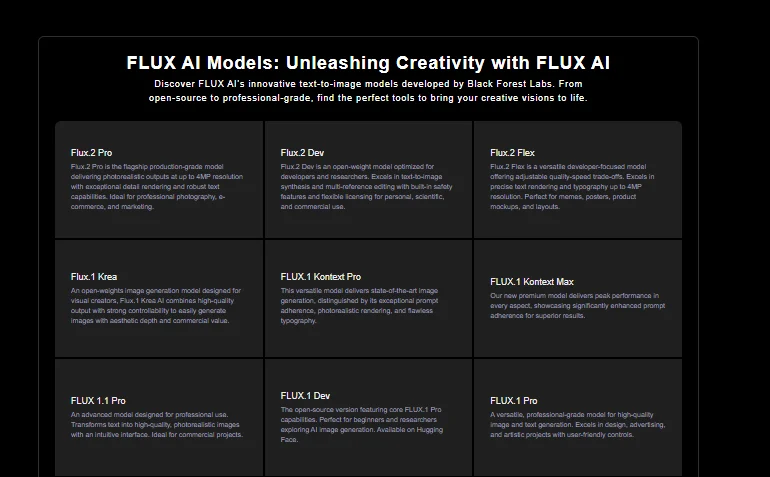
Black Forest Labs offers several FLUX models for different budgets, quality levels, and production needs. In 2026, FLUX.2 is the main model family, while FLUX.1 and FLUX1.1 remain available as older options.
FLUX.2 Klein
FLUX.2 Klein is built for speed and low-cost generation. It is suitable for rapid testing, real-time tools, and workflows that need many images without using the most expensive model.
Best for:
- Prompt testing
- Rapid prototypes
- High-volume generation
- Apps that need fast results
FLUX.2 Pro
FLUX.2 Pro balances image quality, speed, and production cost. It is the most practical option for businesses and creators who need reliable results at scale.
Best for:
- Marketing visuals
- Product images
- Content production
- Commercial applications
FLUX.2 Flex
FLUX.2 Flex gives users more control over generation settings and visual details. It is especially useful when typography, color accuracy, and precise creative direction matter.
Best for:
- Brand-controlled visuals
- Text inside images
- Detailed prompt control
- Custom production workflows
FLUX.2 Max
FLUX.2 Max is the highest-quality model in the current family. It is designed for final assets where image fidelity, composition, and editing precision matter more than cost or speed.
Best for:
- Premium advertising
- Final campaign assets
- Complex image editing
- High-end commercial work
FLUX.2 Dev
FLUX.2 Dev is intended for developers who want local deployment, experimentation, or greater control over their own infrastructure. Availability and commercial terms depend on the specific licence and deployment method.
Best for:
- Local workflows
- Research and testing
- Custom integrations
- Model development
Older FLUX Models
Black Forest Labs still supports several earlier models:
- FLUX.1 Schnell: A fast, open model for personal use, local development, and rapid image generation.
- FLUX.1 Dev: An open-weight model designed for development and experimentation under its applicable licence.
- FLUX1.1 Pro: A reliable production model with strong prompt adherence and fast generation.
- FLUX1.1 Pro Ultra: A high-resolution model that supports images up to 4 megapixels and includes Raw mode for more natural-looking photography.
| Model | Speed | Quality | Best For |
|---|---|---|---|
| FLUX.2 Klein | Very fast | Good to very good | Testing and high-volume use |
| FLUX.2 Pro | Fast | Excellent | Everyday professional production |
| FLUX.2 Flex | Moderate | Excellent | Fine control and typography |
| FLUX.2 Max | Slower | Highest | Premium final assets |
| FLUX.2 Dev | Hardware-dependent | High | Local and custom workflows |
| FLUX1.1 Pro Ultra | Moderate | Excellent | High-resolution legacy workflows |
Bottom line: FLUX.2 Pro is the best all-round option for most professional users. Choose Klein for speed, Flex for control, Max for the highest quality, and Dev for local or customizable workflows.
How We Tested Flux AI
We tested Flux across six practical image tasks: portraits, product photography, YouTube thumbnails, typography, fantasy art, and marketing creatives. Each prompt was generated several times and reviewed for prompt adherence, realism, composition, text accuracy, and the amount of editing required.
For transparency, the published review should also state the exact FLUX model, platform, test date, aspect ratio, number of generations, and whether the displayed outputs were edited.
Hands-On Test Results
Photorealistic Portrait Test
Prompt used:
“Close-up portrait of a 45-year-old man standing beside a window, natural skin texture, visible pores, soft morning light, realistic eyes, 85mm lens, shallow depth of field, editorial photography.”
Result:
Flux produced a natural-looking face with balanced lighting and convincing skin texture. The eyes, facial proportions, and background blur matched the prompt well.
What stood out:
The portrait avoided the glossy, over-smoothed look common in many generated faces. Hands still required review when they appeared in the frame.
Product Photography Test
Prompt used:
“Premium black wristwatch on a dark stone surface, soft studio lighting, realistic metal reflections, subtle shadow, luxury ecommerce photography, clean background.”
Result:
The watch had clear edges, realistic reflections, and a polished commercial look. Metal, glass, and shadow were handled well.
What stood out:
The image needed little visual cleanup, but small writing on the watch face was unreliable.
YouTube Thumbnail Test
Prompt used:
“Cinematic YouTube thumbnail, shocked man on the left, damaged sports car on the right, dramatic red and blue lighting, strong facial expression, clear subject separation, 16:9 composition.”
Result:
Flux followed the requested layout and created a clear focal point. The face and car remained easy to recognize at thumbnail size.
What stood out:
Subject placement was accurate, but the final headline was still better added in Canva or Photoshop.
Text Rendering Test
Prompt used:
“Minimal poster with the words ‘CREATE BETTER’ in large bold letters, white text on a black background, clean modern typography, centered layout.”
Result:
The short phrase was readable in most generations. Alignment and spacing were generally clean.
What stood out:
Flux handled a short headline well, but accuracy dropped when the text became longer or more complex.
Fantasy Art Test
Prompt used:
“Ancient warrior standing beside a glowing dragon in a ruined mountain temple, mist, dramatic moonlight, detailed armor, cinematic fantasy concept art.”
Result:
The scene had strong depth, coherent lighting, and clear separation between the warrior, dragon, and environment. Armor and architectural details remained consistent.
What stood out:
Flux followed the composition closely, although the final image felt less stylized than a typical Midjourney result.
Marketing Creative Test
Prompt used:
“Modern skincare advertisement, glass serum bottle on a clean beige platform, soft shadows, green leaves, premium studio lighting, space for headline text, commercial campaign image.”
Result:
The output looked suitable for a landing page or social media campaign. The product was well placed, and the requested negative space was preserved.
What stood out:
The layout was usable with minimal revision. Fine packaging text and brand details still required manual correction.
| Test | Main Strength | Main Weakness |
|---|---|---|
| Portrait | Natural skin and lighting | Hands need review |
| Product photography | Realistic materials | Small label text |
| YouTube thumbnail | Clear composition | Add final text manually |
| Typography | Good short headlines | Weak longer text |
| Fantasy art | Strong prompt adherence | Less artistic flair |
| Marketing creative | Usable commercial layout | Brand details may drift |
Testing verdict: Flux performed best in portraits, product visuals, and marketing creatives. Its main weaknesses were small text, complex hand poses, and highly stylized artwork.
Features
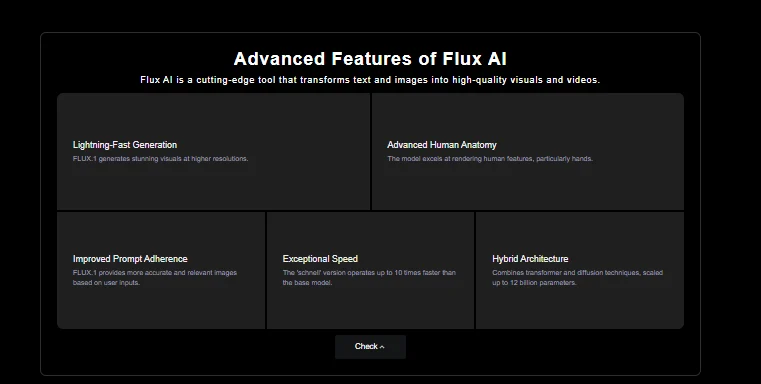
Flux AI focuses on image quality, prompt accuracy, and workflow flexibility. While many image generators offer similar tools on paper, Flux stands out in areas like realism, text rendering, and instruction following.
Text-to-Image Generation
At its core, Flux AI converts written prompts into detailed images. It handles everything from realistic portraits and product photography to concept art and marketing visuals. In our testing, outputs were consistently sharp, well-composed, and closely matched the original prompt.
Image-to-Image Editing
Flux can also transform existing images using text instructions. This makes it useful for style changes, background replacements, visual enhancements, and creative variations without starting from scratch.
Prompt Understanding
One of itss biggest strengths is prompt adherence. Complex instructions involving lighting, camera angles, clothing, facial expressions, and scene composition are often followed more accurately than many competing image generators.
Advanced Text Rendering
Many AI image tools struggle with text inside images. Flux performs noticeably better when generating posters, advertisements, packaging designs, and social graphics that require readable words and clean typography.
Character Consistency
Maintaining the same character across multiple generations remains a challenge for most image models. Flux delivers more consistent facial features, styling, and visual identity, making it useful for branding, storytelling, and content series.
Commercial Usage Rights
Flux is suitable for commercial workflows such as advertising, content creation, ecommerce, product marketing, and client projects. Usage rights may vary depending on the platform or model version being used, so reviewing the current licensing terms is recommended.
API Access for Developers
Developers can integrate Flux into applications, automation workflows, content pipelines, and custom tools through API access. This flexibility makes it appealing for startups, SaaS products, and enterprise use cases.
Open-Weight Models
Unlike many closed AI systems, certain Flux models are available as open-weight releases. This allows developers and researchers to run, customize, and deploy models in their own environments while maintaining greater control over workflows and infrastructure.
| Feature | Available |
|---|---|
| Text-to-Image Generation | Yes |
| Image Editing | Yes |
| Prompt-Based Control | Yes |
| Text Rendering | Strong |
| Character Consistency | Good |
| Commercial Use | Yes |
| API Access | Yes |
| Open-Weight Models | Yes |
Flux AI Image Quality Test Results
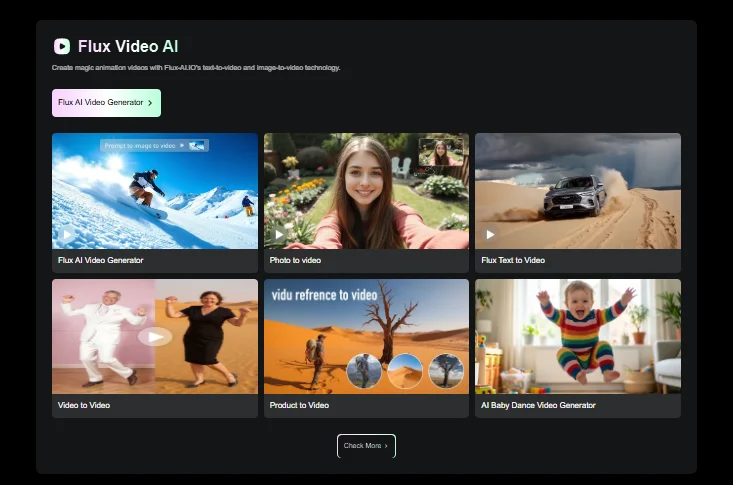
Image quality is where it earns its reputation. Across multiple test categories, it consistently delivered sharp details, realistic textures, and strong prompt accuracy. While no model is perfect, Flux performed particularly well in areas that matter for commercial and professional use.
| Feature | Available |
|---|---|
| Text-to-Image Generation | Yes |
| Image Editing | Yes |
| Prompt-Based Control | Yes |
| Text Rendering | Strong |
| Character Consistency | Good |
| Commercial Use | Yes |
| API Access | Yes |
| Open-Weight Models | Yes |
Photorealism Performance
Flux AI is among the strongest image generators for realistic outputs. Portraits, products, interiors, and outdoor scenes looked natural rather than overly processed. Fine details such as skin texture, fabric, reflections, and depth were handled exceptionally well.
Human Faces and Skin Details
Faces appeared natural with realistic skin tones, balanced facial proportions, and convincing expressions. Unlike many image generators that produce overly smooth or artificial-looking faces, Flux preserved texture and subtle details that improve realism.
Hands and Finger Accuracy
Hands remain one of the hardest challenges in AI image generation. Flux performed better than most competitors, producing fewer distorted fingers and unnatural hand positions. While occasional errors still appeared in complex poses, overall accuracy was impressive.
Lighting and Cinematic Realism
Flux handled natural light, studio setups, dramatic shadows, and cinematic scenes extremely well. Images often felt closer to professional photography than digital artwork, especially when detailed lighting instructions were included in the prompt.
Typography and Text Accuracy
Text generation is an area where Flux clearly stands out. Posters, advertisements, product labels, and social media graphics contained more readable and accurate text than many competing models. It is not perfect, but the improvement is noticeable.
Complex Scene Composition
Multi-character scenes, crowded environments, and detailed compositions were generally handled well. Flux maintained strong object placement and scene structure even when prompts contained multiple instructions.
Where Flux AI Still Struggles
This generative image model is not flawless. During testing, we noticed occasional issues with:
These limitations are relatively minor for most users, but creators who prioritize artistic flair may still prefer Midjourney in certain situations.
| Category | Score |
|---|---|
| Photorealism | 9.7/10 |
| Faces & Skin | 9.6/10 |
| Hands & Fingers | 9.2/10 |
| Lighting | 9.6/10 |
| Text Rendering | 9.4/10 |
| Scene Composition | 9.3/10 |
| Overall Image Quality | 9.5/10 |
Real-World Use Cases
A powerful image generator is only useful if it performs well in real workflows. We tested Flux AI across several common business and creative scenarios to see where it delivers the most value.
Marketing Teams
Marketing teams can use this AI image generator to create campaign visuals, ad creatives, landing page graphics, and promotional content much faster. Its strong prompt accuracy reduces revision time and makes it easier to maintain consistent branding across projects.
Content Creators
From blog images to social media visuals, Flux helps creators produce original content without relying on stock photos. The ability to quickly generate multiple concepts makes content production more efficient.
YouTube Thumbnails
Flux performs particularly well for YouTube thumbnails. It can generate expressive faces, dramatic scenes, cinematic lighting, and attention-grabbing compositions that are designed to stand out in crowded feeds.
Best for:
- Story-based channels
- Educational content
- Commentary videos
- Documentary-style thumbnails
Product Photography
Creating realistic product images is one of this AI tool’s strongest use cases. It produces clean backgrounds, realistic shadows, accurate reflections, and professional-looking product presentations suitable for marketing materials and online stores.
Social Media Graphics
Flux can generate platform-ready visuals for Instagram, Facebook, LinkedIn, X, Pinterest, and other social channels. Its strong text rendering capabilities also make it useful for promotional graphics and branded posts.
Ecommerce Brands
Ecommerce businesses can use Flux to create product mockups, lifestyle images, advertising creatives, and seasonal campaign visuals without the cost of traditional photo shoots. This can significantly reduce content production expenses.
Designers
Designers can use Flux as a concept development tool, mood board generator, and creative assistant. It helps speed up brainstorming, visual exploration, and early-stage design work while leaving final creative control in the hands of the designer.
| Use Case | Performance |
|---|---|
| Marketing Creatives | Excellent |
| Content Creation | Excellent |
| YouTube Thumbnails | Excellent |
| Product Photography | Excellent |
| Social Media Graphics | Very Good |
| Ecommerce Visuals | Excellent |
| Design Concepts | Very Good |
Flux AI Pricing and Value for Money
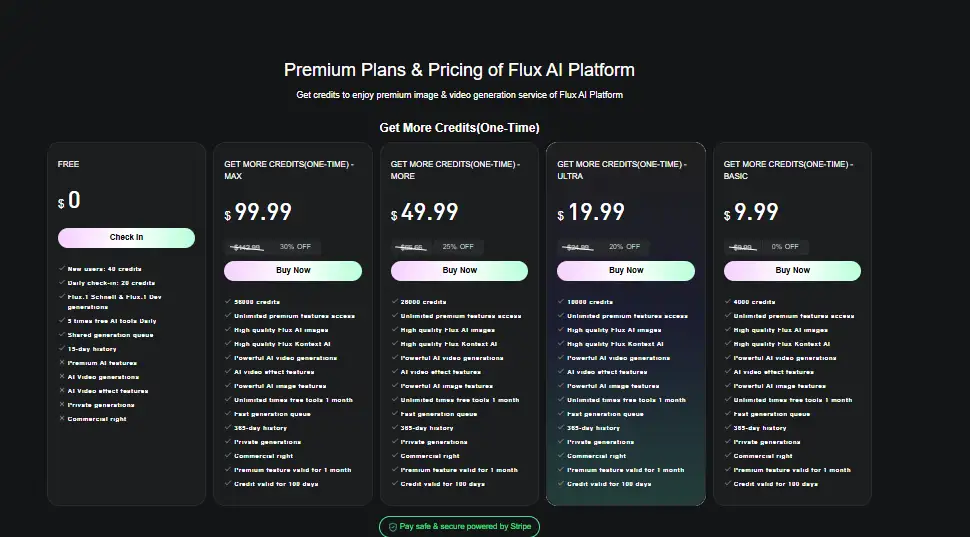
It does not use one universal monthly subscription. Costs depend on whether you use the official Black Forest Labs API, its Playground, a third-party provider, or an open-weight model on your own hardware.
Official BFL API Pricing
Black Forest Labs charges per generated image. FLUX.2 models use megapixel-based pricing, so larger images cost more.
| Model | Text-to-Image Price | Image Editing Price | Best For |
|---|---|---|---|
| FLUX.2 Klein 4B | From $0.014 | From $0.014 | Fast, high-volume generation |
| FLUX.2 Klein 9B | From $0.015 | From $0.015 | Better balance of speed and quality |
| FLUX.2 Pro | From $0.03 | From $0.045 | Professional production |
| FLUX.2 Flex | From $0.05 | From $0.05 | Typography and detailed control |
| FLUX.2 Max | From $0.07 | From $0.07 | Highest-quality output |
| FLUX.2 Dev | Local only | Local only | Custom and self-hosted workflows |
Prices are starting rates. Final cost depends on image resolution, input references, and the number of outputs generated.
Playground Credit Costs
The official BFL Playground uses the same pricing as the API.
One credit equals $0.01. A generation costing $0.03 therefore uses three credits, while a $0.07 generation uses seven credits.
The Playground is the easier option for creators who want to test models without writing code. The API is better suited to applications, automations, and high-volume workflows.
Third-Party Platform Pricing
Platforms such as Replicate and fal.ai provide access to FLUX models through their own billing systems. Some charge per image, while others charge by megapixel, processing time, or subscription credits.
Third-party pricing should not be treated as official BFL pricing. These services may also differ in generation settings, editing tools, commercial terms, storage, and output quality.
Before choosing a provider, compare:
Local Model Costs
Some open-weight FLUX models can run on your own computer or cloud server. There may be no per-image API charge, but local generation is not truly free.
Potential costs include:
Local deployment makes the most sense for developers, researchers, and teams producing enough images to justify the infrastructure.
Which Model Offers the Best Value?
For most users, FLUX.2 Pro offers the best balance of quality, speed, and price. It is suitable for marketing images, product visuals, content production, and client work.
FLUX.2 Klein is the better value for prompt testing or high-volume drafts. FLUX.2 Max is worth the higher cost only when maximum image quality is more important than budget.
| User Type | Best-Value Option |
|---|---|
| Beginners testing prompts | FLUX.2 Klein |
| Content creators | FLUX.2 Pro |
| Marketing teams | FLUX.2 Pro |
| Typography-focused designers | FLUX.2 Flex |
| Premium commercial projects | FLUX.2 Max |
| Developers running locally | FLUX.2 Dev or Klein |
Is Flux AI Worth Paying For?
Flux AI is worth paying for when realistic output, prompt control, and production speed reduce the need for repeated generations or manual editing. Its pay-per-image pricing also lets occasional users avoid a large monthly subscription.
Heavy users should calculate cost per finished image rather than cost per generation. A cheaper model may become expensive if it takes several attempts, while a higher-quality model may deliver usable results faster.
Verdict: FLUX.2 Pro offers the strongest value for most professional users. Klein is better for low-cost experimentation, while Flex and Max are best reserved for work that needs greater control or premium output quality.
Pros and Cons
No image generator is perfect, and Flux AI is no exception. After testing it across multiple workflows, these were the biggest strengths and weaknesses we found.
Pros
- Excellent photorealistic image quality
- Strong prompt accuracy and instruction following
- Better text rendering than many competitors
- Fast generation speeds with multiple model options
- Great for product photography and marketing visuals
- API access for developers and businesses
- Open-weight model availability
- Commercial-friendly workflows
Cons
- Artistic styles can feel less distinctive than Midjourney
- Occasional hand and finger errors in complex scenes
- Character consistency can vary across long image series
- Premium models can become costly for heavy users
- Some advanced features have a learning curve
- Results can vary between platforms using Flux models
- Not the best choice for highly abstract artwork
- Advanced editing tools are less mature than some competitors
The Bottom Line
Flux AI’s biggest strength is reliability. It consistently produces realistic images, follows prompts closely, and performs well in commercial use cases such as marketing, ecommerce, product photography, and content creation.
Its biggest weakness is artistic flair. If your goal is highly stylized artwork or dreamlike visuals, Midjourney may still have the advantage. For realism, accuracy, and business-focused image generation, Flux AI is one of the strongest options available today.
Flux AI vs Midjourney
Flux AI and Midjourney can both produce high-quality images, but they suit different creative workflows. Flux gives users more control over realism, composition, colors, and deployment. Midjourney is often easier for creating polished artistic images with less prompt work.
Image Quality
Both tools deliver strong visual quality. Flux is particularly effective for realistic portraits, product scenes, advertising images, and detailed commercial work.
Midjourney often adds a more distinctive visual style. Its images can feel more cinematic or art-directed, even when the prompt is fairly simple.
| Category | Flux AI | Midjourney |
|---|---|---|
| Photorealism | Excellent | Very good |
| Artistic styling | Very good | Excellent |
| Product visuals | Excellent | Very good |
| Fine visual control | Excellent | Good |
| Character references | Strong | Strong |
Prompt Accuracy
Flux is a better fit when the output must follow detailed instructions. It can handle specific poses, colors, camera directions, objects, and scene layouts with strong control.
Midjourney supports detailed prompts and reference tools, but it may interpret instructions more creatively. That can improve visual appeal while moving away from the requested composition.
Photorealism
Flux performs especially well with natural skin, faces, textures, lighting, and product materials. Its current models are designed for realistic image creation and controlled commercial workflows.
Midjourney can also produce realistic images, but it often applies a subtle stylized finish.
Text Rendering
Both tools can place short text inside images, but neither should replace a design editor for important copy. Flux offers strong typography support, especially through models designed for fine-grained control.
Midjourney can generate short quoted phrases, but spelling and layout still need review.
Editing and Consistency
Flux supports prompt-based editing and multi-reference workflows. This is useful for product campaigns, repeated characters, and branded content.
Midjourney offers image prompts, style references, Omni Reference, variations, and regional editing. Its interface is polished, but exact revisions may still require several attempts.
Ease of Use
Midjourney offers a smooth web interface and can produce attractive images from short prompts. It is usually easier for beginners who want visually impressive results quickly.
Flux is also easy through the official playground, but the wider ecosystem includes APIs, local models, and technical interfaces. The experience therefore depends on how the model is accessed.
Flux AI or Midjourney: Which Should You Choose?
Choose Flux AI for:
- Photorealistic images
- Product photography
- Marketing and ecommerce visuals
- Accurate prompt execution
- Brand color control
- API or local workflows
Choose Midjourney for:
- Concept art
- Fantasy scenes
- Editorial visuals
- Strong artistic styling
- Mood boards
- Fast creative exploration
| Comparison Area | Better Choice |
|---|---|
| Photorealism | Flux AI |
| Prompt control | Flux AI |
| Artistic styling | Midjourney |
| Commercial production | Flux AI |
| Beginner experience | Midjourney |
| Deployment flexibility | Flux AI |
Verdict: Flux AI is the better choice for realism, precise direction, and production workflows. Midjourney remains stronger for artistic interpretation and fast visual inspiration.
Brief Flux AI Competitor Comparisons
Flux AI vs Ideogram
Flux AI is stronger for realistic portraits, product scenes, detailed lighting, and flexible deployment. Ideogram is particularly useful for posters, labels, logos, and graphics where typography is central to the design.
Ideogram also includes an integrated canvas with editing, inpainting, outpainting, and layout tools. This can make it more convenient for users who want generation and design editing in one workspace.
Choose Flux AI for: Realism, product visuals, custom workflows, and API use. Choose Ideogram for: Posters, typography, promotional graphics, and integrated editing.Flux AI vs Stable Diffusion
Flux AI delivers strong results with less setup, especially for realistic and commercial images. Its hosted models and APIs make it easier to move from a prompt to a usable output.
Stable Diffusion offers a broader community ecosystem for checkpoints, LoRAs, ControlNet workflows, extensions, and deep local customization. The trade-off is a steeper learning curve and more technical maintenance.
Choose Flux AI for: Easier setup, strong default quality, and production use. Choose Stable Diffusion for: Fine-tuning, private local workflows, and maximum customization.Flux AI vs GPT Image
Flux AI offers more model choice, API control, and deployment flexibility. It is well suited to high-volume image production, reference-based workflows, and teams that need precise control over visual output.
GPT Image is easier for conversational generation and editing. Users can describe a change in plain language, refine the same image, and work comfortably with text-heavy graphics or structured layouts.
Choose Flux AI for: Model flexibility, photorealistic production, local options, and custom applications. Choose GPT Image for: Conversational editing, accurate text, simple revisions, and beginner-friendly workflows.| Competitor | Better For | Flux AI Advantage | Competitor Advantage |
|---|---|---|---|
| Midjourney | Artistic images | Realism and control | Visual style |
| Ideogram | Typography | Photorealism and flexibility | Text-focused design |
| Stable Diffusion | Custom workflows | Easier default quality | Local customization |
| GPT Image | Editing and text | Deployment and model choice | Conversational workflow |
Overall comparison: Flux AI is the strongest all-round option for users who prioritize realism, detailed prompts, API access, and production flexibility. The best alternative depends on whether the priority is artistic style, typography, local customization, or conversational editing.
Flux AI Alternatives
Flux AI is a strong choice for realistic image generation, but it is not the best fit for every workflow. These alternatives may be better for artistic images, typography, editing, vector design, or local deployment.
Midjourney
Midjourney is the best Flux AI alternative for artistic images, concept art, fantasy scenes, and cinematic visuals. It often produces more polished results with shorter prompts, but offers less precise control over complex instructions.
Ideogram
Ideogram is a strong option for posters, logos, advertisements, and social graphics that contain text. Its typography tools are easier to use, although Flux usually performs better for portraits and photorealistic scenes.
GPT Image
GPT Image is ideal for users who want conversational image creation and editing. It follows natural-language revisions well and performs strongly with layouts, written text, infographics, and iterative edits.
Recraft
Recraft is built for professional design work. It can generate and edit photos, illustrations, mockups, icons, and scalable vector graphics, making it more practical than Flux for branding assets and production-ready design files.
Stable Diffusion
Stable Diffusion is the strongest alternative for advanced customization and private local workflows. Users can download models, fine-tune outputs, install custom tools, and run supported versions on their own hardware. The trade-off is a steeper setup and learning curve.
| Alternative | Best For | Main Advantage |
|---|---|---|
| Midjourney | Artistic images | Strong visual style |
| Ideogram | Text-based designs | Better typography |
| GPT Image | Editing and revisions | Conversational workflow |
| Recraft | Professional design | Vectors and brand assets |
| Stable Diffusion | Advanced customization | Local control |
Bottom line: Midjourney is the best artistic alternative, GPT Image is easier for editing, Recraft is better for designers, and Stable Diffusion offers the most control. Flux remains the stronger choice for users who prioritize photorealism and accurate prompt execution.
What Real Users Are Saying About Flux AI
User feedback on the FLUX image models is broadly positive, but it varies by model, hardware, and the platform used to access them. Community discussions praise the image quality and control, while also highlighting demanding hardware and occasional prompt failures.
Positive Feedback
Creators frequently praise FLUX for:
- Natural-looking portraits and skin texture
- Strong prompt adherence
- Detailed product and lifestyle images
- Local deployment and fine-tuning options
- Better control than closed image platforms
Common Complaints
The most common concerns include:
- High hardware requirements for local use
- Slow generation on lower-end GPUs
- Inconsistent framing in complex prompts
- Occasional hand and anatomy errors
- A technical learning curve with ComfyUI
- Less artistic polish than Midjourney in some styles
Review Analysis
Community feedback suggests that FLUX performs best for users who value realism, control, and flexible deployment. Midjourney may still be easier for polished artistic results, while FLUX appeals more to creators who want direct control over models, seeds, fine-tuning, and local workflows.
These opinions remain anecdotal. Results can change considerably between FLUX versions, third-party interfaces, quantized models, hardware configurations, and prompt styles.
| Common Feedback | Community View |
|---|---|
| Photorealism | Frequently praised |
| Prompt adherence | Strong, but not flawless |
| Artistic style | Good; Midjourney often preferred |
| Local control | Major advantage |
| Hardware demand | Common concern |
| Ease of use | Depends heavily on the interface |
Flux AI Strengths Nobody Talks About
Flux AI is often praised for photorealism, but its deeper value lies in control, deployment choice, and production flexibility. These strengths matter more once image generation becomes part of a real creative or business workflow.
Exceptional Prompt Adherence
Flux handles detailed instructions unusually well. It can follow requests for camera angle, lighting, pose, clothing, color, composition, and background without rewriting the scene too aggressively.
This makes it useful for product mockups, advertising images, thumbnails, and repeatable campaign assets where accuracy matters more than surprise.
Realistic Human Anatomy
Flux produces convincing faces, skin texture, body proportions, and poses. Hands can still fail in difficult interactions, but human subjects generally look less plastic and more naturally photographed than outputs from many competing models.
The result is especially strong for portraits, fashion images, lifestyle scenes, and commercial photography.
Developer-Friendly Ecosystem
Flux is not limited to one web interface. Developers can access production models through the BFL API, use fixed endpoints for reproducible workflows, or connect image generation and editing to their own apps and automation pipelines.
That flexibility suits SaaS products, creative agencies, ecommerce platforms, and high-volume content systems.
Open Model Flexibility
Some Flux models are available as open weights for local deployment, research, fine-tuning, and custom pipelines. FLUX.2 Klein 4B, for example, is available under the Apache 2.0 licence, while other releases use different terms.
This gives technical users more control over privacy, infrastructure, costs, and model customization than fully closed image generators.
| Overlooked Strength | Practical Benefit |
|---|---|
| Detailed prompt control | Fewer unwanted changes |
| Natural human rendering | Better portraits and lifestyle images |
| API and fixed endpoints | Scalable, repeatable production |
| Open-weight options | Local use and custom workflows |
Bottom line: Flux AI is more than a realistic image generator. Its real advantage is the ability to move from casual prompting to controlled, production-ready image workflows.
Flux AI Limitations
Flux AI delivers strong image quality, but it is not flawless. Its main drawbacks appear in artistic styling, setup complexity, usage costs, and workflow consistency.
Artistic Style Gap vs Midjourney
Flux is excellent at realism, but Midjourney still has an edge in artistic polish. Fantasy scenes, editorial artwork, and cinematic concepts often look more distinctive in Midjourney with less prompt tuning.
Flux is better when accuracy matters. Midjourney is often better when visual mood matters more than exact instructions.
Learning Curve
The difficulty depends on how you access Flux. Simple web tools are beginner-friendly, but local workflows, ComfyUI, model settings, and API integrations require more technical knowledge.
New users may need time to understand model selection, guidance settings, seeds, aspect ratios, and editing workflows.
Credit Consumption
Premium Flux models may use more credits than speed-focused versions. High-resolution images, repeated generations, and editing tasks can quickly increase monthly costs.
This matters for agencies, ecommerce teams, and creators producing images at scale. Testing prompts with a faster model before switching to a premium version can reduce wasted credits.
Workflow Limitations
Flux is offered through several platforms, so features and output quality are not always consistent. One provider may include editing, history, or reference controls, while another may offer only basic generation.
Other limitations include:
Bottom line: Flux AI is a strong choice for realistic and controlled image generation, but it may not suit users who want Midjourney-style creativity, a single polished workspace, or predictable costs at high volume.
Is Flux AI Safe?
Flux AI is generally safe when accessed through Black Forest Labs or a trusted provider. However, privacy, data retention, and commercial terms can differ between platforms. Users should check the provider’s policy before uploading private images or client assets.
Privacy
Cloud-based Flux services process prompts and uploaded images on remote servers. Avoid submitting confidential documents, unreleased products, private customer data, or sensitive personal photos unless the provider clearly explains how that data is stored and used.
Running an open-weight Flux model locally can offer greater privacy because files can remain on your own device.
Commercial Licensing
Commercial use depends on the specific Flux model and how it is accessed. Paid API models are intended for professional workflows, while open-weight releases use different licences.
Some models permit commercial use of generated images but restrict commercial use of the model weights. Always check the exact licence for your chosen model instead of assuming that all Flux versions share the same terms.
Ownership Rights
Black Forest Labs generally does not claim ownership of images generated under its FLUX.1 Dev licence. Users remain responsible for their prompts, outputs, and how those images are published.
This does not guarantee copyright protection. Images that copy trademarks, copyrighted characters, celebrity likenesses, or another artist’s work may still create legal risk.
Bottom line: Flux AI can be used safely for personal and business projects, but privacy and licensing rules depend on the model and provider. Review the current terms before using generated images commercially.
Final Verdict
Flux AI is one of the strongest image generators for photorealism, prompt accuracy, product visuals, and commercial content. It gives creators and businesses more control than many closed platforms, with API access and open-weight options for advanced workflows.
It is not the best choice for every user. Midjourney still delivers more artistic flair, while GPT Image is easier for conversational editing and text-heavy graphics.
Overall, Flux AI is worth using if realism, accurate instructions, and deployment flexibility matter most. For those priorities, it remains one of the best AI image generators in 2026.