Ideogram AI Review: Is It the Best AI Image Generator for Text, Logos, and Marketing Visuals?
Last Updated: June 28, 2026
Tested, Reviewed & Written by SaaS & Software Reviews Editorial Team
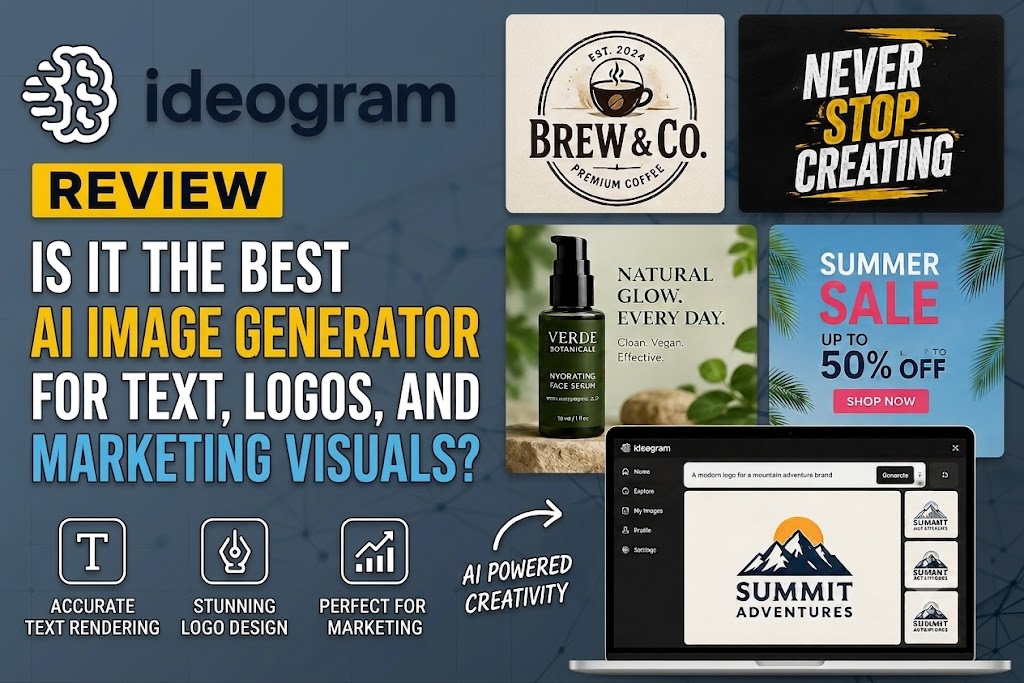
Yes, Ideogram AI is worth using if you need images with clear, readable text.
I tested it for posters, logo ideas, social media graphics, thumbnails, and simple marketing visuals. It performed best when the design needed short words inside the image. Headlines were usually clean, poster text was readable, and logo concepts worked well as first drafts.
It still has limits. Long text can break, small footer text may look messy, and logos often need cleanup in Canva, Figma, Illustrator, or Photoshop.
But for quick design ideas, campaign visuals, and text-based graphics, Ideogram is one of the most useful AI image generators in its category.
Ideogram AI Rating Summary
| Category | Rating |
|---|---|
| Text accuracy | |
| Image quality | |
| Ease of use | |
| Editing tools | |
| Pricing value | |
| Professional use |
Best For
Ideogram AI is best for posters, logo concepts, social media graphics, YouTube thumbnails, Pinterest pins, flyers, T-shirt designs, product mockups, marketing banners, and B2B visuals with short text.
Skip It If
Skip Ideogram if you need long-form text graphics, exact brand-font control, final logo files without cleanup, advanced photo editing, video generation, or fully editable layered design work inside one tool.
One-Sentence Verdict
Ideogram AI is one of the strongest AI image generators for readable text inside images, making it especially useful for marketers, creators, and small businesses that need fast visual drafts with clear typography.
What Is Ideogram AI?
Ideogram AI is a text-to-image tool that creates visuals from written prompts. You type what you want, choose a style, and Ideogram generates images for you.
Its main strength is text. Most image generators can create nice pictures, but many still struggle when you ask them to add clear words inside the image. Ideogram is built for that job. It is useful when the design needs readable headlines, brand names, short slogans, or poster-style text.
Simple Definition
Ideogram AI is an AI image generator with text-focused design features.
It turns prompts into images and is especially strong at typography,
short phrases, logos, posters, and marketing graphics.
For example, you can ask for a poster that says “Summer Sale”
or a logo concept with a brand name. Ideogram usually handles this
better than many general image tools.
What Makes Ideogram Different?
The biggest difference is text rendering. Many AI image tools create
attractive visuals but often misspell words, distort letters, or turn
text into random shapes.
Ideogram’s advantage is that the words are part of the image, not an
afterthought. This makes it more practical for real design work,
especially for social media posts, ads, thumbnails, flyers, and
B2B visuals.
What Can You Create With Ideogram?
You can use Ideogram to create AI posters, logo concepts, social media
ads, blog graphics, Pinterest pins, print-on-demand designs, product
mockups, digital stickers, concept art, educational graphics, and
presentation visuals.
It works best when the text is short, clear, and easy to read.
Is Ideogram Only for Designers?
No. Beginners can use Ideogram without design skills. The interface is
simple, and plain prompts can produce good results.
Designers and marketers can also use it, but they should treat it as a
fast concept tool. For final client work, you may still need Canva,
Figma, Illustrator, or Photoshop to clean up spacing, fonts, file
formats, and brand details.
Who Is Ideogram AI Best For?
Ideogram AI is best for people who need visuals with clear words inside the image. It is not just for making pretty art. It is more useful when the design needs a headline, product name, slogan, offer, or brand text.
Best for Marketers and Social Media Managers
Ideogram works well for marketers who need fast campaign visuals. You can create social posts, ad concepts, launch graphics, LinkedIn banners, and promo images with short text built into the design.
It is useful when you need many visual ideas quickly without starting from a blank Canva page.
Best for Small Businesses
Small businesses can use Ideogram for flyers, sale banners, event posters, local ads, simple menu boards, and branding ideas.
A bakery can test a “Weekend Special” poster. A gym can create a “New Year Offer” graphic. A coach can make a clean webinar banner. These are the kinds of jobs where Ideogram feels practical.
Best for Bloggers and Pinterest Creators
Ideogram is also useful for blog headers, Pinterest pins, featured images, and article graphics. It helps create visuals with short readable text, which is important for clicks.
For bloggers, this can save time when creating graphics for reviews, tutorials, list posts, and product roundups.
Best for Etsy and Print-on-Demand Sellers
Etsy sellers and print-on-demand creators can use Ideogram for T-shirt ideas, sticker concepts, printable posters, wall art drafts, greeting card designs, and product mockups.
The best results usually come from short phrases, bold lettering, and clear visual styles.
Best for Designers Who Need Fast Concepts
Designers can use Ideogram as a concept tool. It is good for exploring directions, testing layouts, and creating quick mood-board ideas.
It should not always be treated as the final design file. Many outputs still need cleanup, resizing, brand checks, or vector work.
Not Best For These Users
Ideogram may not be the right choice if you need exact typography control, native video generation, advanced Photoshop-level editing, private outputs on a free plan, or long text-heavy graphics like full menus, documents, and detailed infographics.
How We Tested Ideogram AI
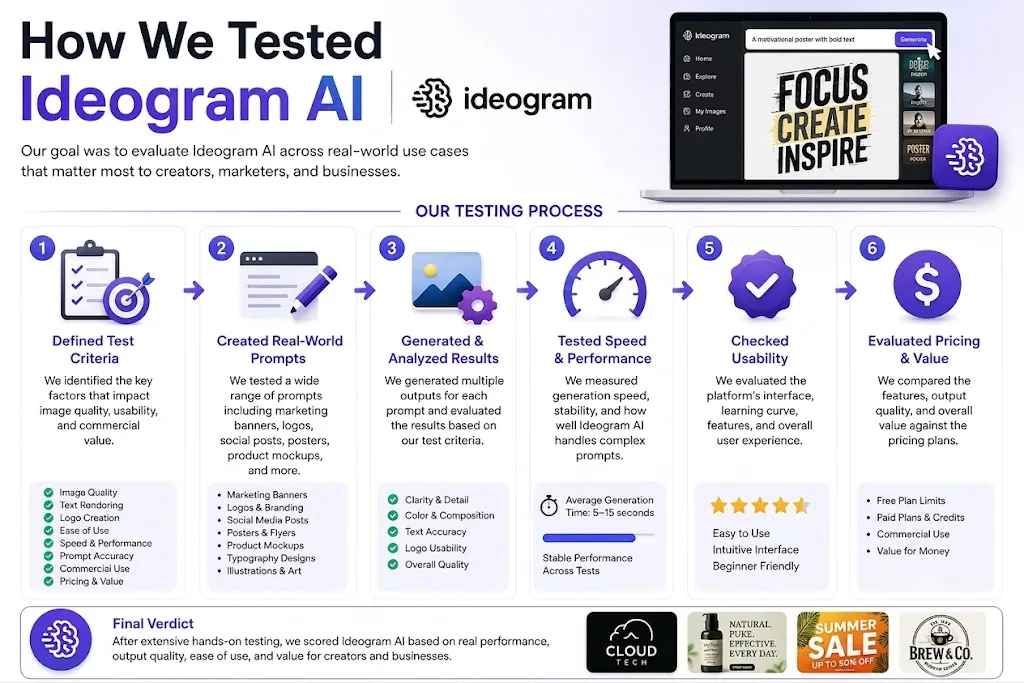
This Ideogram AI review is based on practical testing, not just a list of features. I wanted to see how it performs in real design tasks where text accuracy matters.
The focus was simple: can Ideogram create usable images with readable words, good layout, and enough polish for marketing work?
Testing Period and Review Method
I tested Ideogram across 80+ prompts over two weeks. The prompts were based on real use cases, not random art ideas.
I created posters, logo concepts, social media graphics, YouTube thumbnails, Pinterest pins, T-shirt designs, product mockups, blog images, and text-heavy layouts. I also tested editing, remixing, and prompt changes to see how well Ideogram handled revisions.
The goal was not to find one perfect image. The goal was to check how often Ideogram produced usable first drafts.
Test Categories
The main test areas were poster text accuracy, logo concept quality, social media design, YouTube thumbnail readability, T-shirt typography, product mockup quality, blog image style, long text handling, editing and remixing, prompt adherence, and pricing value.
I also tested short text against longer text because this is where many AI image tools fail.
Scoring Criteria
Each output was reviewed using the same basic criteria:
| Test Area | What I Checked |
|---|---|
| Text accuracy | Were the words readable and correctly spelled? |
| Layout quality | Did the design look balanced? |
| Prompt following | Did the image match the request? |
| Visual quality | Did it look professional enough to use? |
| Editing flexibility | Could the image be improved without starting over? |
| Export value | Was the result useful outside Ideogram? |
| Speed | How fast was the workflow? |
| Value | Did the output justify the plan or credits used? |
Competitors Used for Comparison
I compared Ideogram against Midjourney, ChatGPT Images / DALL-E, Adobe Firefly, Canva AI, Stable Diffusion, Leonardo AI, and Gemini / Nano Banana.
The main comparison was not “which tool makes the prettiest image?” It was “which tool creates the most usable image when text is part of the design?”
Important Disclosure
This review focuses on hands-on results and practical use cases. Some outputs still needed cleanup in Canva, Figma, Illustrator, or Photoshop. If affiliate links are used in the final article, that should be clearly disclosed near the top or before the first link.
Hands-On Test Results
Ideogram performed best when the design had short, bold text. It was strongest for posters, thumbnails, social graphics, and T-shirt concepts. It was weaker when I asked for long text, small menu items, or exact brand-style control.
The main takeaway: Ideogram is very good for fast visual drafts with readable words, but it still needs human checking before final use.
Test 1: Poster With Short Headline
For the poster test, I used short event-style prompts with 3–6 words, such as a sale poster or music night flyer.
This was one of Ideogram’s strongest areas. The headline was usually readable, centered well, and matched the mood of the prompt. The layout often looked close to something you could use for a real campaign.
Small edits were still needed. I would check spacing, brand colors, and footer text before publishing. But for event posters and simple ads, the results were strong.
Test 2: Social Media Graphic
For social media graphics, I tested Instagram and LinkedIn-style visuals with short business headlines.
Ideogram handled these well. The images looked clean, modern, and more professional than many random AI art outputs. Text clarity was good when the headline was short and placed clearly.
This makes Ideogram useful for marketers who need quick post ideas, launch graphics, carousel covers, and promotional visuals.
Test 3: Logo Concept
For logo testing, I used short brand names with simple style directions, such as modern, minimal, vintage, or luxury.
Ideogram created good logo concepts. The spelling was often correct, and the icon ideas were useful. But the results were not always ready as final logo files.
Some designs had spacing issues, uneven letters, or small symmetry problems. I would use Ideogram for logo brainstorming, then clean the best idea in Illustrator, Figma, or Canva.
Test 4: YouTube Thumbnail
For YouTube thumbnails, I tested bold text, high contrast, and clear visual hooks.
This was another strong use case. The large words were usually easy to read, and the designs had good click appeal. On mobile, short phrases worked best.
Ideogram is useful here because thumbnail text must be big, simple, and fast to understand.
Test 5: T-Shirt Design
For T-shirt designs, I tested bold typography, vintage lettering, and print-on-demand style prompts.
Ideogram did well with short slogans and large display text. The designs looked good for T-shirt ideas, sticker concepts, and printable graphics.
Still, I would not upload the raw result directly to a store. Print files need cleanup, transparent backgrounds, size checks, and licensing review.
Test 6: Long Text or Menu Board
Long text was the weakest test.
When I asked for a menu board, price list, or multi-line text, Ideogram started making mistakes. Some words were readable, but smaller lines often became distorted or misspelled.
This is not the best tool for full menus, detailed infographics, legal text, or document-style designs. For those, create the background in Ideogram and add the final text manually in Canva or Figma.
Test 7: Editing an Existing Image
I also tested editing and remixing. Ideogram was useful for small changes, style variations, and layout improvements.
The editing tools worked best when the change was simple. For example, changing a background, adjusting a design direction, or creating a similar version worked well.
For precise edits, the result could shift more than expected. It is good for creative revision, but not always perfect for pixel-level control.
Hands-On Testing Summary
| Test | Result | Best Use | Manual Editing Needed |
|---|---|---|---|
| Poster | Strong | Events and ads | Low |
| Social graphic | Strong | Instagram, LinkedIn, ads | Low |
| Logo concept | Good | Brand brainstorming | Medium |
| Thumbnail | Strong | YouTube and social media | Low |
| T-shirt | Strong | POD concepts | Medium |
| Long text | Weak | Not recommended | High |
| Editing | Good | Small fixes and variations | Medium |
Overall, Ideogram’s test results were clear. It is one of the best options when the image needs short, readable text. It is less reliable when the design needs long copy, exact typography, or final brand-level polish.
Ideogram Model Family, Plans, and Product Versions Explained
Ideogram has changed a lot since launch, so older reviews may not reflect the current models, features, or plan limits. Always check which version and plan were tested before trusting any Ideogram AI review.
Ideogram 4.0 Explained
Ideogram 4.0 focuses on better prompt accuracy, clearer text, stronger image quality, and more reliable editing. It is built more for practical design work, such as posters, logos, social media graphics, product visuals, and marketing assets.
Ideogram 3.0 and Earlier Models
Older versions like Ideogram 2.0, 2a, and 3.0 helped build Ideogram’s reputation for readable text and poster-style designs. But results can vary by model, so fresh testing matters.
Free vs Paid Plans
The free plan is useful for testing. Paid plans are better if you need faster generation, private images, better downloads, image uploads, editing tools, batch creation, API access, or team features.
Priority Credits vs Slow Credits
Priority credits give faster results. Slow credits use a slower queue. Monthly credits may expire, while top-up credits can follow different rules. Check the current pricing page before upgrading.
Which Plan Should Most Users Start With?
Start with the free plan. Choose Plus for regular content creation, Pro for agencies or high-volume work, and Team for shared business workflows.
Key Features of Ideogram AI
Ideogram AI is not just another image generator. Its best features are built around one practical need: creating visuals that include readable text.
That makes it useful for posters, logos, ads, thumbnails, product mockups, and social media graphics.
Text Rendering and Typography
This is Ideogram’s strongest feature. It can place short, readable text inside images better than many other tools. Headlines, slogans, brand names, poster text, and thumbnail words usually look clear. It works best with short phrases and bold layouts.
Magic Prompt
Magic Prompt helps improve basic prompts. You can type a simple idea, and Ideogram expands it with more detail. This is useful for beginners who do not know how to write strong image prompts. It also saves time when testing different design styles.
Canvas
Canvas gives users a workspace to create, edit, extend, and combine images. It is helpful when you want more control than a single prompt box. You can use it to build a visual direction, test variations, and improve an image without starting from zero.
Magic Fill
Magic Fill is used for targeted edits. You select part of an image and change that area. It works well for small fixes, replacing objects, adjusting backgrounds, or improving a detail in the design.
Extend / Outpainting
Extend lets you expand an image beyond its original borders. This is useful for turning a square image into a wider banner, poster, or social media layout. It helps when the first image is good but the canvas size is wrong.
Remix
Remix creates new versions from an existing image or prompt. It is useful when you like the style but want a different layout, color, text, or mood. This makes Ideogram good for quick creative testing.
Style Controls
Ideogram supports different visual styles, including realistic, design, 3D, anime, illustration, and typography-focused looks. This helps users create graphics for different platforms, from business ads to creative posters.
Editable Text Layers
Editable text layers are important because AI text is not always perfect. If a word, spacing, or layout needs fixing, editable text makes the workflow easier. This is useful for professional work where small text errors matter.
Character Consistency
Character consistency helps when you need the same person, mascot, or brand character across multiple images. This is useful for campaigns, storytelling visuals, social media series, and recurring brand assets.
Print-on-Demand Features
Ideogram is useful for T-shirt designs, stickers, posters, wall art, greeting cards, and digital products. It works best for bold slogans, simple typography, and clear visual themes.
API Access
API access matters for developers, agencies, and teams that want to generate images inside their own tools or workflows. This is more useful for high-volume users than casual creators.
Text-in-Image Quality and Performance Analysis
Ideogram’s biggest strength is clear text inside images. This is where it beats many general image generators.
It is not perfect, but for short marketing text, it is one of the most reliable tools I tested.
How Accurate Is Ideogram With Text?
Ideogram is strong with single words, short headlines, brand names, slogans, and simple subheads.
Words like “Summer Sale,” “New Launch,” or “Coffee Night” usually come out clean and readable. Stylized typography also looks good when the prompt is simple.
Where Text Accuracy Is Strongest
Ideogram works best when the text is short and bold.
The best results came from:
- 1–5 words
- Large headlines
- High-contrast designs
- Clear layout instructions
- Simple poster-style prompts
- YouTube thumbnails and social graphics
If the text is the main focus of the design, Ideogram usually performs well.
Where Text Accuracy Drops
Ideogram struggles when the text becomes too long or too small.
Weak areas include menus, legal disclaimers, footer copy, exact addresses, multiple prices, and detailed infographics. Complex typography with many text levels can also break.
For these designs, use Ideogram for the background and add final text manually in Canva, Figma, Illustrator, or Photoshop.
Image Quality
Image quality is strong overall. Most outputs look polished, modern, and useful for marketing.
The best results come from clear prompts with a defined style, such as realistic, minimal, vintage, 3D, or clean business design.
Speed and Workflow Performance
Ideogram is fast for idea generation. You can test multiple layouts quickly, then remix the best version.
The workflow is smooth for posters, ads, thumbnails, and social content. Paid plans are better if you need faster output and fewer queue delays.
Professional Output Readiness
Ideogram creates strong first drafts, not always final files.
Before using an image for business, check spelling, spacing, brand colors, export quality, and licensing. For client work, final polishing in a design tool is still recommended.
Real-World Use Cases for Ideogram AI
Ideogram AI is most useful when the image needs short, readable text. It works well for marketing, content creation, branding ideas, and simple business visuals.
Ideogram for Posters and Flyers
Ideogram is strong for event posters, sale flyers, launch graphics, and local business ads.
Short headlines work best. For example, “Grand Opening,” “Weekend Sale,” or “Live Music Night” usually looks clear and polished.
Ideogram for Logos
Ideogram can create good logo concepts with brand names, icons, and style ideas.
It is useful for brainstorming, but not always final logo production. A designer should still clean up spacing, symmetry, and vector files.
Ideogram for Social Media Posts
Ideogram works well for Instagram, LinkedIn, Facebook, and X graphics.
It can create posts with bold headlines, product messages, quotes, and campaign visuals. This makes it useful for marketers who need fast content ideas.
Ideogram for YouTube Thumbnails
Ideogram is useful for YouTube thumbnails because it handles big text and strong contrast well.
Short phrases like “Best Tools,” “Top Mistakes,” or “Full Review” usually perform better than long sentences.
Ideogram for Pinterest Pins
Bloggers and affiliate sites can use Ideogram for Pinterest pins, featured images, and visual search content.
It helps create scroll-friendly graphics with short titles, clean layouts, and strong visual hooks.
Ideogram for Etsy and Print-on-Demand
Ideogram can help Etsy sellers create T-shirt concepts, stickers, printable posters, wall art, greeting cards, and digital download ideas.
For selling, always check spelling, file quality, copyright risk, and commercial-use terms before uploading.
Ideogram for Presentations and B2B Marketing
Ideogram is useful for report covers, slide graphics, campaign concepts, newsletter visuals, and clean business images.
It is especially helpful when you need professional visuals with short text, not fantasy-style artwork.
Ideogram for Education
Teachers and course creators can use Ideogram for classroom posters, simple infographics, learning visuals, and presentation graphics.
It works best when the message is short, clear, and easy for students to read.
Ease of Use and User Experience
Ideogram is easy to use, even for beginners. You do not need design skills to start. You type a prompt, choose a style, and generate images.
The experience feels simple, but better results still come from clear instructions.
Getting Started
Getting started is quick. Create an account, enter your prompt, choose the image style or size, and generate.
Ideogram gives you multiple image options, so you can compare results and pick the best one.
Interface Quality
The dashboard is clean and beginner-friendly. The main tools are easy to find, and the workflow does not feel technical.
For new users, this is a big advantage. You can start creating posters, logos, thumbnails, and social graphics without learning complex software.
Prompting Experience
Plain English works well. You can write a simple prompt like “modern poster with text ‘Summer Sale’” and get usable results.
Still, structured prompts work better. Include the text, style, layout, colors, and purpose. The clearer the prompt, the better the output.
Editing Experience
Canvas, Magic Fill, Extend, and Remix make editing easier for non-designers.
You can change parts of an image, expand the background, or create new versions from an existing design. These tools are useful for small fixes and creative variations.
Learning Curve
Beginners can get good results quickly. That is one of Ideogram’s biggest strengths.
Professional results take more work. You still need to test prompts, check spelling, adjust layout, and polish the final design in Canva, Figma, Illustrator, or Photoshop when needed.
Ideogram AI Pricing and Value for Money
Ideogram AI has a free plan and paid plans for heavier use. The right plan depends on how often you create images and whether you need privacy, faster output, or better downloads.
For casual testing, the free plan is enough. For real marketing work, a paid plan makes more sense.
Ideogram Free Plan
The free plan is best for testing Ideogram’s text accuracy and image quality.
It is useful for beginners, but it has limits. Free users may get slower generation, public images, fewer credits, compressed downloads, and fewer editing options.
Do not use the free plan for private client work or sensitive brand ideas.
Ideogram Plus Plan
The Plus plan is usually the best fit for regular creators, bloggers, marketers, and small businesses.
It gives faster workflow, private generation, better downloads, image uploads, more editing access, and more room to create without waiting too much.
For most users, this is the practical upgrade.
Ideogram Pro Plan
The Pro plan is better for agencies, high-volume marketers, print-on-demand sellers, and users who create many images every month.
It is useful if you need more priority credits, faster production, and batch generation for multiple prompts.
Team Plan
The Team plan is for businesses with more than one user.
It makes sense when a team needs shared creative workflows, business use, member access, and credit management.
Hidden Pricing Considerations
Do not judge Ideogram AI pricing only by the monthly fee. Check the details first.
Important things to review include credit expiry, slow vs priority queue, download formats, private generation, image deletion, commercial usage, image uploads, and extra top-up credits.
These details affect the real value of the plan.
Is Ideogram Good Value?
Yes, Ideogram is good value if you create text-heavy visuals like posters, thumbnails, ads, pins, logos, and social media graphics.
It is less valuable if you only need generic AI art. It is also not enough by itself if you need full design editing, exact fonts, brand kits, or final production files.
Ideogram AI Pros and Cons
Ideogram AI has one clear advantage: it handles text inside images better than most AI image generators. That makes it useful for real marketing work, not just creative experiments.
Still, it has limits. It is strong for short text and visual drafts, but not perfect for final brand assets.
Pros
| Pros | Why It Matters |
|---|---|
| Strong text rendering | Great for readable headlines, slogans, and brand names |
| Good for posters and social graphics | Useful for ads, flyers, thumbnails, and posts |
| Beginner-friendly | Easy to start without design skills |
| Fast iteration | Helps test many ideas quickly |
| Magic Prompt | Improves simple prompts and saves time |
| Canvas tools | Useful for editing, extending, and remixing images |
| Strong design output | Creates polished visuals for marketing use |
| Good for creators and small businesses | Helps produce quick, low-cost design concepts |
| Free plan for testing | Lets users try the tool before upgrading |
Cons
| Cons | What to Watch |
|---|---|
| Long text can fail | Menus, paragraphs, and small copy may break |
| Limited typography control | Exact fonts, spacing, and kerning are not guaranteed |
| Logos need cleanup | Good for concepts, not always final logo files |
| Free plan may have privacy limits | Not ideal for sensitive client work |
| Some tools need paid plans | Better editing and downloads may require upgrade |
| Not a Canva or Photoshop replacement | Final polish still needs design software |
| Not focused on full video generation | Better for still images |
| Complex prompts can miss details | Simple, clear prompts work best |
Balanced Verdict
Ideogram is excellent in its core niche: images with short, readable text. It is one of the best tools for posters, thumbnails, social graphics, and logo ideas.
Use it with realistic expectations. It can save time and improve visual ideas, but final business assets still need human review and cleanup.
Ideogram vs Midjourney
Ideogram and Midjourney are both strong image generators, but they are not best for the same job.
Ideogram is better when the image needs readable text. Midjourney is better when the image needs rich style, depth, and artistic detail.
Quick Comparison Table
| Category | Ideogram | Midjourney |
|---|---|---|
| Text rendering | Stronger | Improved, but less reliable |
| Artistic realism | Good | Stronger |
| Logo concepts | Strong | Good, but text is weaker |
| Social graphics | Strong | Stylish, but text may need editing |
| Ease of use | Web-based and simple | More advanced creative workflow |
| Pricing value | Strong for text visuals | Strong for art-heavy creators |
When Ideogram Wins
Ideogram wins when words matter.
It is the better choice for text-heavy images, posters, ads, banners, logo concepts with brand names, YouTube thumbnails, Pinterest pins, and business visuals.
If you need a graphic that says “Grand Opening,” “Summer Sale,” or “New Product Launch,” Ideogram is usually the safer pick.
When Midjourney Wins
Midjourney wins when visual style matters more than text.
It is better for cinematic art, concept art, fantasy visuals, photorealistic mood boards, editorial images, and premium stylized artwork.
If the goal is mood, atmosphere, lighting, or artistic realism, Midjourney often produces stronger results.
Final Recommendation
Choose Ideogram when the design needs clear words inside the image.
Choose Midjourney when you want deeper visual style and do not need perfect text.
For marketers, small businesses, bloggers, and social media creators, Ideogram is often more practical. For artists, brand mood boards, and cinematic visuals, Midjourney still has the edge.
Brief Competitor Comparisons
Ideogram is not the only strong AI image tool. But it has a clear edge when the image needs readable text.
Here is how it compares with the main alternatives.
Ideogram vs ChatGPT Images / DALL-E
ChatGPT Images is better for conversation-based editing. You can explain what you want, revise the idea, and adjust the image step by step.
Ideogram is better when the main goal is text inside the image. For posters, logos, thumbnails, and ads with short words, Ideogram is usually more reliable.
Ideogram vs Adobe Firefly
Adobe Firefly is better for users already working inside Photoshop, Illustrator, or Creative Cloud. It is also a strong choice for commercial design workflows.
Ideogram is faster for creating text-based visuals from a simple prompt. If you need a poster headline or ad graphic quickly, Ideogram feels more direct.
Ideogram vs Canva AI
Canva is better for editable templates, brand kits, social media layouts, and drag-and-drop design work.
Ideogram is better for generating stylized images where the text is part of the artwork. The best workflow is often to create the visual in Ideogram, then polish it in Canva.
Ideogram vs Stable Diffusion
Stable Diffusion is better for advanced users who want open-source control, custom models, and technical flexibility.
Ideogram is easier for beginners. It is also faster for marketers and creators who need clean text graphics without setting up models or extensions.
Ideogram vs Leonardo AI
Leonardo AI is strong for concept art, characters, game assets, motion tools, and creative visual testing.
Ideogram is stronger for typography-heavy marketing graphics, posters, social content, and logo concepts with readable words.
Ideogram vs Gemini / Nano Banana
Gemini is better as a broader assistant for chat, reasoning, image editing, and mixed tasks.
Ideogram is more focused. It is built for image design, typography, and prompt-to-visual creation. If the job is a graphic with clear text, Ideogram is the more practical choice.
Quick Take
| Tool | Best For | Ideogram Wins When |
|---|---|---|
| ChatGPT Images / DALL-E | Conversational image creation | You need clearer text in the image |
| Adobe Firefly | Adobe and commercial workflows | You need fast text-based visuals |
| Canva AI | Editable social designs | You need stylized image-native text |
| Stable Diffusion | Custom control | You want easy text-focused design |
| Leonardo AI | Concept art and assets | You need marketing graphics with words |
| Gemini / Nano Banana | General AI image editing | You need typography-focused visuals |
Ideogram is not the best tool for every image task. But for text-heavy design work, it remains one of the most practical options.
Best Ideogram AI Alternatives
Ideogram is one of the best tools for text inside images, but it is not the only option. The best alternative depends on what you need most: art quality, editing, templates, control, or workflow.
Best Overall Alternative: Midjourney
Midjourney is the best Ideogram alternative for artistic image quality. It is stronger for cinematic visuals, concept art, fantasy scenes, and premium-looking creative work.
Choose Midjourney if style matters more than readable text.
Best Conversational Alternative: ChatGPT Images
ChatGPT Images is best if you want to describe, revise, and improve images through conversation.
It is useful for users who like step-by-step creative direction. Ideogram is still better when the main goal is clear text inside the image.
Best Commercial Design Alternative: Adobe Firefly
Adobe Firefly is a strong choice for Adobe users. It fits well with Photoshop, Illustrator, and Creative Cloud workflows.
Choose Firefly if you want brand-safe design work, Adobe integration, and commercial creative tools.
Best Beginner Design Alternative: Canva AI
Canva AI is best for beginners who need editable templates, social media posts, brand kits, and drag-and-drop design.
It is easier for final layout work. Ideogram is better for generating stylized visuals with text built into the image.
Best Open-Source Alternative: Stable Diffusion
Stable Diffusion is best for advanced users who want control, custom models, and flexible setup.
It is powerful, but not as beginner-friendly as Ideogram. Choose it if you want customization over simplicity.
Best Creative Asset Alternative: Leonardo AI
Leonardo AI is useful for concept art, game assets, characters, creative visuals, and image experimentation.
It is a good choice for creators who need visual variety. Ideogram is better for typography-heavy marketing graphics.
Best General AI Alternative: Gemini / Nano Banana
Gemini is better as a broader AI assistant with image generation and editing included.
Choose it if you want image tools inside a general AI workflow. Choose Ideogram if your main need is image design with readable text.
Which Alternative Should You Choose?
| Use Case | Best Tool |
|---|---|
| Text inside images | Ideogram |
| Cinematic art | Midjourney |
| Editable social posts | Canva AI |
| Adobe workflow | Adobe Firefly |
| Open-source control | Stable Diffusion |
| Conversational creation | ChatGPT Images |
| Creative assets | Leonardo AI |
| General AI image editing | Gemini |
If your work depends on readable words in the image, Ideogram is still the safest choice. If text is not important, one of these alternatives may fit better.
What Real Users Say About Ideogram AI
User feedback around Ideogram is mostly clear: people like it because it solves a real problem. It creates images with text that is actually readable.
Most users do not see it as a full design replacement. They see it as a fast way to create strong first drafts.
Common Positive Feedback
Users often praise Ideogram for better text rendering than many other image generators.
Creators like it for posters, social media graphics, thumbnails, logo ideas, and marketing visuals. Many also mention that it is easy to use, even without design experience.
The biggest positive is speed. Ideogram helps users move from idea to visual draft quickly. For creators, bloggers, small businesses, and marketers, that can save a lot of time.
Common Complaints
The most common complaint is that long text can still fail. Short headlines usually work well, but menus, small footer text, prices, and detailed copy can become messy.
Some users also find the credit system confusing. Slow credits, priority credits, monthly limits, and plan differences can take time to understand.
Free-plan limits are another concern. Public generations, limited downloads, and fewer editing options may not work for private brand or client projects.
Users also mention occasional prompt rejection and outputs that still need manual editing.
What User Feedback Means in Practice
Real user feedback matches the hands-on testing. Ideogram is strong for fast visuals with short text. It is especially useful for posters, ads, thumbnails, Pinterest pins, and logo concepts.
But it is not perfect for precision design. Final business assets still need spelling checks, layout review, and sometimes cleanup in Canva, Figma, Illustrator, or Photoshop.
How to Use User Reviews Responsibly
Do not judge Ideogram from one viral example or one bad review. Look for repeated patterns.
If many users say the same thing, it matters. In Ideogram’s case, the pattern is clear: strong text-in-image results, fast workflow, but limits with long text, privacy, credits, and final polish.
Overlooked Strengths of Ideogram AI
Most Ideogram AI reviews focus only on text accuracy. That is fair, but it misses a few practical strengths.
Ideogram is also useful for fast ideas, clean business visuals, and creative testing.
Better B2B Visual Style Than Many AI Art Tools
Ideogram often creates cleaner business visuals than many art-focused image generators.
It works well for LinkedIn graphics, report covers, newsletter images, presentation visuals, and marketing decks. The output usually feels more polished and less fantasy-style.
Strong for Visual Ideation
Even when the first result is not perfect, it can still be useful.
Ideogram helps teams test design directions quickly. You can explore colors, layouts, headlines, and visual styles before sending the idea to a designer.
Useful for Prompt Learning
Ideogram is good for learning what makes a prompt work.
By using Remix, style changes, and prompt revisions, users can see how small wording changes affect the final image.
Good for Short-Text Campaign Variations
Ideogram is useful for quick campaign testing.
You can create different versions of ads, posters, social graphics, and headlines. This helps with creative A/B testing before building final assets.
Strong for Non-Designers Who Need Design-Looking Results
Founders, teachers, creators, marketers, and small teams can use Ideogram without advanced design skills.
It helps them create visuals that look closer to designed content, not plain stock images.
Helpful for Print-on-Demand Testing
Ideogram is also helpful for print-on-demand ideas.
Creators can test T-shirt slogans, sticker concepts, poster styles, and wall art directions before doing final cleanup and print preparation.
Limitations and Common Problems
Ideogram AI is strong, but it is not perfect. It works best for short, clear text and simple visual layouts. Problems start when the prompt becomes too long, too detailed, or too precise.
Long Text Still Causes Problems
Ideogram is best with short headlines, not paragraphs.
Words like “Summer Sale” or “New Product Launch” usually work well. Long menus, detailed lists, and paragraph-style text can create spelling errors or messy letters.
Logos Are Concepts, Not Always Final Files
Ideogram can create good logo ideas, but the results are not always ready for business use.
Logo outputs may need vector cleanup, spacing fixes, file conversion, and trademark checks before final use.
Exact Font Control Is Limited
You can ask for a font style, such as bold serif, modern sans-serif, vintage, luxury, or handwritten.
But you should not expect exact brand fonts, perfect kerning, or full typography control.
Small Text Can Become Unreadable
Footer copy, disclaimers, addresses, dates, and small labels can become unclear.
For important small text, it is better to add it manually in Canva, Figma, Illustrator, or Photoshop.
Complex Prompts Can Miss Details
Ideogram may miss details when a prompt includes too many objects, colors, text blocks, and layout rules.
Break complex designs into smaller steps. Start with the main image, then edit or remix.
Brand Consistency Requires Extra Work
Keeping the same brand look across many images takes effort.
Use reference images, repeat the same prompt structure, keep colors consistent, and polish final files in a design tool.
Free Plan May Not Be Suitable for Sensitive Work
The free plan is useful for testing, but it may not be ideal for private client work or unreleased brand ideas.
Check the current privacy rules before creating anything sensitive.
How to Get Better Results
Use short text. Put exact words in quotation marks. Specify the layout. Use strong contrast. Generate several versions. Check every letter. Edit final text manually when needed.
Ideogram is powerful for first drafts, but final professional work still needs human review.
Privacy, Security, and Licensing
Ideogram is safe enough for normal creative use, but users should still understand privacy, ownership, and commercial-use rules before using it for business.
This matters most for client work, brand assets, ads, and print-on-demand products.
Is Ideogram AI Safe to Use?
Ideogram works like a normal web-based design tool. Use a strong password, avoid uploading sensitive files, and check your account settings before creating private work.
Do not treat any online image tool as a place for confidential business material unless the plan clearly supports private generation.
Public vs Private Generations
Before using Ideogram, check whether your images are public or private.
This is important if you are testing unreleased logos, client campaigns, product ideas, or brand concepts. Public generations may expose prompts and outputs to other users.
Can You Use Ideogram Images Commercially?
Ideogram states that it does not claim ownership of generated images and allows commercial use, but users must still follow its terms and respect third-party rights.
For client work, ads, merchandise, or print-on-demand products, check the latest terms before publishing.
Who Owns Ideogram Outputs?
Ideogram’s terms say it does not claim ownership rights in user input or user output.
Still, ownership does not remove every risk. You must avoid copyrighted logos, trademarked characters, celebrity likenesses, and copied brand styles.
Is Ideogram Good for Client Work?
Yes, Ideogram is useful for client concepts, draft visuals, and early campaign ideas.
Before delivery, review licensing, avoid trademark conflicts, check every word manually, avoid sensitive prompts on public plans, and keep project records.
Ethical Use and Disclosure
Use Ideogram responsibly. Do not present generated visuals as real photos of real events. Do not copy protected brands or mislead viewers.
For professional work, disclose AI use when needed and respect brand, copyright, and privacy rights.
Customer Support and Documentation
Ideogram has useful documentation for beginners and regular users. The help content covers setup, image generation, downloads, editing tools, pricing, and common workflow questions.
It is not perfect, but it is enough to help most users get started.
Documentation Quality
Ideogram’s docs explain the basics clearly. New users can learn how to sign up, create images, download files, use editing tools, and understand plan features.
The documentation is helpful for simple tasks, but pricing and credit rules could still be easier to compare.
Support Channels
Ideogram offers support through its documentation and community channels.
For product questions, Ideogram points users to its Discord community, including support and prompt-help channels. Billing and subscription questions are handled separately through support guidance.
Community and Learning Resources
The Ideogram community is useful for prompt ideas, image examples, workflow tips, and creative feedback.
Users can learn from the public feed, Discord discussions, tutorials, social channels, and examples shared by other creators.
What Support Should Improve
Ideogram could improve support by making credit rules clearer, explaining rejected prompts better, adding more commercial-use examples, creating more beginner tutorials, and simplifying plan comparisons.
The tool is easy to use, but clearer support would help serious creators and business users trust it faster.
Final Verdict: Should You Use Ideogram AI?
Yes, use Ideogram AI if you need images with readable text.
It is best for posters, thumbnails, ads, flyers, Pinterest pins, and logo ideas. It is useful for marketers, creators, small businesses, bloggers, and teachers.
Skip it if you need exact fonts, long text layouts, advanced photo editing, or cinematic art.
Ideogram AI is not a full replacement for Canva, Figma, Illustrator, or Photoshop. But for text-heavy visuals, it is one of the most practical AI image generators to test.