Durable AI Review 2026: Fast Setup, But Are the Limits Worth It?
Last Updated: June 29, 2026
Tested, Reviewed & Written by SaaS & Software Reviews Editorial Team
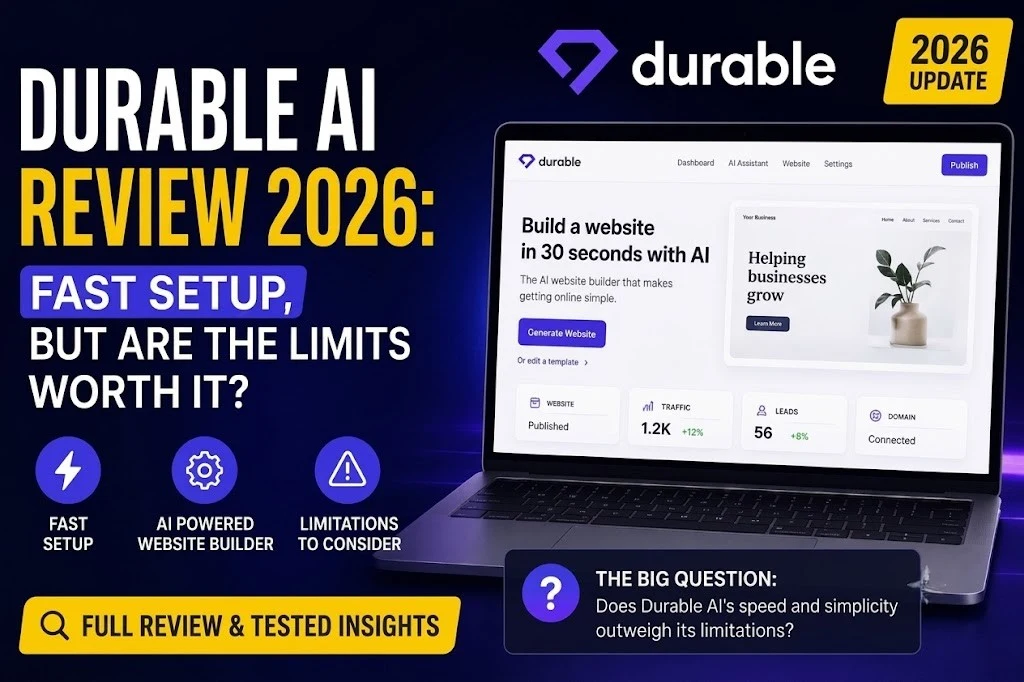
Durable promises to build a business website in minutes. In my test, it was fast, simple, and useful for getting a basic site online without code.
But speed is not enough. A website also needs good design, clear copy, lead capture, SEO, support, and room to grow.
For this Durable AI review, I tested sample business websites, checked 2026 pricing and features, and compared it with Wix, Hostinger, Squarespace, Shopify, 10Web, Framer, and B12.
My focus was simple: Is Durable just quick, or is it good enough for real small businesses?
Quick Verdict: Is Durable AI Worth It in 2026?
Short Answer
Yes, Durable AI is worth it if you need a simple business website fast. It is best for freelancers, solopreneurs, and service businesses that want a website, CRM, bookings, invoicing, and basic marketing tools in one place.
It is not the best choice if you need deep design control, a full online store, or advanced integrations.
Best For
Durable works best for consultants, coaches, photographers, cleaners, personal trainers, local service providers, home service businesses, and beginners who do not want WordPress, plugins, hosting setup, or custom code.
It can also help agencies build quick starter sites for small clients.
Not Best For
Skip Durable if you run a serious ecommerce store, need a large content website, want full source-code access, or depend on complex tools like memberships, multilingual pages, advanced CMS features, or heavy automation.
Design-focused brands may also find it too limited.
Final Rating
Overall Rating: 4.3/5
Durable is not the most flexible website builder, but it is one of the fastest ways to launch a practical small business website in 2026.
Durable AI at a Glance
Durable is built for people who want a business website without dealing with hosting, plugins, code, or long setup work. Its main strength is speed. You can create a simple website, edit the content, collect leads, manage contacts, send invoices, accept payments, add bookings, and use basic marketing tools from one dashboard.
The core features include a website builder, CRM, invoicing, payments, bookings, AI content tools, image tools, SEO/GEO features, and analytics.
It is a strong fit for small service businesses that need a fast online presence. But it is not ideal for large websites, advanced ecommerce, or brands that need full design freedom.
What Is Durable AI?
Durable AI is a website builder and business platform made for small businesses. It helps you create a simple website, manage leads, take bookings, send invoices, and promote your services from one place.
Durable AI in Simple Terms
Durable asks for basic business details, such as your business type, name, and location. Then it creates a website draft with page sections, written copy, images, contact forms, and basic business tools.
You can edit the site after it is generated. The process is made for beginners, not developers.
What Makes Durable Different?
Durable is not only about building pages. It combines several small business tools in one dashboard.
You get website creation, CRM, invoicing, payments, bookings, marketing content, blog tools, image tools, branding features, SEO/GEO tools, analytics, and local business visibility support.
This makes it useful for service businesses that want leads, calls, appointments, and payments without using many separate apps.
Durable Is Not Just a Website Builder Anymore
Many older reviews describe Durable as a basic AI website builder. That is only part of the story now.
In 2026, Durable feels more like a small business launch platform. It helps you build the website, manage new customers, follow up with leads, collect payments, and improve online visibility.
It is still limited for advanced design and ecommerce, but for simple service businesses, the all-in-one setup is its main value.
Who Is Durable AI Best For?
Durable AI is best for small businesses that need a simple website fast. It works well when your goal is to get leads, take bookings, show services, and look trustworthy online.
Best for Service-Based Small Businesses
Durable is a strong fit for service businesses, not product-heavy stores. It suits cleaning services, contractors, lawn care companies, coaches, consultants, therapists, fitness trainers, pet services, local photographers, and beauty or wellness businesses.
These businesses usually need a clear homepage, service details, contact form, booking option, testimonials, and local visibility. Durable handles this type of site well.
Best for Beginners Who Want Everything in One Place
Durable is useful for beginners who do not want to deal with WordPress, hosting, plugins, security updates, or complex design tools.
You can build, edit, publish, collect leads, send invoices, and manage basic marketing from one dashboard. That makes it easier for users who want a website without technical stress.
Best for Freelancers and Solo Operators
Freelancers can use Durable to replace several small tools. The built-in CRM helps track leads. Forms collect inquiries. Bookings help schedule calls. Invoices help request payments.
This is helpful for solo business owners who want fewer subscriptions and less admin work.
Best for Fast MVP Websites
Durable also works well for quick test projects. You can use it to test a business idea, launch a simple landing page, create your first online presence, publish a temporary service site, or build a basic client website quickly.
It is not perfect for complex websites, but for fast service-based launches, it does the job well.
Who Should Avoid Durable AI?
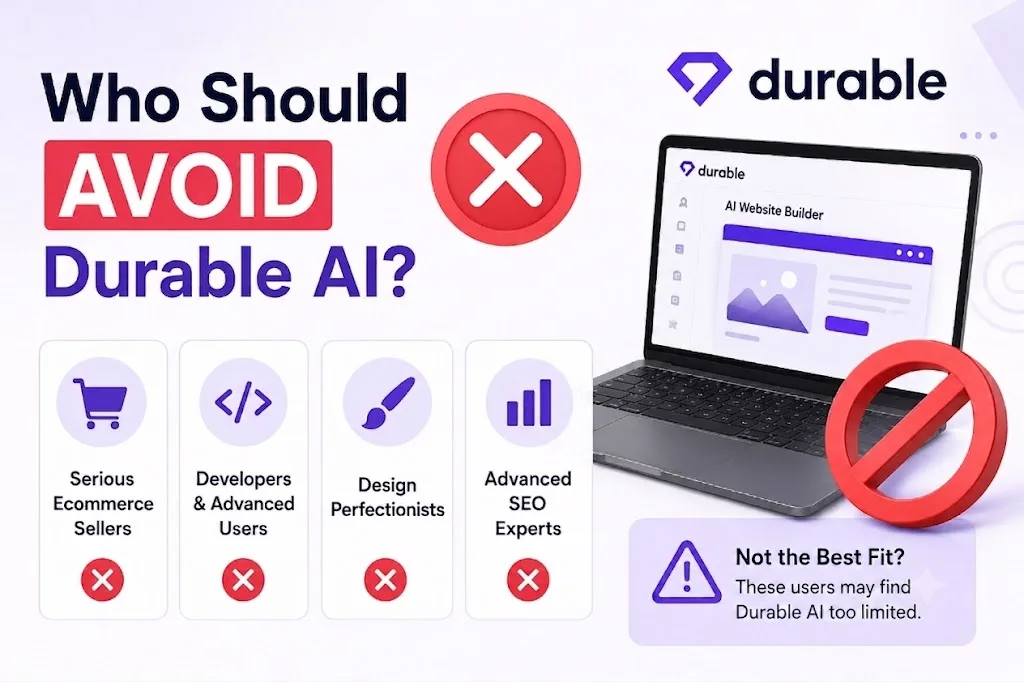
Durable is useful for quick service websites, but it is not the right fit for every business.
Avoid Durable If You Need a Full Online Store
Durable is not a Shopify replacement. It can help with invoices, bookings, and simple payments, but it is not built for serious ecommerce.
Skip it if you need product catalogs, carts, inventory, shipping rules, tax settings, advanced checkout, discount systems, or ecommerce automation.
Avoid Durable If You Need Deep Design Control
Durable keeps design simple. That is good for beginners, but limiting for brands that need a unique look.
If you want full layout freedom, custom animations, advanced spacing, or pixel-level control, Wix, Squarespace, Webflow, or Framer will give you more flexibility.
Avoid Durable If You Depend on Many Integrations
Durable is not ideal if your business runs on many outside tools.
You may feel limited if you rely on Mailchimp, HubSpot, Zapier, custom CRMs, advanced analytics, membership tools, or complex marketing automation.
Avoid Durable If SEO Is Your Main Growth Channel
Durable has helpful SEO and GEO tools for basic visibility. That is enough for many small businesses.
But serious SEO users may need more control over schema, redirects, internal links, content structure, technical SEO, programmatic pages, and large-scale blogging.
If organic traffic is your main business strategy, a more flexible platform may be safer.
How We Tested Durable AI
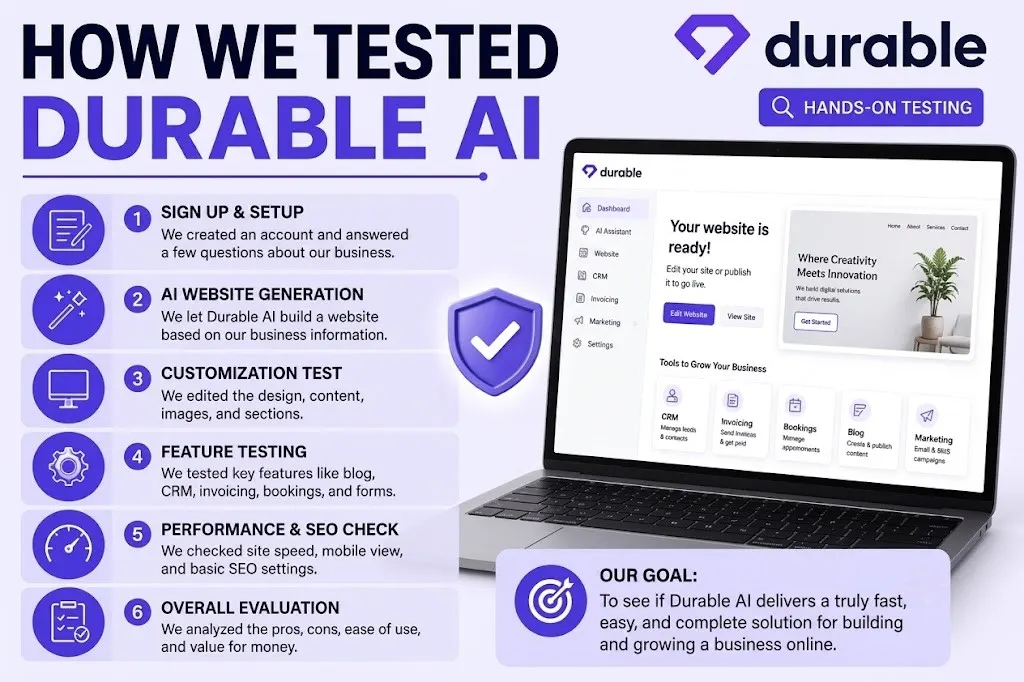
We did not judge Durable from its homepage alone. For this Durable AI review, we tested it like a small business owner would use it in real life.
Testing Methodology
We created sample websites for different business types and checked how far Durable could take each site from the first prompt to a publish-ready draft.
We tested the website builder, editor, mobile view, contact forms, lead capture, CRM, invoices, bookings, content tools, SEO/GEO settings, analytics, dashboard, and support.
We also compared the results with Wix, Hostinger, Squarespace, Shopify, 10Web, Framer, and B12 to see where Durable wins and where it falls short.
Test Business Scenarios
| Test Website | Main Goal |
|---|---|
| Local Cleaning Company | Get calls and service leads |
| Business Consultant | Book discovery calls |
| Personal Trainer | Show services and take bookings |
| Photographer | Display portfolio and inquiries |
| Home Repair Service | Build local trust and capture leads |
Review Criteria
| Area Tested | What We Checked |
|---|---|
| Setup Speed | How fast a usable site was created |
| Design Quality | Whether the site looked professional |
| Copy Quality | Whether the text felt clear and useful |
| Image Relevance | Whether images matched the business |
| Mobile Experience | How well the site worked on phones |
| Customization | How much control the editor allowed |
| Lead Capture | Whether forms and inquiries worked |
| CRM | How easy it was to manage contacts |
| Invoicing | Whether billing tools were practical |
| SEO/GEO | Basic search and AI visibility settings |
| Support | Helpfulness and response quality |
| Value | Features compared with price |
| Scalability | Whether the site could grow later |
What Counts as a Pass or Fail?
A small business website should explain services clearly, look trustworthy, load quickly, work on mobile, capture leads, make contact easy, and include basic SEO structure.
It should also be simple to update after publishing.
Durable passed the speed and simplicity test. The main question was whether its design, SEO, ecommerce, and customization limits are acceptable for long-term use.
Hands-On Test Results: What Happened When We Used Durable
Durable felt fast from the first click. It is not a perfect website builder, but it does a good job of creating a usable first draft for a small business site.
Website Generation Speed
Durable’s “30-second website” claim felt close in our test. The first draft appeared very quickly after entering the business type, name, and location.
It was not publish-ready in 30 seconds, but it gave us a solid starting point.
First Draft Website Quality
The first website draft included the basics: a hero section, service blocks, call-to-action buttons, an about section, contact form, testimonials, and location-based content.
The layout looked clean and simple. It was not unique, but it looked professional enough for a local service business.
| Area | Result |
|---|---|
| Layout | Clean and simple |
| Hero Section | Clear but needed editing |
| Services | Useful starting point |
| Contact Form | Included |
| Testimonials | Placeholder-style |
| Local Content | Helpful for service businesses |
| Images | Relevant but sometimes generic |
AI Copy Quality
The copy was usable, but not final. It explained the business clearly and gave each page a basic structure.
Still, it needed editing for brand voice, proof, real examples, local trust signals, and stronger calls to action.
Image and Visual Quality
The images were mostly relevant to the business type. Some looked like normal stock photos, which may feel generic.
Replacing images was easy, so this was not a major issue. For a serious brand, I would still upload real photos.
Mobile Responsiveness
The generated site looked good on mobile without much work. Sections stacked properly, buttons were easy to see, and the contact area stayed simple.
This is one of Durable’s stronger points for beginners.
Lead Capture and Contact Form Test
The contact form worked as expected. Leads were captured inside the dashboard, and follow-up was simple through the CRM.
This is where Durable feels more useful than a basic website builder. It does not just create pages; it also helps manage inquiries.
Publishing and Domain Setup
Free users can use a Durable subdomain. Paid users can connect a custom domain, which is better for a real business website.
The setup is simple compared with WordPress or manual hosting.
Final Hands-On Impression
Durable got the website about 75–80% ready. The structure, mobile layout, forms, and basic content were already there.
Before publishing, I would still edit the copy, replace stock images, add real testimonials, improve SEO details, and test every contact option.
Plans and Product Modules Explained
Durable keeps its plans simple: Free, Launch, and Grow. The right choice depends on whether you are testing an idea, launching a real business website, or using Durable as a daily business tool.
Free Plan
The Free plan is best for testing Durable before paying. You can build a basic website, use a Durable subdomain, try limited image and message tools, and manage a small number of customers.
It is useful for testing a business idea, but not ideal for a serious brand website.
Launch Plan
The Launch plan is the best fit for most small businesses. It gives you more room to build, publish, and manage a proper business site.
It is better if you want a custom domain, higher usage limits, stronger business tools, and a more professional setup than the free version.
Grow Plan
The Grow plan is for active businesses that want more usage, more support, and more room to manage content, visibility, customers, and daily work.
It makes sense if Durable is not just your website builder, but part of how you run the business.
Product Modules
| Module | What It Does |
|---|---|
| Website Builder | Creates and edits your site |
| CRM | Tracks leads and customers |
| Bookings | Lets people schedule with you |
| Invoicing & Payments | Helps send invoices and collect payments |
| AI Business Partner | Gives business and marketing help |
| AI Studio | Creates images and visual assets |
| Blog Writer | Helps draft blog content |
| SEO & GEO | Helps with search and AI visibility |
| Analytics | Shows basic website performance |
| Brand Builder | Helps create simple brand assets |
| Support | Helps with setup and issues |
Which Plan Should You Choose?
Choose Free if you only want to test the platform.
Choose Launch if you are a small business that wants a real website.
Choose Grow if you need more automation, support, content, and customer management.
Key Features
Durable’s main value is that it combines a website builder with basic business tools. It is not the most flexible platform, but it covers the daily needs of many small service businesses.
AI Website Builder
Durable creates a website from a few details, such as your business type, name, and location. It builds the layout, copy, images, service sections, contact forms, and basic page structure.
This is useful for non-technical users who want a quick website without hiring a designer or learning WordPress.
Drag-and-Drop Editor
The editor is simple. You can edit text, swap images, move sections, change colors, adjust fonts, update headings, edit calls to action, and add or remove layout blocks.
It is easy to use, but not as flexible as Wix, Webflow, Framer, or Squarespace.
AI Copywriting Tools
Durable can help write homepage copy, service descriptions, blog drafts, social posts, ads, and email-style messages.
The copy is good for a first draft, but it should be edited with real proof, local details, customer benefits, and your own brand voice.
CRM
Durable includes a built-in CRM for tracking leads and customers. When someone fills out a form, their details can be managed from the dashboard.
This is helpful for small businesses that do not want a separate CRM tool just to follow up with inquiries.
Invoicing and Payments
Durable lets freelancers and service businesses send invoices and collect payments. This is useful for consultants, coaches, contractors, and local service providers.
It keeps website leads and payment follow-up closer together, which saves time.
Bookings
Bookings help customers schedule calls, sessions, or appointments. This is useful for coaches, consultants, trainers, therapists, beauty businesses, and service providers.
It removes extra back-and-forth and makes the website more practical.
AI Blog Writer
Durable’s blog writer can help with topic ideas and simple drafts. It is useful when you need quick content for a small business site.
For serious SEO, the drafts still need expert editing, original examples, better structure, and stronger search intent coverage.
SEO and GEO Tools
Durable includes basic SEO tools to help your website appear in Google search. This may include page titles, descriptions, content structure, and local business visibility.
It also focuses on GEO/AEO, which means helping your business appear in AI answers, recommendation engines, and search-style assistants.
AI Image and Brand Tools
Durable can help create simple images, logos, social assets, and brand visuals. This is useful for new businesses that do not yet have a full brand kit.
The results are convenient, but real photos and custom branding will still look more trustworthy.
Analytics
Durable includes basic analytics so beginners can see visits, leads, and site activity.
This helps small business owners understand what pages get attention, where leads come from, and whether the website is doing its job.
Website Quality and Performance Analysis
Durable creates clean websites quickly. The first draft is usually good enough to review, but not good enough to publish without edits.
Design Quality
Durable sites look modern, simple, and mobile-friendly. They are suitable for local and service businesses.
The downside is sameness. Many layouts feel similar, so brands that need a unique look may find Durable too basic.
Copy Quality
The copy is clear and easy to understand. It explains services well and gives each page a basic structure.
But it can sound generic. For better results, add your own proof, examples, customer pain points, and stronger calls to action.
Conversion Readiness
| Area | Result |
|---|---|
| Hero CTA | Usually clear |
| Service Clarity | Good starting point |
| Contact Options | Easy to add |
| Booking Flow | Useful for service businesses |
| Trust Signals | Needs real proof |
| Testimonials | Often placeholder-style |
| Location Relevance | Helpful for local businesses |
| Mobile CTA | Generally visible |
Durable is good at basic lead capture, but you should improve trust before publishing.
Speed and Hosting
Durable handles hosting, SSL, and basic site delivery for you. This makes setup easier than WordPress or manual hosting.
For small business sites, performance should be practical enough. Still, always test page speed after adding images, widgets, and extra sections.
SEO Structure
Durable gives you a basic SEO foundation. You can work with page titles, descriptions, mobile-friendly pages, local details, and simple content structure.
It is fine for basic visibility, but limited for advanced SEO. Power users may want more control over schema, redirects, deep content structure, URLs, internal links, and large-scale blogging.
What You Should Edit Before Publishing
Before publishing a Durable website:
Durable gives you a fast first draft. Your edits make it trustworthy.
Real-World Use Cases for Durable AI
Durable works best when the website has one clear job: explain the service, build trust, and turn visitors into leads.
Local Service Business Website
A cleaning company, repair service, landscaper, or mobile service provider can use Durable to launch a simple local website fast.
It can show services, location, contact details, testimonials, booking options, and a form for new leads. This makes it useful for businesses that need calls and inquiries more than complex design.
Freelancer Portfolio
Writers, designers, photographers, and consultants can use Durable to create a basic portfolio site.
It can show work samples, services, pricing, contact forms, and client proof. It is a good fit when you need a clean online presence without building everything from scratch.
Coaching or Consulting Website
Durable is useful for coaches and consultants because it supports lead capture, bookings, service packages, and testimonials.
Visitors can understand the offer, book a call, and send inquiries from one simple website.
Fast Landing Page for a New Offer
Durable is also good for testing demand. You can create a quick landing page for a new service, course, workshop, or local offer.
This helps you test the idea before spending money on a custom website.
Simple Agency Client Starter Site
Agencies can use Durable for low-budget clients, MVP websites, or fast starter sites.
It is not a replacement for custom design work, but it can speed up simple projects.
Not Ideal for Complex Ecommerce or Content Businesses
Durable is not the best choice for large online stores, heavy blogs, membership sites, or complex content platforms.
For those needs, Shopify, WordPress, Webflow, or Wix may be a better fit.
Ease of Use and User Experience
Durable is one of the easiest website builders to use. It is made for people who want a website without learning design, code, hosting, or plugins.
Setup Experience
The setup is simple. You enter your business type, business name, and location. Durable then creates a website draft with sections, text, images, and contact options.
The process feels guided, not technical. Beginners can move from idea to first draft very quickly.
Dashboard Experience
The dashboard is clean and easy to follow. Website, customers, invoices, bookings, marketing, and settings are placed in clear areas.
You do not need to search through too many menus. This makes Durable easier for beginners than WordPress.
Editing Experience
Editing feels simple and controlled. You can change text, images, colors, fonts, sections, headings, and buttons.
Compared with Wix, Squarespace, WordPress, and Framer, Durable is easier but less flexible. It gives fewer design choices, but also fewer ways to get stuck.
Learning Curve
The learning curve is low. A beginner can understand the basics in a short time.
Advanced users may feel limited because Durable does not offer deep layout control, advanced design freedom, or complex site structure.
Time Needed to Launch
| Task | Estimated Time |
|---|---|
| First Draft | Under 1 minute |
| Basic Editing | 30–60 minutes |
| Publish-Ready Site | 1–3 hours |
Durable is fastest when your business details, services, photos, and testimonials are already prepared.
Durable AI Pricing and Value for Money
Durable has three main plans: Free, Launch, and Grow. The value depends on how much of the platform you actually use.
Durable Pricing Overview
| Plan | Best For |
|---|---|
| Free | Testing Durable |
| Launch | Most small businesses |
| Grow | Active businesses needing more support |
Durable is not just priced as a website builder. The plans also include business tools like CRM, bookings, invoicing, content tools, SEO/GEO features, hosting, and analytics.
What You Get on the Free Plan
The Free plan is useful for testing. You can build a basic website, publish on a Durable subdomain, try limited content or image tools, and manage a small number of customers.
It is good for exploring the platform, but not ideal for a serious business website.
Launch Plan Value
Launch is the best plan for most small service businesses. It gives you a more professional setup with a custom domain, higher limits, and stronger business features.
For freelancers, consultants, coaches, and local service providers, this plan should be enough to launch and manage a simple website.
Grow Plan Value
Grow is for businesses that use Durable more heavily. It fits users who need more content output, more team access, better onboarding, and stronger support.
Choose Grow only if Durable is part of your daily business workflow.
Hidden Costs to Consider
Durable can reduce extra tools, but it may not remove every cost.
You may still pay for email hosting, payment processing fees, advanced SEO tools, extra integrations, ecommerce software, or custom design help.
If you need a full online store, you may need Shopify or another ecommerce platform.
Is Durable Cheap or Expensive?
Durable is not always the cheapest website builder. Hostinger can cost less, and Wix gives more design flexibility.
Durable’s value comes from combining website building, CRM, bookings, invoices, basic marketing, and simple site management in one place.
Best Value Plan
Choose Free to test the platform.
Choose Launch for most small business websites.
Choose Grow if you need more automation, support, team access, and content capacity.
Durable AI Pros and Cons
Durable has clear strengths, but it also has limits. It works best when you need a fast, simple business website rather than a fully custom platform.
Pros
| Pros | Why It Matters |
|---|---|
| Very fast setup | Creates a first website draft quickly |
| Beginner-friendly | Easy to use without code |
| Good for service businesses | Built for leads, bookings, and inquiries |
| Built-in CRM | Helps manage contacts and leads |
| Invoicing and payments | Useful for freelancers and local businesses |
| Bookings support | Helps clients schedule calls or services |
| Content tools | Helps with basic copy, posts, and pages |
| Image and branding tools | Useful for quick visual assets |
| Secure hosting | Reduces technical setup |
| Free plan | Good for testing before paying |
| Local visibility tools | Helpful for local service businesses |
| All-in-one value | Replaces several small tools |
Cons
| Cons | Why It Matters |
|---|---|
| Limited design flexibility | Harder to create a unique site |
| Not full ecommerce | Weak for online stores |
| Limited integrations | May not fit complex workflows |
| Copy needs editing | First drafts can sound generic |
| Similar templates | Some sites may feel alike |
| Basic SEO depth | Not ideal for advanced campaigns |
| Limited CMS | Not built for large content sites |
| Limited code control | Developers may feel restricted |
| Scalability limits | Not best for complex businesses |
Bottom-Line Interpretation
Durable’s limits matter if you expect it to replace Wix, Shopify, Webflow, or WordPress.
For a simple service business website, the trade-off is fair. You lose some control, but you gain speed, ease, CRM, bookings, invoices, and a faster path to launch.
Durable AI vs Wix: Which Is Better?
Durable and Wix are built for different users. Durable is faster and simpler. Wix is more flexible and more powerful.
Quick Answer
Choose Durable if you want a website fast with built-in CRM, invoices, bookings, and simple business tools.
Choose Wix if you want more design freedom, more apps, stronger ecommerce, better SEO control, and more room to grow.
Durable Wins For
| Durable Is Better For | Why |
|---|---|
| Speed | Creates a first website draft very quickly |
| Simplicity | Easier for beginners |
| Service Businesses | Good for leads, bookings, and invoices |
| All-in-One Tools | Website, CRM, payments, and marketing in one place |
| Fast Setup | Less time spent on design and settings |
Durable is best when you want to launch quickly and do not need a highly custom website.
Wix Wins For
| Wix Is Better For | Why |
|---|---|
| Design Flexibility | More control over layout and style |
| Templates | Larger template selection |
| App Marketplace | More third-party tools |
| Ecommerce | Better for online stores |
| SEO Control | More advanced settings |
| Scalability | Better for growing websites |
| Creative Sites | Stronger for unique brand design |
Which Should You Choose?
Choose Durable if you run a service business and need a fast website with CRM, bookings, and invoicing.
Choose Wix if your website needs stronger design, ecommerce, apps, advanced SEO, or long-term growth features.
For most simple local businesses, Durable is easier. For larger or more custom websites, Wix is the safer choice.
Brief Competitor Comparisons
Durable is not the only website builder for small businesses. Its main advantage is speed and built-in business tools. Some competitors are better for design, ecommerce, blogging, or long-term flexibility.
Durable vs Hostinger
Hostinger is better if you want a low-cost website builder with hosting. It is a good option for budget users who mainly need a simple website.
Durable is better if you want more than a website. It includes CRM, bookings, invoicing, payments, and business support tools in one dashboard.
Choose Hostinger for price. Choose Durable for business workflow.
Durable vs Squarespace
Squarespace is better for polished design, creative portfolios, and visual brands. Its templates look more refined and premium.
Durable is better for speed, lead capture, invoices, bookings, and simple service-business operations.
Choose Squarespace for design. Choose Durable for fast setup and business tools.
Durable vs Shopify
Shopify is the clear winner for ecommerce. It is built for product catalogs, checkout, inventory, shipping, taxes, discounts, and online store growth.
Durable is not a full ecommerce platform. It is better for service businesses that need leads, appointments, and invoices.
Choose Shopify for selling products. Choose Durable for selling services.
Durable vs WordPress
WordPress is better for flexibility, blogging, plugins, SEO control, and ownership. It can grow into almost any type of website.
Durable is better for beginners who do not want hosting, updates, plugins, security work, or technical setup.
Choose WordPress for control. Choose Durable for simplicity.
Durable vs 10Web
10Web is better if you want an AI-assisted WordPress website. It gives more flexibility because it is built around WordPress.
Durable is easier for non-technical users. It is faster to start and simpler to manage.
Choose 10Web for WordPress power. Choose Durable for fast small-business setup.
Durable vs Framer
Framer is better for high-end landing pages, modern design, animations, and creative control.
Durable is better for people who need a website plus CRM, bookings, invoices, and basic business tools.
Choose Framer for design. Choose Durable for business operations.
Durable vs B12
B12 may be better for service businesses that want more guided or expert-assisted website setup.
Durable is better for users who want a faster and more affordable self-serve option.
Choose B12 for more help. Choose Durable for speed and lower-cost control.
| Tool | Best For |
|---|---|
| Durable | Fast service-business websites |
| Hostinger | Budget website building |
| Squarespace | Polished design |
| Shopify | Ecommerce |
| WordPress | Flexibility and blogging |
| 10Web | AI WordPress websites |
| Framer | Modern landing pages |
| B12 | Guided service-business setup |
Best Durable AI Alternatives in 2026
Durable is good for fast service-business websites, but it is not the best fit for every user. These are the strongest Durable alternatives based on different needs.
Best Overall Alternative: Wix
Wix is the best overall Durable alternative. It gives you more design freedom, more templates, more apps, stronger ecommerce, and better control over your website.
Choose Wix if you want a website that can grow beyond a simple service page.
Best Budget Alternative: Hostinger
Hostinger is a better choice if price matters most. It offers low-cost website building, hosting, and basic AI tools.
Choose Hostinger if you want an affordable website and do not need built-in CRM, invoices, or advanced business tools.
Best Ecommerce Alternative: Shopify
Shopify is the best Durable alternative for selling products online. It is built for product pages, carts, checkout, inventory, shipping, taxes, and store growth.
Choose Shopify if ecommerce is your main business model.
Best Design Alternative: Squarespace or Framer
Squarespace is better for polished templates, portfolios, and visual brands. Framer is better for modern landing pages, animations, and custom design control.
Choose these if appearance matters more than built-in business tools.
Best WordPress Alternative: 10Web
10Web is a strong choice if you want AI website creation with WordPress flexibility.
Choose 10Web if you want more control, blogging power, plugins, and long-term website ownership.
Best Service-Business Alternative: B12
B12 is a good alternative for service businesses that want more guided setup or expert help.
Choose B12 if you want support with building a more professional service website, but prefer not to do everything yourself.
| Alternative | Best For |
|---|---|
| Wix | Overall flexibility |
| Hostinger | Budget websites |
| Shopify | Ecommerce |
| Squarespace | Polished design |
| Framer | Modern landing pages |
| 10Web | AI WordPress sites |
| B12 | Guided service websites |
What Real Users Say About Durable AI
User feedback on Durable is mostly positive when people want a fast and simple website builder. Reviews become more mixed when users expect deep design control, advanced ecommerce, or full platform flexibility.
Common Positive Feedback
Many users like how quickly Durable creates a website. The setup feels simple, and the dashboard is easy to understand.
Users also praise the support team, especially when they need help with setup, editing, domains, or account questions.
Common positives include:
| Users Like | Why It Matters |
|---|---|
| Fast setup | Saves time |
| Simple dashboard | Easy for beginners |
| Helpful support | Reduces stress |
| Quick website drafts | Good for small businesses |
| CRM tools | Helps manage leads |
| Beginner workflow | No coding needed |
Common Complaints
Most complaints are about limits. Some users want more control over layout, design, templates, integrations, ecommerce, and content structure.
The website drafts can also need editing because the text may feel too general.
Common complaints include:
| Users Dislike | Why It Matters |
|---|---|
| Limited customization | Harder to create a unique site |
| Similar templates | Designs can feel repeated |
| Weak ecommerce | Not ideal for online stores |
| Few integrations | May limit business workflows |
| Copy needs editing | Not always publish-ready |
| Less control | Advanced users may feel restricted |
How to Read User Reviews Fairly
Durable reviews are usually positive when users want speed, simplicity, and a basic business website.
They are more critical when users expect Durable to work like Wix, Shopify, Webflow, or WordPress.
That difference matters. Durable is built for quick service-business websites, not complex web projects.
Our Take on User Feedback
Our testing matched the user feedback. Durable is fast, clean, and easy to use. It is strong for beginners and service businesses.
The limits are also real. Design control, ecommerce, integrations, and advanced SEO are not its strongest areas.
So the reviews make sense: Durable is great when expectations are right, but disappointing when users need more power.
Overlooked Strengths of Durable AI
Most Durable reviews focus on speed. That matters, but the bigger value is how it helps small businesses manage the work after the website goes live.
Durable Is Stronger for Business Operations Than Design
Durable is not the best design tool. Its real strength is business flow.
It connects your website, leads, bookings, invoices, customer details, and basic marketing tools in one place. For service businesses, that can be more useful than extra design freedom.
Useful for Local Service SEO and AI Visibility
Durable can help local businesses build a clearer online presence. You can add location details, service information, business descriptions, and local trust signals.
Its SEO/GEO tools are useful for showing up in Google, AI answers, and local discovery searches. It also helps when your Google Business Profile and directory details are consistent.
Good for People Who Avoid Technical Tools
Some business owners delay building a website because WordPress, hosting, plugins, and design tools feel overwhelming.
Durable removes many of those decisions. Fewer settings mean faster launch and less friction.
Strong MVP Tool
Durable is useful for testing a new business idea. You can build a simple site, add a service offer, collect leads, and see if people respond.
This is better than spending weeks or thousands of dollars before knowing if the idea works.
CRM + Invoicing Add Real Value
A basic website builder only gives you pages. Durable goes further by helping you manage leads and payments.
For freelancers, consultants, coaches, and local service providers, the built-in CRM and invoicing tools can save time and reduce the need for extra software.
Limitations and Common Problems
Durable is fast and easy, but it has clear limits. It works best for simple business websites, not complex web projects.
Limited Design Customization
Durable gives you basic design control. You can edit colors, fonts, images, sections, and text, but you cannot fully control every layout detail.
This makes it harder to create a unique website. Some templates can feel similar, and premium visual brands may want more freedom.
Not Built for Serious Ecommerce
Durable is not made for full online stores.
It does not offer advanced carts, product catalogs, inventory tools, shipping rules, complex taxes, or multi-channel selling. Shopify is a better choice for ecommerce.
Limited Integrations
Durable has fewer integrations than bigger platforms like Wix or WordPress.
This can become a problem if your business depends on email marketing tools, advanced analytics, automation platforms, custom CRMs, or membership software.
AI Content Can Sound Generic
Durable’s copy is useful, but it often needs editing.
To improve it, add specific services, local details, proof, founder story, real examples, better testimonials, and stronger CTAs.
SEO Has Practical Limits
Durable’s SEO tools are helpful for beginners. They can support basic search visibility and local business pages.
But advanced SEO users may need more control over schema, redirects, internal linking, technical settings, and large content systems.
Export and Platform Lock-In Concerns
Before building a business-critical website, check what you can export and what stays inside Durable.
This matters if you may move to WordPress, Shopify, Webflow, or another platform later.
Not a Replacement for Strategy
Durable can build pages, but it cannot decide your offer, positioning, proof, pricing, photos, testimonials, or service message.
You still need a clear business strategy to make the website convert.
Privacy, Security, Ownership, and Licensing
Durable handles websites, leads, customer details, payments, and business content, so privacy and ownership matter.
Is Durable AI Safe to Use?
Durable includes hosted websites, SSL, and secure delivery features. This means your site can load with HTTPS and basic protection without setting up hosting yourself.
Still, safety also depends on your password, account settings, payment setup, and how you collect customer data.
Who Owns the AI Output?
Before using Durable for a serious business, review its latest terms. AI-generated website copy, images, branding, and customer data rules can affect business use.
This is especially important if you plan to reuse content elsewhere or move platforms later.
What Data Does Durable Process?
Durable may process business details, website content, customer leads, form submissions, analytics, account data, and payment-related information.
Payment data may also be handled by third-party processors.
AI Output Accuracy Warning
Do not publish AI-generated text without review. Check service claims, pricing, guarantees, legal wording, health claims, and compliance statements.
Wrong claims can hurt trust and create risk.
Payment Security
Durable payment features may use third-party processors such as Stripe. Check payment settings, fees, refund rules, and customer data handling before accepting payments.
Practical Privacy Checklist Before Publishing
Customer Support and Documentation
Durable offers enough support for most beginners, but the level of help depends on your plan.
Support Channels
Durable provides a help center, email or live chat support, and expert onboarding on higher plans.
Free users mainly get basic help center support. Paid users may get priority live chat. Grow users get more guided onboarding.
Support Quality
User feedback is generally positive. Most users like that support is friendly and useful for setup, domain, billing, and website questions.
It is not the same as hiring a web expert, but it is helpful for a beginner-friendly platform.
Documentation Quality
Durable’s help content is simple and beginner-focused. It is best for basic setup, publishing, domains, editing, and account questions.
Advanced users may still want more technical detail.
Best Way to Get Help
Use the help center for simple setup questions.
Use live chat for urgent domain, account, or payment issues.
Use onboarding if you are on Grow or building a serious business website.
Final Verdict:
Durable AI is a good choice if you want a simple business website fast. It is not the most flexible builder, but it is practical for small service businesses.
Use Durable If
Use Durable if you need to launch quickly, run a service business, and want website tools, CRM, bookings, and invoices in one place.
It is also a good fit if you are not technical, prefer simple editing, and want a clean first website without dealing with hosting, plugins, or code.
Skip Durable If
Skip Durable if you need a full ecommerce store, advanced design control, deep integrations, or WordPress-level flexibility.
It is also not ideal for large blogs, complex CMS needs, advanced SEO campaigns, or businesses that need full control over every part of the website.
Final Recommendation
Durable AI is one of the fastest ways to launch a credible small-business website in 2026.
Its limits are real, especially in ecommerce, customization, and integrations. But for service businesses that value speed, simplicity, and built-in business tools, Durable is a strong option.