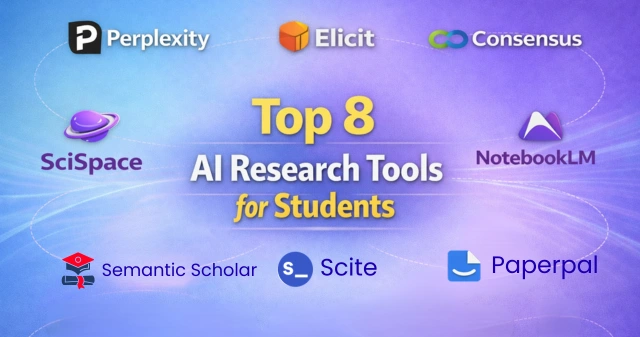
Top 8 AI Research Tools for Students and Researchers in 2026 (Compared & Reviewed)
Best Overall

4.8
Features:

Most Featured
4.9
Features:
Most Popular
4.8
Features:
The best AI research tools do more than save time. They help you find better sources, understand papers faster, organize ideas, and write with more confidence.
Some tools are better for literature reviews. Others are stronger for reading PDFs, checking citations, or turning research into clear notes and drafts. The best choice depends on how you research, read, and write.
The Complete AI-Powered Research Workflow in 2026
Research is no longer just about finding papers. It is about moving faster from discovery to understanding to writing.
A typical workflow looks like this:
Our Top AI Research Tool Picks for Students & Researchers 2026
| Tool | Best For |
|---|---|
| Perplexity | Fast research, source discovery, and quick answers with references |
| Elicit | Literature reviews, paper screening, and research synthesis |
| Consensus | Evidence-backed answers from academic studies |
| SciSpace | Understanding dense research papers in simpler words |
| NotebookLM | Working from your own notes, PDFs, and source material |
| Scite | Checking whether citations support or contradict a claim |
| Semantic Scholar | Finding papers, related studies, and citation networks |
| Paperpal | Academic writing, editing, and polishing before submission |
Comparison Table
| Badge | Tool | Best For | Top Features | Price |
|---|---|---|---|---|
| Best Overall | Perplexity | Everyday research | Fast answers, cited sources, follow-up questions, web and academic search | Free / $20 |
| Best for Literature Reviews | Elicit | Review and synthesis | Paper screening, research summaries, study comparison, evidence extraction | Free / Paid |
| Best for Evidence-Backed Answers | Consensus | Research-supported answers | Academic study search, evidence summaries, topic insights | Free / Paid |
| Best for Understanding Papers | SciSpace | Reading difficult papers | Paper explanations, PDF chat, method breakdowns, quick summaries | Free / Paid |
| Best for Source-Based Work | NotebookLM | Writing from your own material | Source-grounded notes, PDF support, summaries, idea organization | Free |
| Best for Citation Checking | Scite | Verifying claims | Citation context, supporting vs contrasting citations, smart references | Free / Paid |
| Best for Finding Papers | Semantic Scholar | Discovery and citation trails | Paper search, related research, citation graphs, author insights | Free |
| Best for Academic Writing | Paperpal | Polishing research writing | Academic editing, clarity fixes, grammar support, formal tone | Free / Paid |
How we evaluated these AI research tools
We did not rank these tools by popularity alone. We looked at how useful they are for real academic work like finding sources, reading papers, reviewing literature, checking evidence, and writing clearly.
Research quality and source reliability
First, we looked at how well each tool helps users find trustworthy information. Tools that point to strong sources and make research easier to verify scored higher.
Literature review support
A good research tool should help you scan papers, compare findings, and spot useful studies faster. We gave extra value to tools that save time during review-heavy work.
PDF and paper-reading workflows
Many students and researchers spend more time reading than writing. So we looked at which tools are best for understanding papers, summarizing PDFs, and pulling out key ideas quickly.
Citation support and claim checking
Some tools are better at showing whether a source supports a claim or not. That matters when you want stronger arguments and fewer weak references.
Writing and editing support
Research does not end at reading. We also considered how well each tool helps with notes, structure, clarity, and polishing academic writing.
Pricing and value for students and researchers
Price matters, especially for students. We looked at free access, paid upgrades, and overall value to see which tools give the most practical help for the cost.
Best AI research tools for students and researchers in 2026
Perplexity
Pros and cons
Elicit
Pros and cons
Consensus
Pros and cons
SciSpace
Pros and cons
NotebookLM
Pros and cons
Scite
Pros and cons
Semantic Scholar
Pros and cons
Paperpal
Pros and cons
Rising AI Research Tools in 2026
ResearchRabbit
Litmaps
Connected Papers
Which AI research tool is best for different needs?
Best for finding research papers
Semantic Scholar is one of the best tools for finding papers, related studies, and citation trails.
Best for literature reviews
Elicit is the strongest choice for literature reviews because it helps compare studies and organize findings faster.
Best for reading and summarizing PDFs
SciSpace is one of the best tools for reading and summarizing research papers in a simpler way.
Best for checking whether citations support a claim
Scite is the best pick for citation checking because it shows whether a source supports, mentions, or challenges a claim.
Best for writing research papers
Paperpal is a strong choice for writing research papers because it helps improve clarity, structure, and academic tone.
Best free AI research tool
Perplexity is one of the best free research tools for quick source discovery, fast answers, and early-stage topic research.
How to Combine These Tools: A Practical 2026 Workflow
Start with Perplexity or Semantic Scholar to find papers and narrow your topic fast. Then use ResearchRabbit or Litmaps to expand the field and build a stronger reading list.
Move the best papers into Elicit for screening and study comparison. Use SciSpace or NotebookLM to understand key PDFs, check important sections, and build grounded notes. Then verify citations with Scite and polish the final draft with Paperpal.
Perplexity vs Elicit: which is better for literature research?
- If your goal is fast topic exploration, Perplexity is the better choice. It helps you ask broad research questions, find sources quickly, and understand a topic without much setup.
- If your goal is a deeper literature review, Elicit is the stronger option. It is better for screening papers, comparing studies, and pulling useful findings from multiple sources.
- Bottom line: choose Perplexity for quick research discovery, and Elicit for more structured literature research.
Consensus vs Scite: which is better for evidence and citation support?
- If you want quick answers backed by academic studies, Consensus is the better choice. It helps you understand what research says about a topic in a faster, simpler way.
- If you want to check whether a citation actually supports a claim, Scite is the stronger option. It is built for citation context and helps you judge source quality more carefully.
- Bottom line: choose Consensus for evidence-backed answers, and Scite for deeper citation checking.
SciSpace vs NotebookLM: Which is better for reading and writing from papers?
- If your main goal is to understand difficult research papers, SciSpace is the better choice. It helps break down complex sections, explain methods, and make dense academic writing easier to follow.
- If your goal is to work from your own papers, notes, and sources to build summaries or drafts, NotebookLM is the stronger option. It is better for turning uploaded material into organized notes and source-based writing support.
- Bottom line: Choose SciSpace for understanding papers, and NotebookLM for writing from them.
Are AI research tools safe for academic work?
Yes, they can be safe and useful when used to support research, not replace it. They work best when they help you find sources, understand papers, organize notes, and improve clarity.
What counts as responsible use
Use these tools to explore topics, summarize papers, compare studies, and improve your draft. They are most useful when your own thinking, reading, and judgment stay in control.
What to avoid in research and writing
Do not rely on made-up citations, unchecked claims, or copied output. Use AI to support your research process, not to replace careful reading, source checking, and original writing.
How to choose the right AI research tool as a student or researcher
Start with the part of research that slows you down most. If you need quick source discovery, use Perplexity. If you are doing literature reviews, Elicit is a better fit.
If you struggle to understand papers, go with SciSpace. If you want to work from your own notes, PDFs, and sources, NotebookLM is a smarter choice. The best tool is the one that fits your research workflow, not the one with the most features.
Final verdict
If you want one research tool that covers the most ground, Perplexity is the best overall pick. It is fast, simple, and useful for finding sources, exploring topics, and getting quick answers with references. For many students and researchers, it is the easiest place to start./
Still, the best tool depends on the kind of work you do most. Elicit is better for literature reviews, SciSpace is stronger for understanding papers, Scite is best for citation checks, and Paperpal is more useful when it is time to polish your writing.